Default Country for Unregistered Family Members
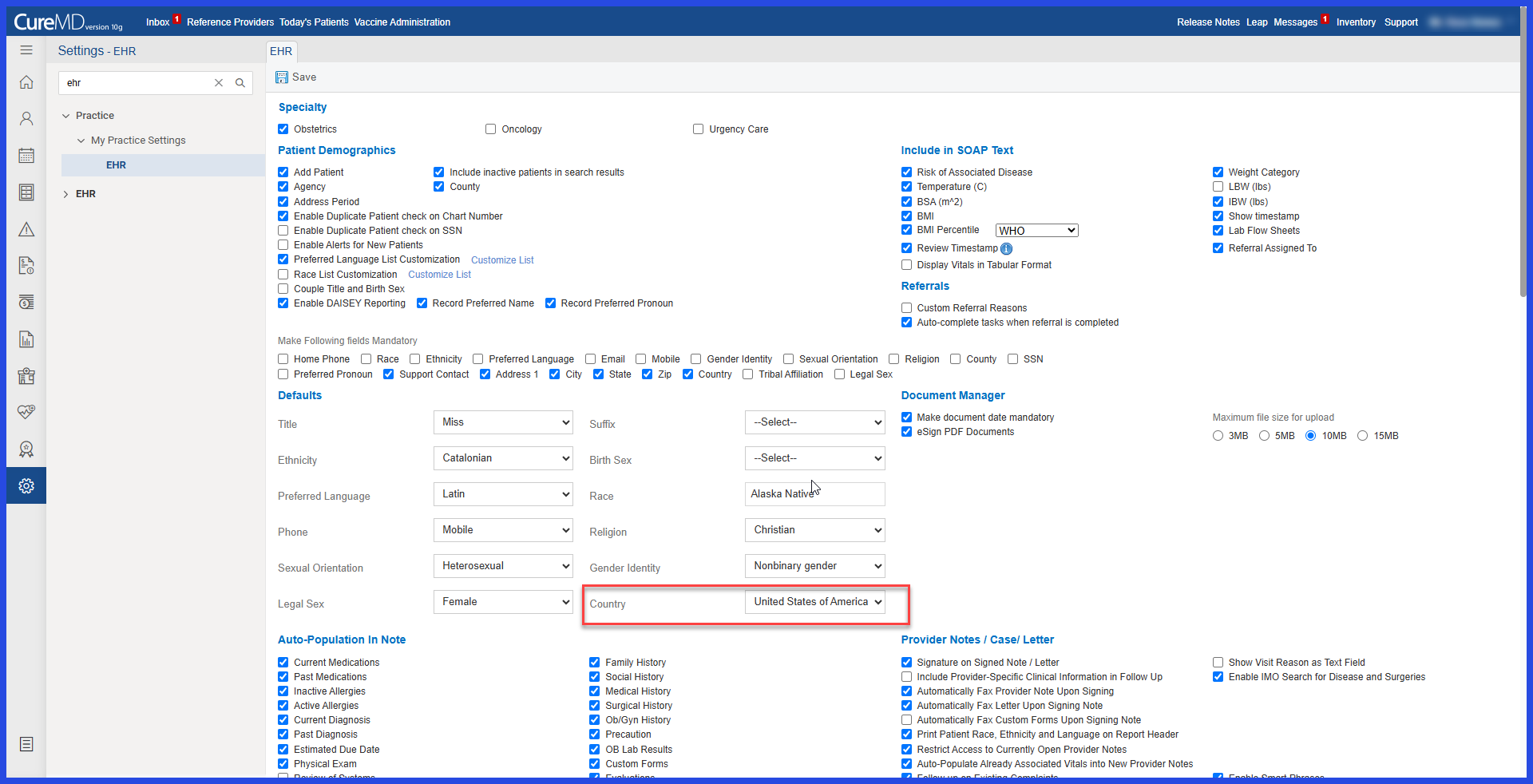
Configure Default Country
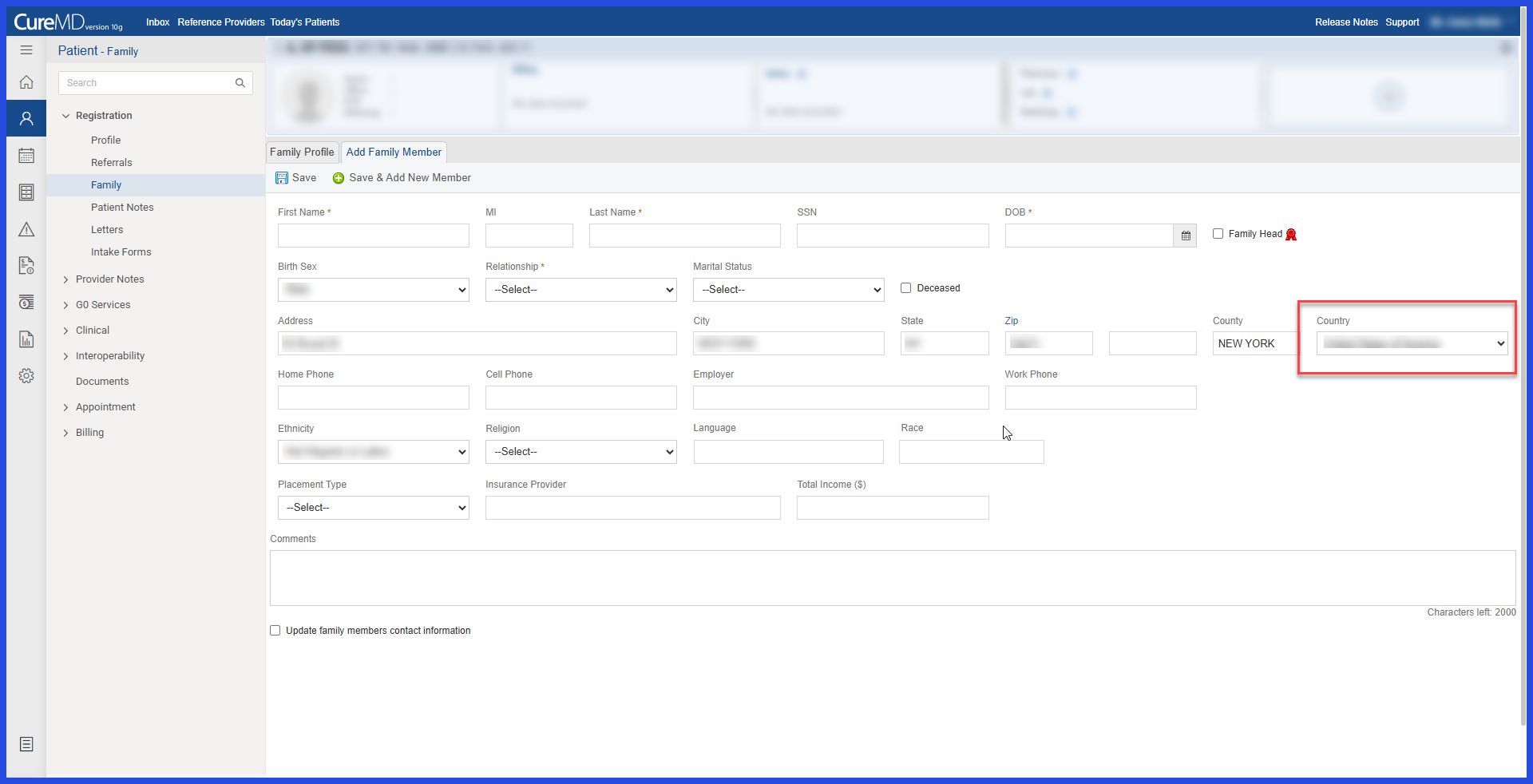
Add an Unregistered Family Member
What’s New
- The Country field is now automatically populated when adding an unregistered family member.
- The populated value is based on the practice’s configured Default Country.
- The Default Country is sourced from Practice > EHR Settings (10G).
- The enhancement applies to the following workflow:
- Patient > Open Patient > Family > Add Unregistered Family Member
- The automatically populated Country remains editable.
- Users can select a different country before saving the family member.
- If the default value is retained, it is saved as the family member’s Country.
How It Works
- Configure a Default Country under Practice > EHR Settings (10G).
- Navigate to Patient > Open Patient > Family.
- Select Add Unregistered Family Member.
- The Country field automatically displays the practice’s configured Default Country.
- Keep the populated country or select another country from the dropdown as needed.
- Save the unregistered family member with the selected Country.
Benefits
- Reduces repetitive country selection when adding unregistered family members.
- Speeds up family information entry.
- Improves consistency between practice configuration and family demographic information.
- Reduces the possibility of selecting an incorrect country during manual entry.
- Maintains flexibility by allowing users to override the automatically populated value.
