Access Patient Profile from Scheduler > Status
What’s New
• Patient names displayed in the Patient column of Scheduler > Status are now clickable hyperlinks.
• Selecting a patient’s name opens the corresponding Patient Profile (Demographics) page.
• Patient information is displayed according to the user’s existing permissions and access rules.
• The enhancement provides direct navigation from the appointment list without requiring a separate patient search.
How It Works
- Navigate to Scheduler > Status.
- Locate the applicable appointment within the appointment list.
- Select the patient’s name from the Patient column.
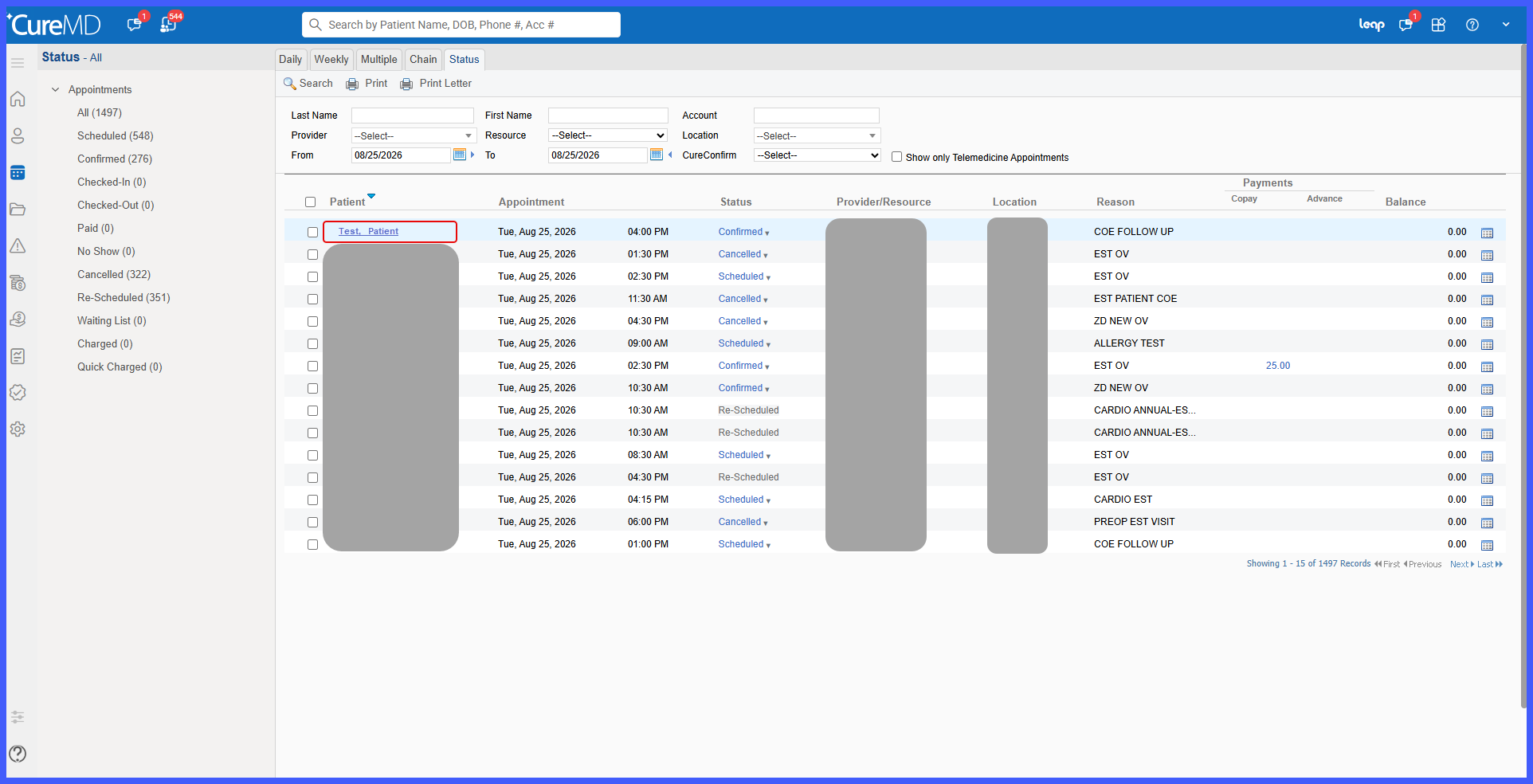
- The system opens the corresponding Patient Profile (Demographics) page.
- The information available within the patient’s profile is displayed according to the user’s existing permissions and access rights.
Benefits
- Provides faster access to patient information directly from the Scheduler.
- Eliminates the need to manually search for the patient in another area of the application.
- Reduces navigation during appointment-related workflows.
- Improves workflow efficiency for Scheduler users.
- Maintains existing patient access and permission controls.
