Diagnoses Review and Attestation
Review Current, Past, or All Diagnoses
View Diagnosis Review History
View Diagnosis Review Information in SOAP Note
What’s New
- A new Review action is available within the Current, Past, and All tabs on the Diagnoses screen.
- Selecting Review applies to all diagnoses displayed within the active tab:
- Current: Reviews all current diagnoses.
- Past: Reviews all past diagnoses.
- All: Reviews all diagnoses displayed in the combined view
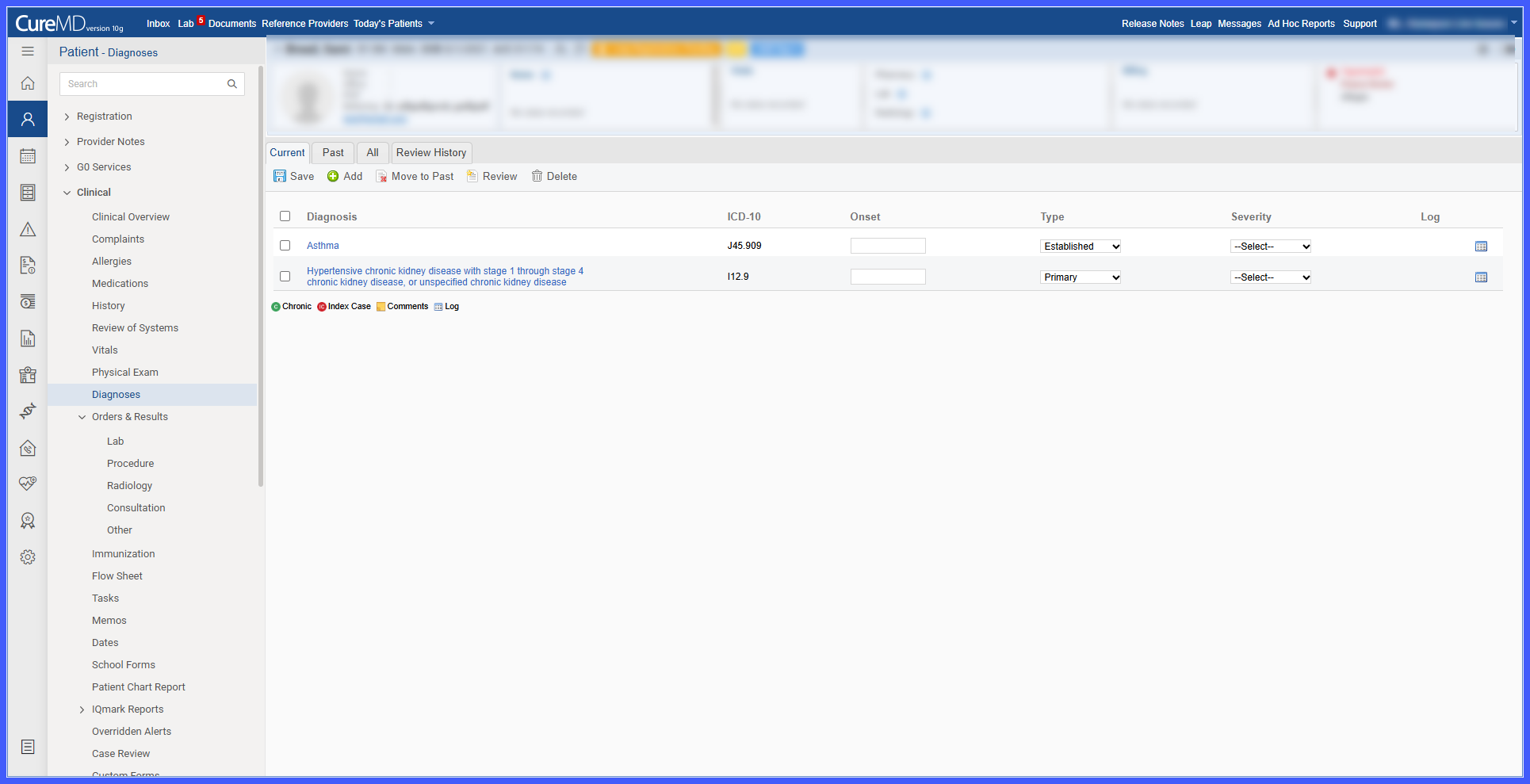
- Each completed review records:
- Reviewing user
- Review date and time
- Diagnoses included in the review
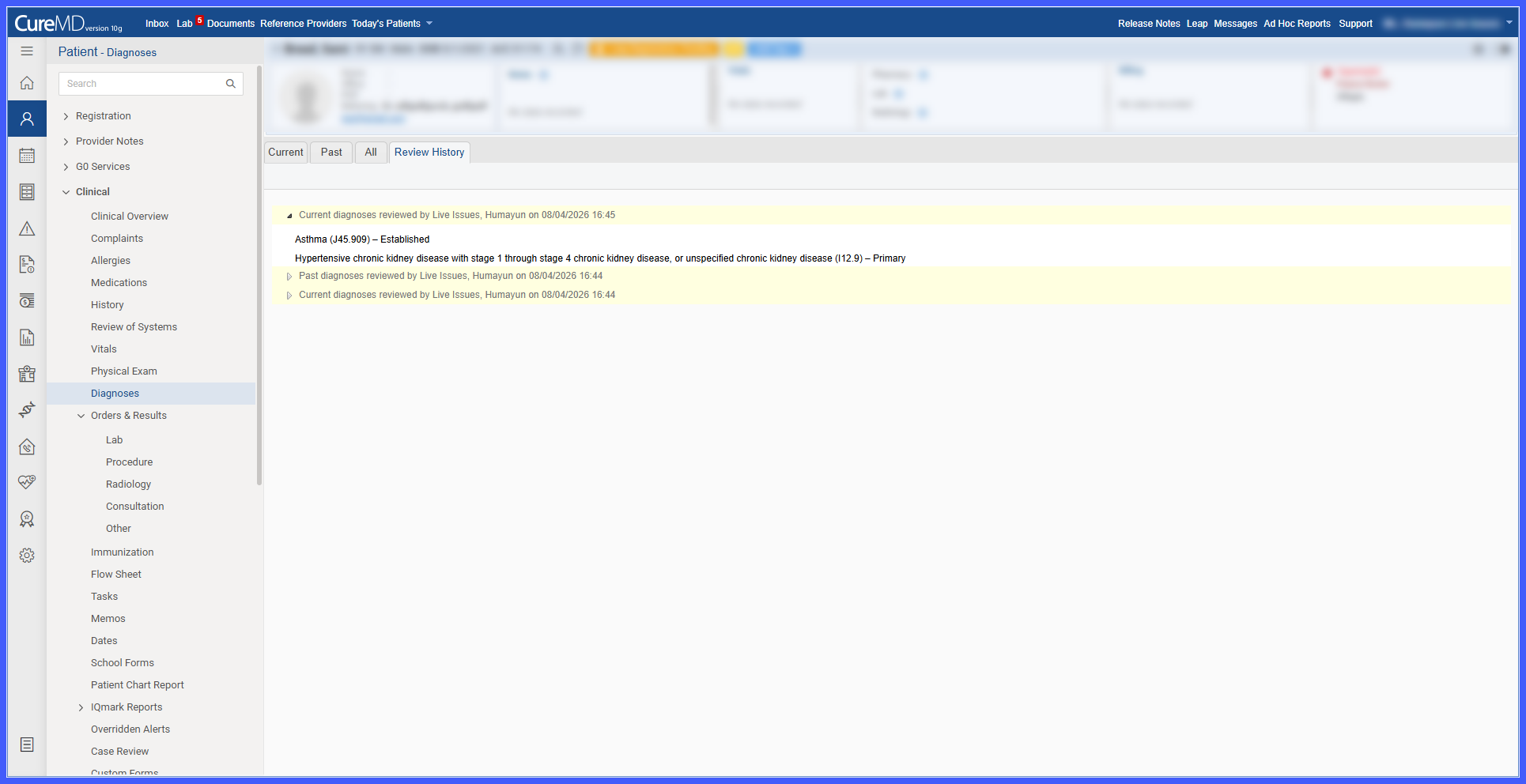
- A new Review History tab provides a history of completed diagnosis reviews.
- Review History is displayed in reverse chronological order, with the most recent review first.
- Review History events are collapsed by default.
- Each reviewed diagnosis displays available information in the following order:
- Diagnosis Name
- ICD-10 Code
- Onset Date
- Type
- Severity
- The Diagnoses section of the SOAP Provider Note now organizes diagnoses into separate Current and Past sections.
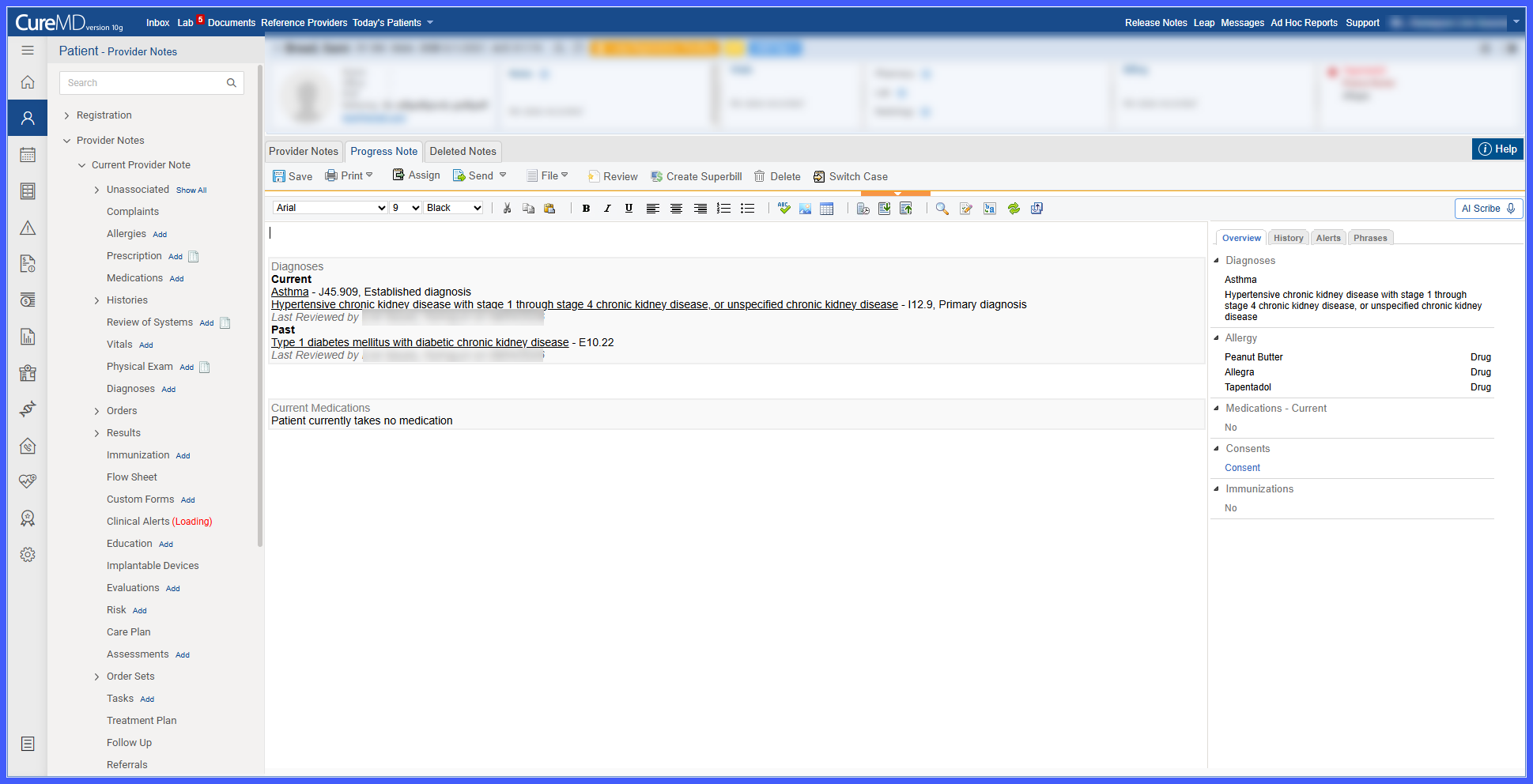
- Each diagnosis group displays its latest review information through a Last Reviewed by entry.
- Current and Past diagnoses maintain separate review statuses within the SOAP Provider Note.
How It Works
- Navigate to the patient’s Clinical > Diagnoses screen.
- Select the Current, Past, or All tab depending on the diagnoses you want to review.
- Select Review to mark all diagnoses currently displayed in the active tab as reviewed.
- The system records the reviewing user, review date and time, and diagnoses included in the review.
- Open the Review History tab to view previously completed review events, with the most recent review displayed first.
- Expand a review event to view the diagnosis name, ICD-10 code, and any available onset date, type, and severity information captured at the time of review.
- When reviewing the Diagnoses section of the SOAP Provider Note, Current and Past diagnoses are displayed separately with their respective latest Last Reviewed by information.
Benefits
- Improves accountability by recording who reviewed a patient’s diagnoses and when.
- Provides traceability through a historical record of completed diagnosis reviews.
- Helps providers confirm that Current and Past diagnoses have been reviewed.
- Makes historical review information readily accessible from the Diagnoses screen.
- Provides visibility into the latest review status directly within the SOAP Provider Note.
- Supports more complete and consistent clinical documentation.
