Breast Cancer Risk Assessment (BCRAT) Integration in 10G
Complete a BCRAT Assessment
Review or Update a BCRAT Assessment
What’s New
- A new Breast Cancer Risk Assessment (BCRAT) is available in the Assessments module.
- The assessment is categorized under Oncology Performance Status.
- BCRAT assessment fields have been replicated from the source assessment tool.
- Required information is validated before risk calculations are performed.
- The system automatically calculates:
– 5-Year Breast Cancer Risk
– Lifetime Breast Cancer Risk - Results are displayed in a structured format.
- Assessment inputs and calculated results are saved with the patient’s assessment record.
- Previously completed assessments can be reopened, edited, and recalculated.
- Calculations follow the same calculation logic as the official BCRAT source.
How It Works
- Navigate to the patient’s Assessments module.
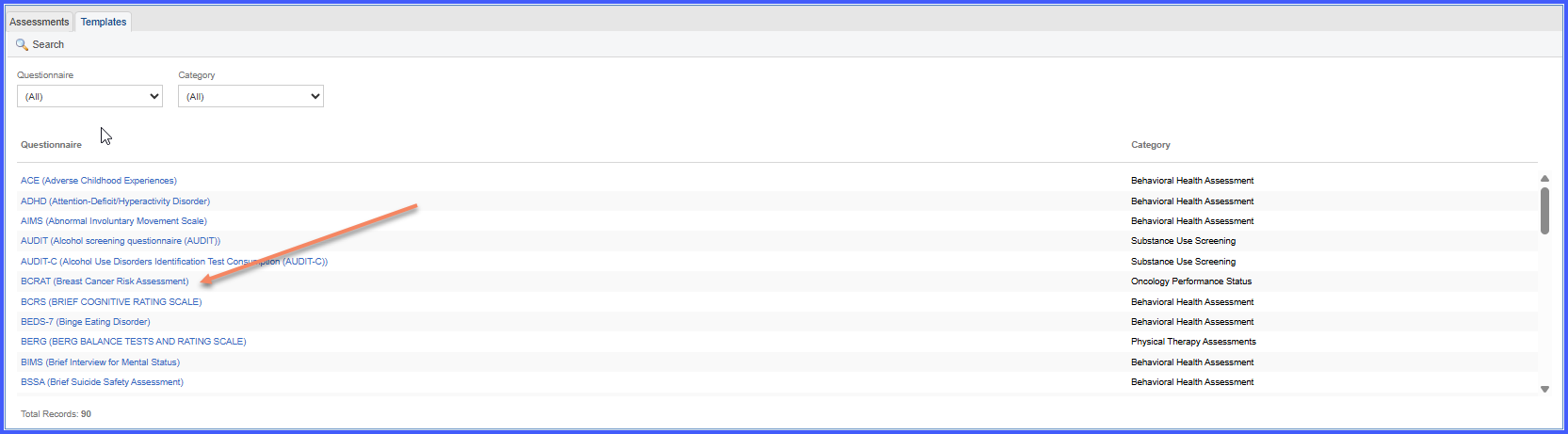
- Open the Oncology Performance Status category and select Breast Cancer Risk Assessment (BCRAT).
- Complete the required assessment fields.
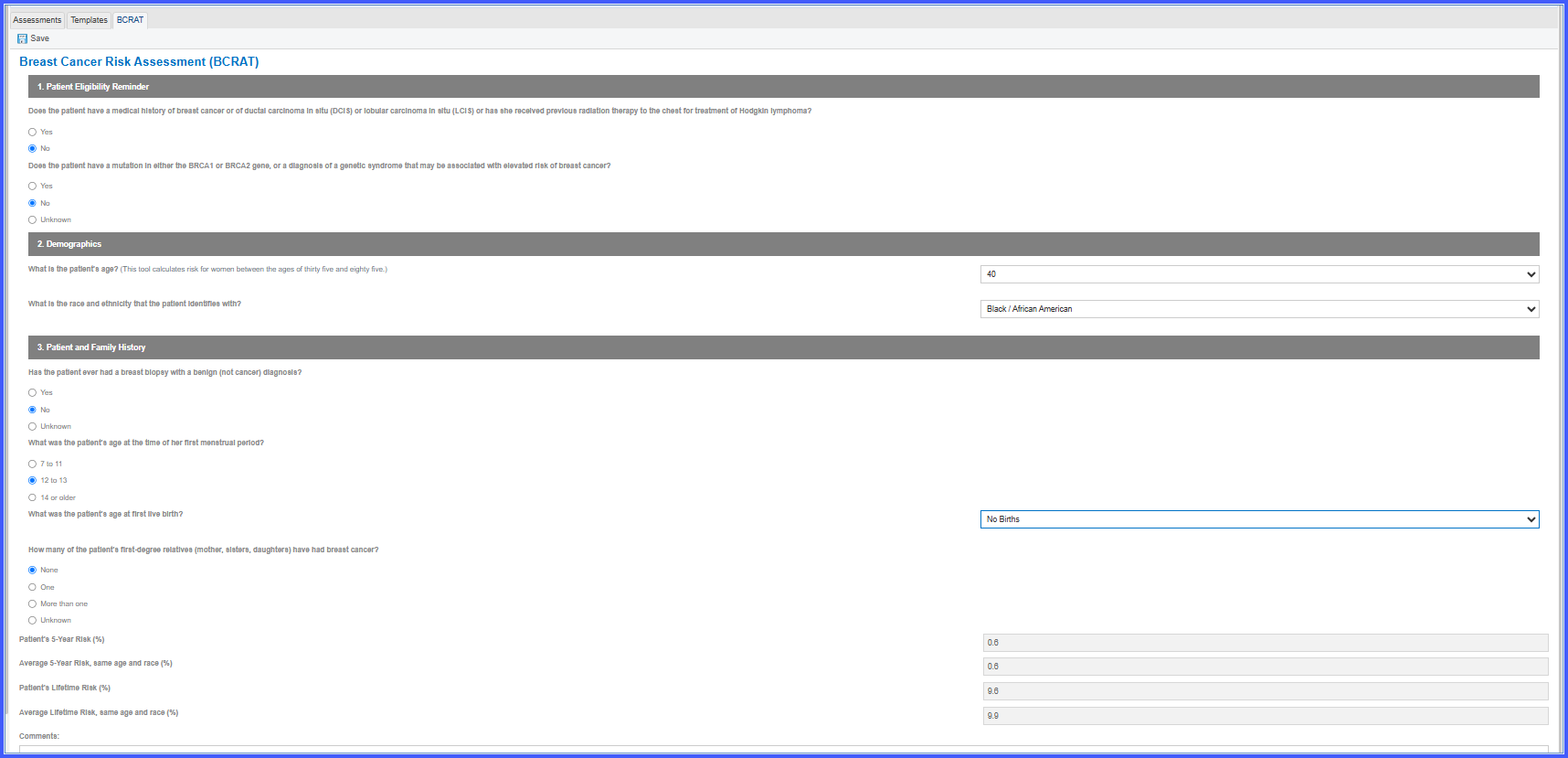
- The system validates the required information before performing the calculation.
- Once the required information is available, the system calculates the patient’s 5-year and lifetime breast cancer risk.
- Review the calculated risk results in the assessment.
- Save the assessment to retain the entered information and calculated results in the patient’s chart.
- If information needs to be updated later, reopen the assessment, edit the applicable fields, and recalculate the results.Benefits
Benefits
- Provides standardized breast cancer risk assessment directly within the EHR.
- Eliminates the need to use an external BCRAT calculator.
- Provides both 5-year and lifetime breast cancer risk calculations.
- Improves clinical documentation by retaining assessment inputs and calculated results in the patient chart.
- Supports reassessment as patient information changes.
- Promotes consistent risk calculations and documentation.
Known Behavior / Limitations
- Calculations follow the configured official BCRAT calculation logic.
- A graphical results view is not displayed because BCRAT generates multiple risk values rather than a single assessment score.
- Users must have the appropriate permissions to create and edit assessments.
