Display Provider Registration Number on Lab and Radiology Requisition Templates
Configure Provider Registration Number
Print Lab Requisition
Print Radiology Requisition
What’s New
- A new numeric field labeled “Reg #” is available under:
Settings > Practice > Provider > Practice Provider > Profile - The field is optional.
- The Registration Number accepts numeric values only and is limited to 4 characters.
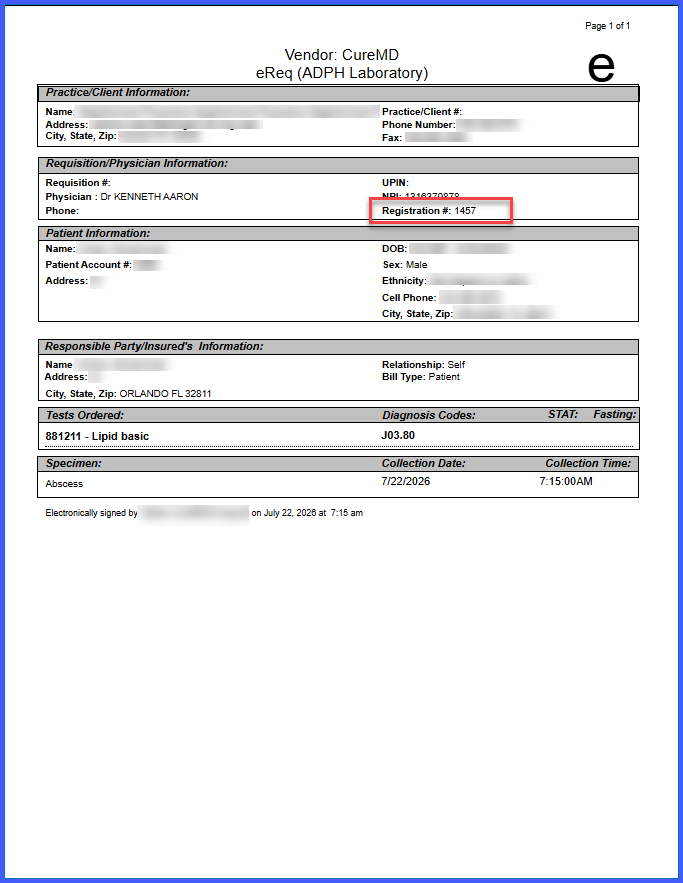
- When configured, the provider’s Registration Number is printed on applicable Lab and Radiology requisitions in the format:
Registration #: XXXX - When no Registration Number is configured, the requisition displays:
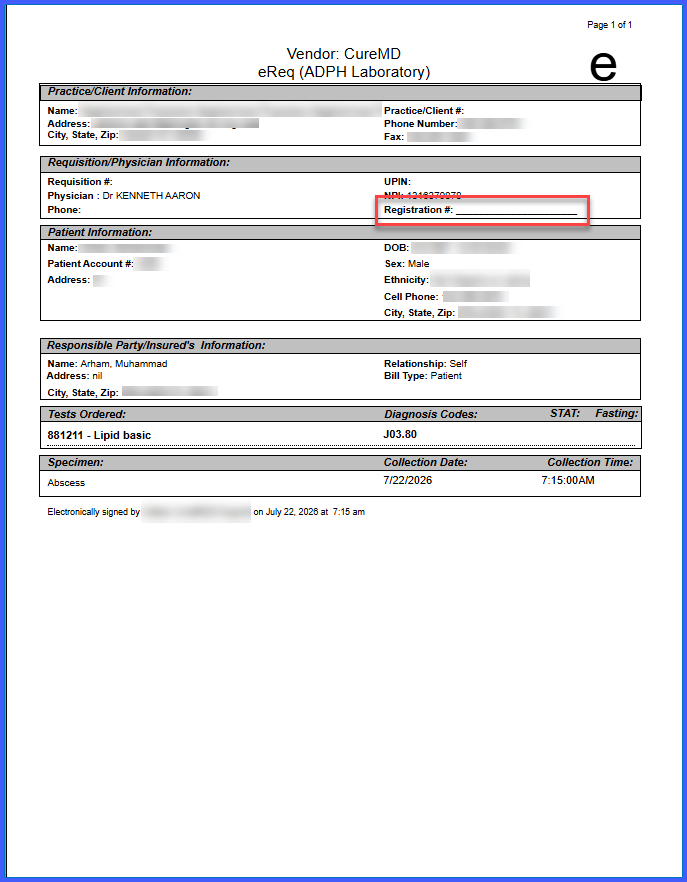
Registration # _____________
allowing the number to be entered manually. - The Registration Number is stored on the provider profile and reused across applicable requisition templates.
- The functionality is controlled by a backend setting and is only available for practices where the feature is enabled.
How It Works
- Navigate to Settings > Practice > Provider > Practice Provider > Profile.
- Enter the provider’s Registration Number in the Reg # field.
- Ensure the value contains only numeric characters and does not exceed 4 characters.
- Save the provider profile.
- Print a Lab or Radiology requisition for the configured provider.
- The Registration Number is displayed alongside the provider’s name and NPI when configured.
- If no Registration Number is stored, the requisition displays a blank Registration # field for manual entry.
 Benefits
-
Supports regulatory compliance by including the provider’s Registration Number with requisition information.
-
Reduces the risk of requisition rejection caused by missing provider identifiers.
-
Centralizes Registration Number information within the provider profile.
-
Eliminates the need to repeatedly enter the Registration Number across requisitions.
-
Applies the configured Registration Number consistently across applicable Lab and Radiology requisition templates.
Known Behavior / Limitations
-
The Reg # field accepts numeric input only and is limited to 4 characters.
-
The Registration Number appears on requisitions only for practices where the backend feature setting is enabled.
-
The enhancement applies to active Lab and Radiology requisition templates for the practice.
