Scheduled Patient Export Report
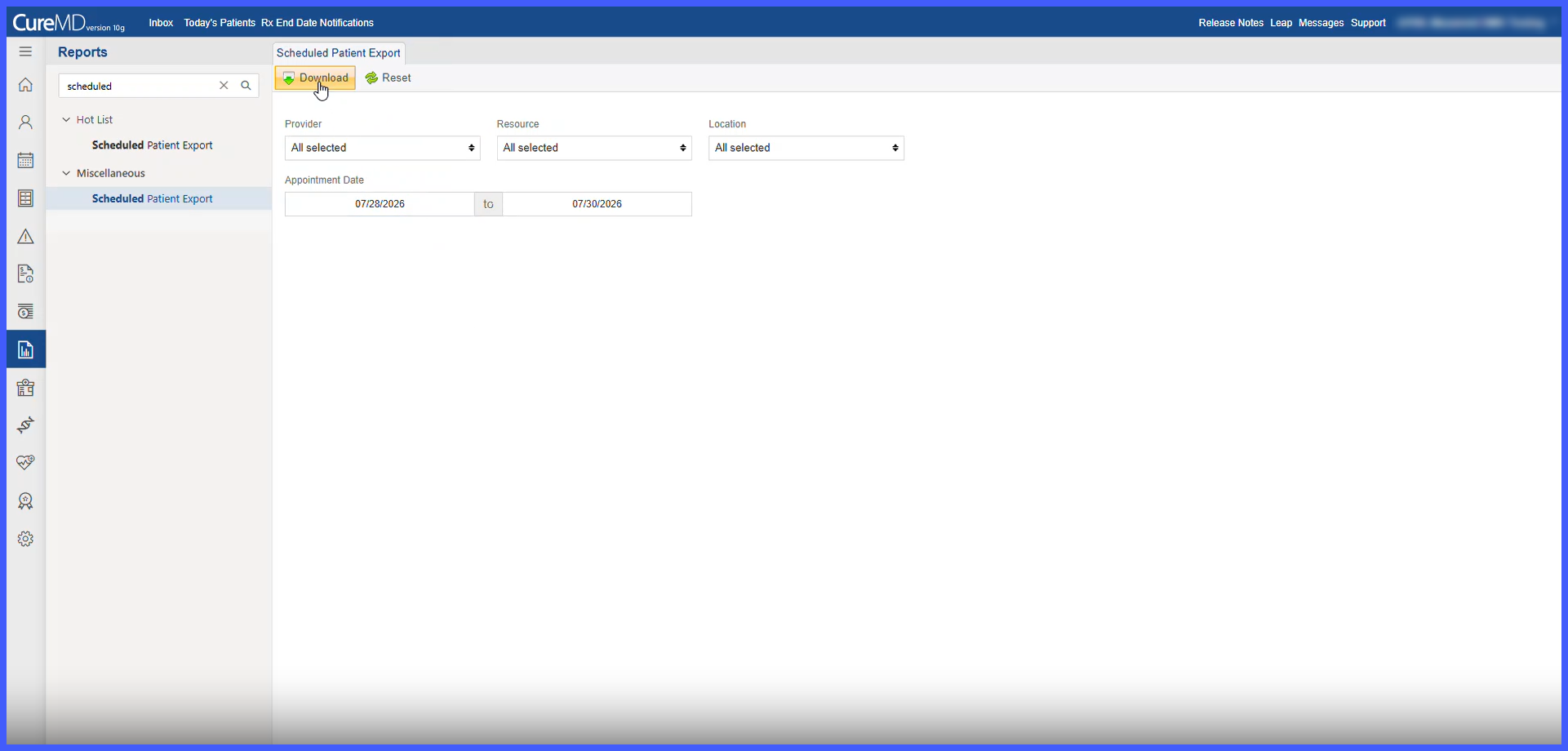
Generate Scheduled Patient Export
Reset Scheduled Patient Export Filters
What’s New
- A new Scheduled Patient Export report is available under:
Reports > Miscellaneous > Scheduled Patient Export - Report filters include:
– Provider
– Resource
– Location
– Start Date
– End Date - Provider, Resource, and Location default to All when the report is opened.
- Provider and Appointment Date Range are required to generate an export.
- All selected filters work together to return appointments matching the specified criteria.
- Start Date and End Date are both included in the selected date range.
- The export includes applicable appointments except those with Cancelled, No Show, or Rescheduled status.
- Included appointments may have statuses such as Scheduled, Confirmed, Checked In, Checked Out, Charged, and Paid.
- Each appointment is exported as an individual semicolon-delimited record containing 28 columns.
- Records are sorted by:
– Appointment Date
– Appointment Time
– Doctor Last Name - Export formatting includes:
– Appointment Date in MM/DD/YY format
– Appointment Time using the required 24-hour HH format
– Patient birth date in the required date/time format
– Patient age calculated as of the report generation date
– Phone numbers containing digits only
– Separate Doctor ID and Resource ID values
– Blank data represented as empty fields - Embedded semicolons are removed or replaced to preserve the required file structure.
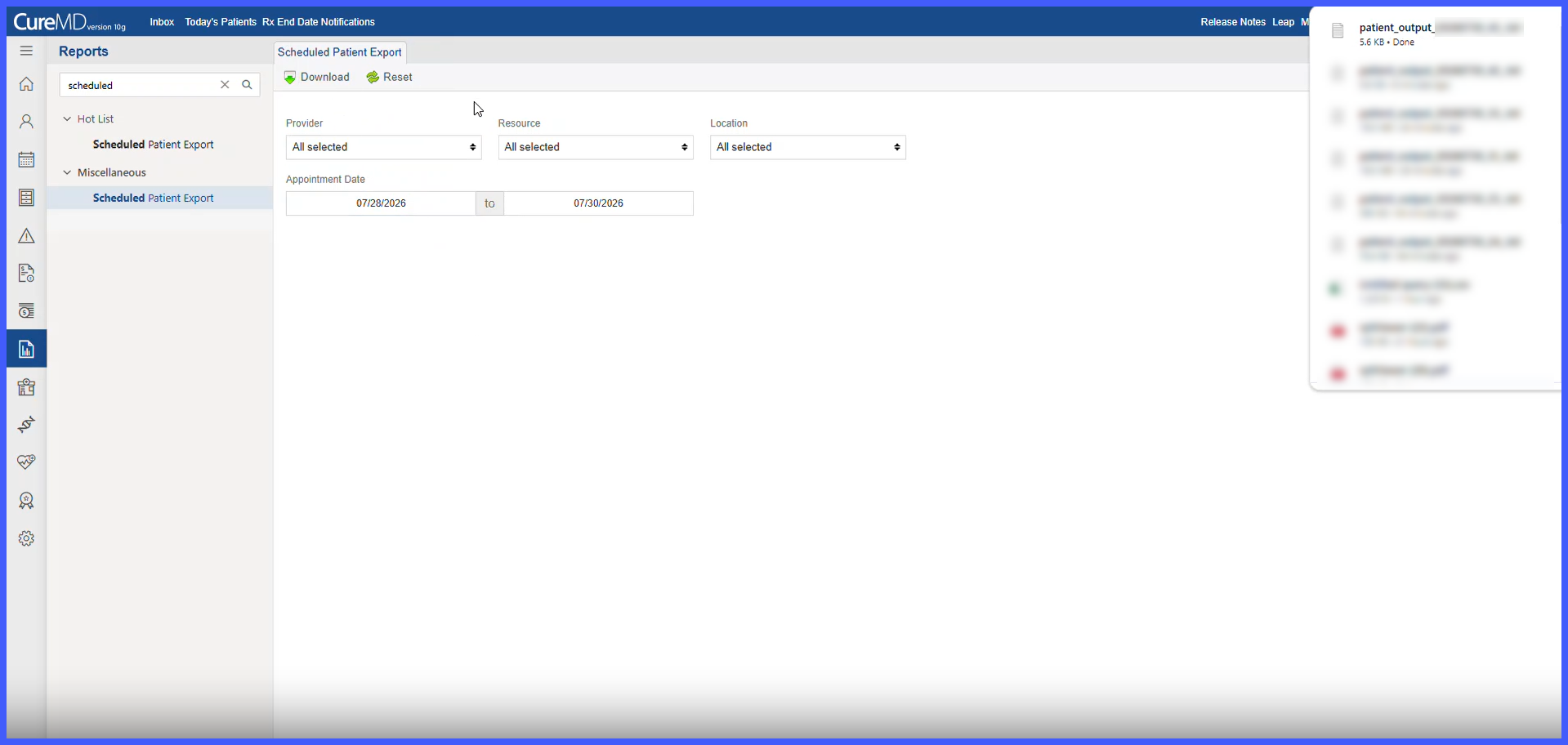
- Generated files follow the naming convention:
patient_output_YYYYMMDD_N_.txt - The sequence number (N) increments for each export generated on the same calendar day.
- If no appointments match the criteria, a file containing the required header row is still generated and the user is informed that no matching appointments were found.
- Selecting Reset restores Provider, Resource, and Location to All and clears the Start Date and End Date.
- Generated files are downloaded directly to the user’s local computer and are not transmitted directly to Paradox.
How It Works
- Navigate to Reports > Miscellaneous > Scheduled Patient Export
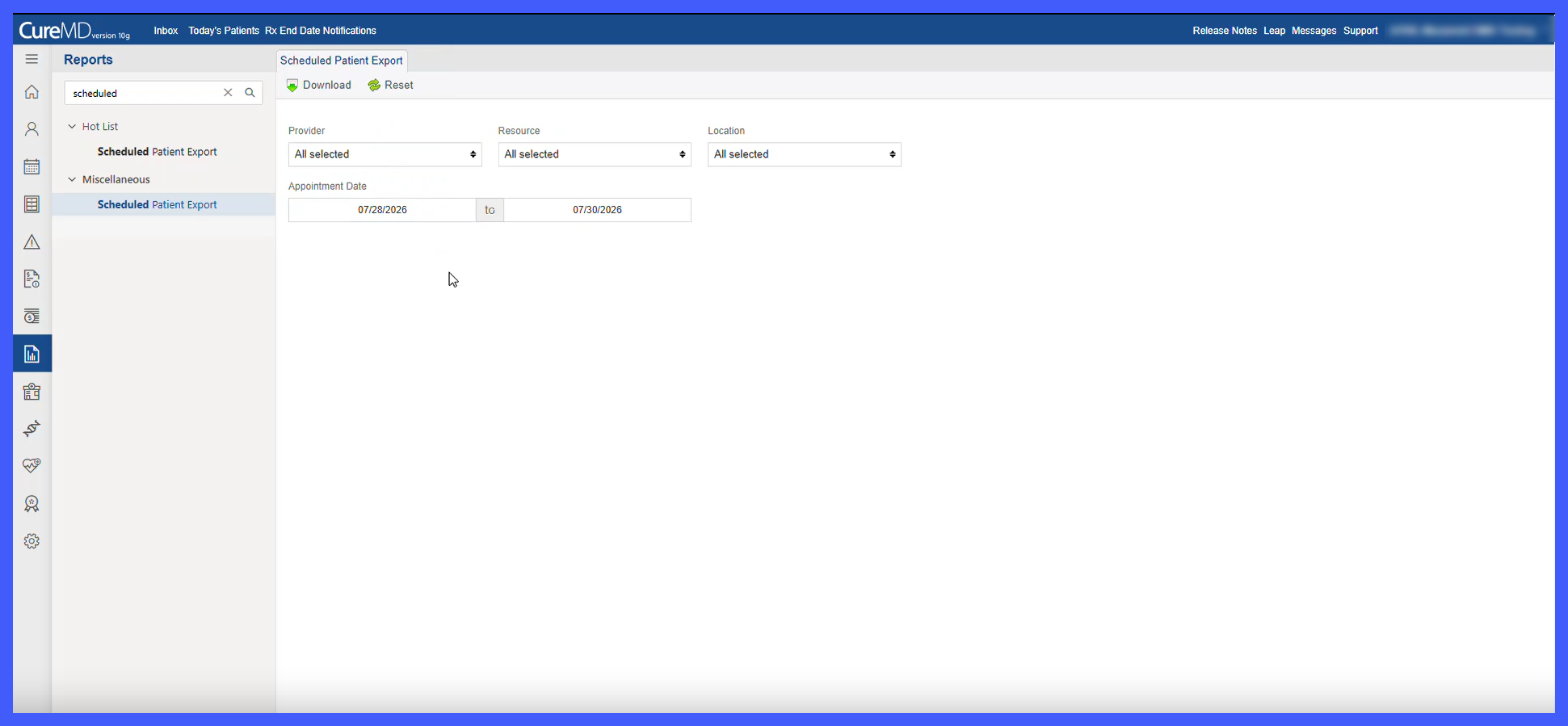
- Select the desired Provider, Resource, and Location. Provider, Resource, and Location initially default to All.
- Enter the required Start Date and End Date for the appointment range. The Start Date cannot be later than the End Date.
- Generate the export to retrieve appointments matching all selected criteria.
- The system excludes Cancelled, No Show, and Rescheduled appointments and organizes the remaining records by Appointment Date, Appointment Time, and Doctor Last Name.
- The system generates a 28-column, semicolon-delimited ASCII text file using the required data formatting.
- The generated file is assigned a unique daily sequence number and downloaded to the user’s local computer.
- If no appointments match the criteria, the system still generates the file with the required header row and informs the user that no matching appointments were found.
- Select Reset to restore Provider, Resource, and Location to All and clear the selected date range.
Impacted Areas
- Reports
- Miscellaneous Reports
- Scheduled Patient Export
- Scheduler / Appointment Data
- Patient Demographics
- Insurance Information
Benefits
- Reduces manual preparation of scheduled patient information for external use.
- Enables targeted exports using Provider, Resource, Location, and Appointment Date Range.
- Provides a standardized file structure for downstream processing by the Paradox system.
- Maintains predictable formatting and sorting across generated exports.
- Supports multiple exports on the same day through unique sequence-based file naming.
- Generates a structurally valid export even when no appointments match the selected criteria.
