Enhanced Guest Participant Invitations for Telemedicine Appointments
Invite a Guest Participant by Email
Invite a Guest Participant by Mobile Number
Invite a Guest Participant Using Both Methods
What’s New
- The Invite a Guest workflow now supports the following guest information:
– Name
– Email Address
– Mobile Number - The Email Invite and Text Message Invite selection options have been removed.
- Invitations can now be sent using:
– Email only
– Mobile number only
– Both email and mobile number - The system requires at least one valid contact method before a guest participant can be added.
- If both contact fields are left blank, the system displays:
“Please enter a Guest Participant’s Email or Text Number.” - The existing guest participant workflow remains unchanged aside from the updated invitation method.
How It Works
- Open or create a Telemedicine Appointment.
- Select the option to invite a guest participant.
- Enter the guest participant’s name and provide an email address, mobile number, or both.
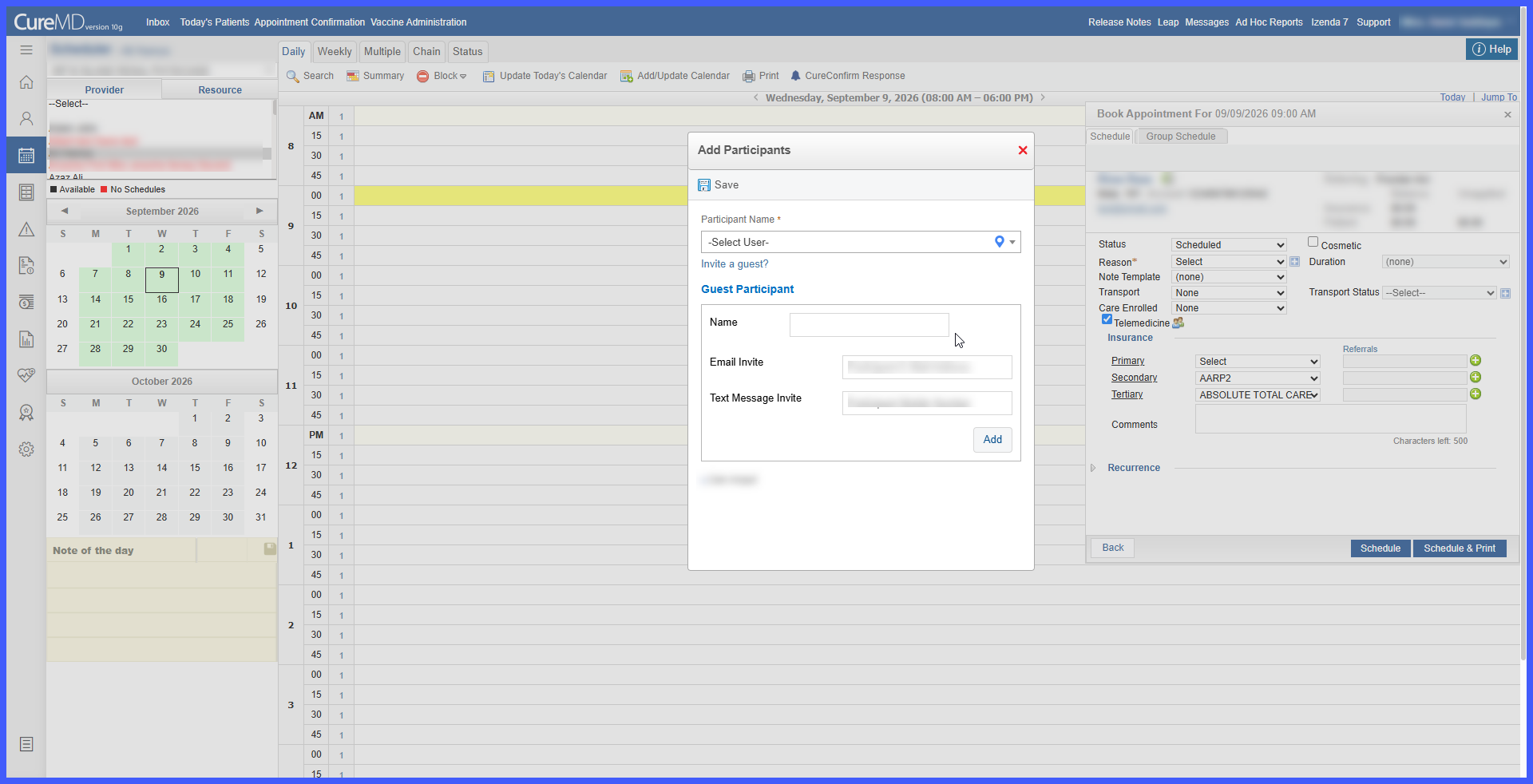
- The system validates that at least one contact method has been provided.
- If both contact fields are blank, the guest cannot be added and the validation message is displayed.
- Once a valid email address or mobile number is provided, the guest participant can be added and the invitation can be delivered through the available communication channel or channels.
Benefits
- Simplifies the process of inviting external participants to telemedicine appointments.
- Supports multiple communication methods without requiring users to select a preferred invitation type.
- Increases flexibility based on the guest participant’s available contact information.
- Reduces user effort by consolidating the invitation workflow.
- Maintains validation to ensure sufficient contact information is provided before an invitation is sent.
