Filter Appointment Search Results by PAR Provider Status
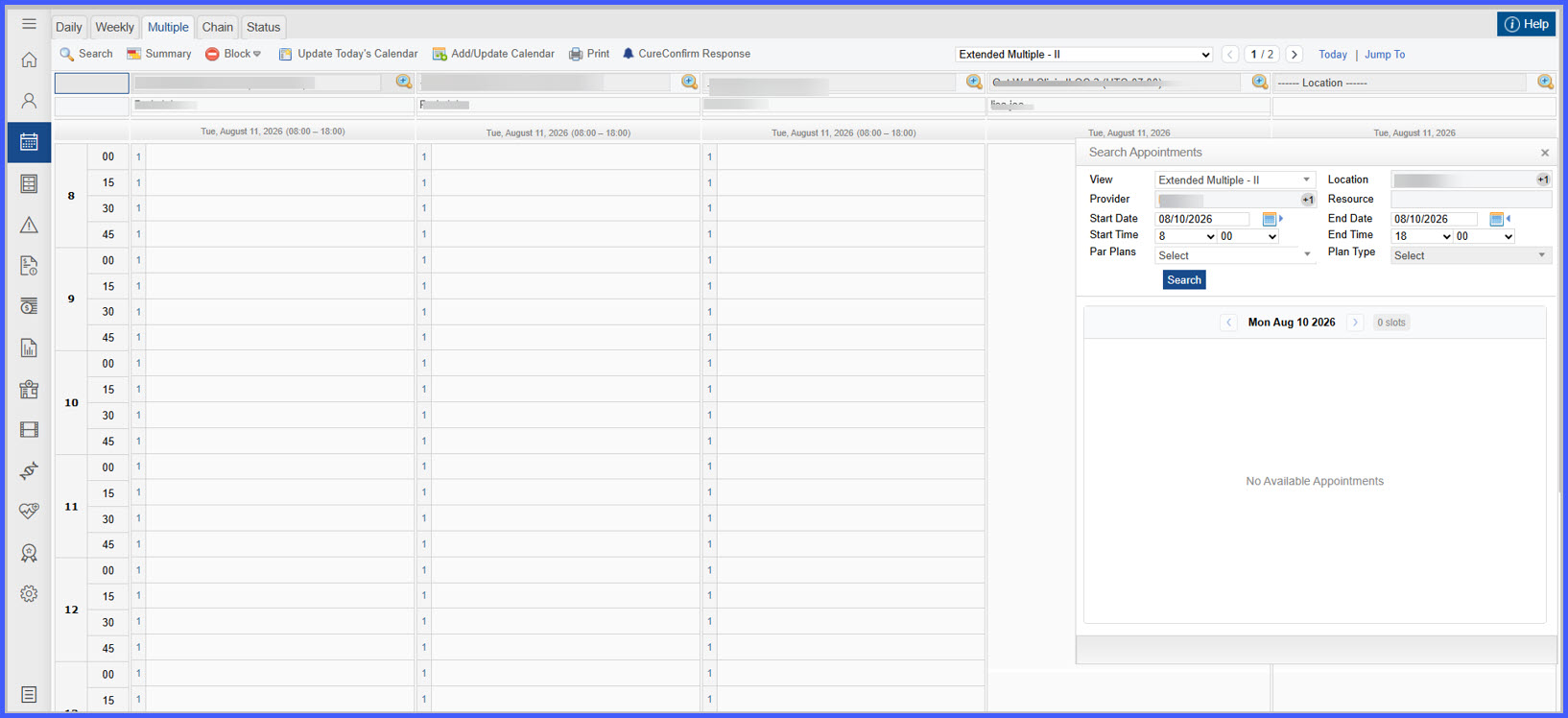
Search Appointments Using PAR Filters
Book Appointment with Provider Participation Status
What’s New
- New PAR Plan and Plan Type filters are available in the Search Appointments screen.
- Appointment search results are filtered using the selected:
– Location
– Specialty
– Insurance Plan
– PAR Plan
– Plan Type - Only providers with matching PAR participation are returned in the search results.
- During appointment booking, the patient’s Primary Insurance displays a provider participation indicator:
– PAR – Participating Provider
– Non-PAR – Non-Participating Provider
– UNK – No matching participation configuration found - If the patient does not have Primary Insurance, no participation indicator is displayed.
- When multiple participation records exist for the same Provider, Plan, Specialty, and Location, the system uses the patient’s selected Plan Type and gives PAR precedence when both PAR and Non-PAR records apply.
How It Works
- Open Scheduler Multi-View and launch Search Appointments.
- Select the desired Location, Specialty, Insurance Plan, PAR Plan, and Plan Type filters.
- Search for available appointments.
- The system returns only providers whose participation records match the selected search criteria.
- During appointment booking, the patient’s Primary Insurance is evaluated against the configured provider participation records.
- The booking screen displays the appropriate participation status (PAR, Non-PAR, or UNK).
- If multiple matching participation records exist, the system evaluates the patient’s Plan Type and prioritizes PAR records when applicable.
Benefits
- Helps users locate appointments using provider participation criteria.
- Reduces scheduling errors by identifying PAR, Non-PAR, and Unknown participation during booking.
- Improves visibility into provider participation for the patient’s primary insurance.
- Supports more accurate appointment scheduling when multiple provider participation records exist.