Active Patient Allergies Display Across Chemotherapy Workflows
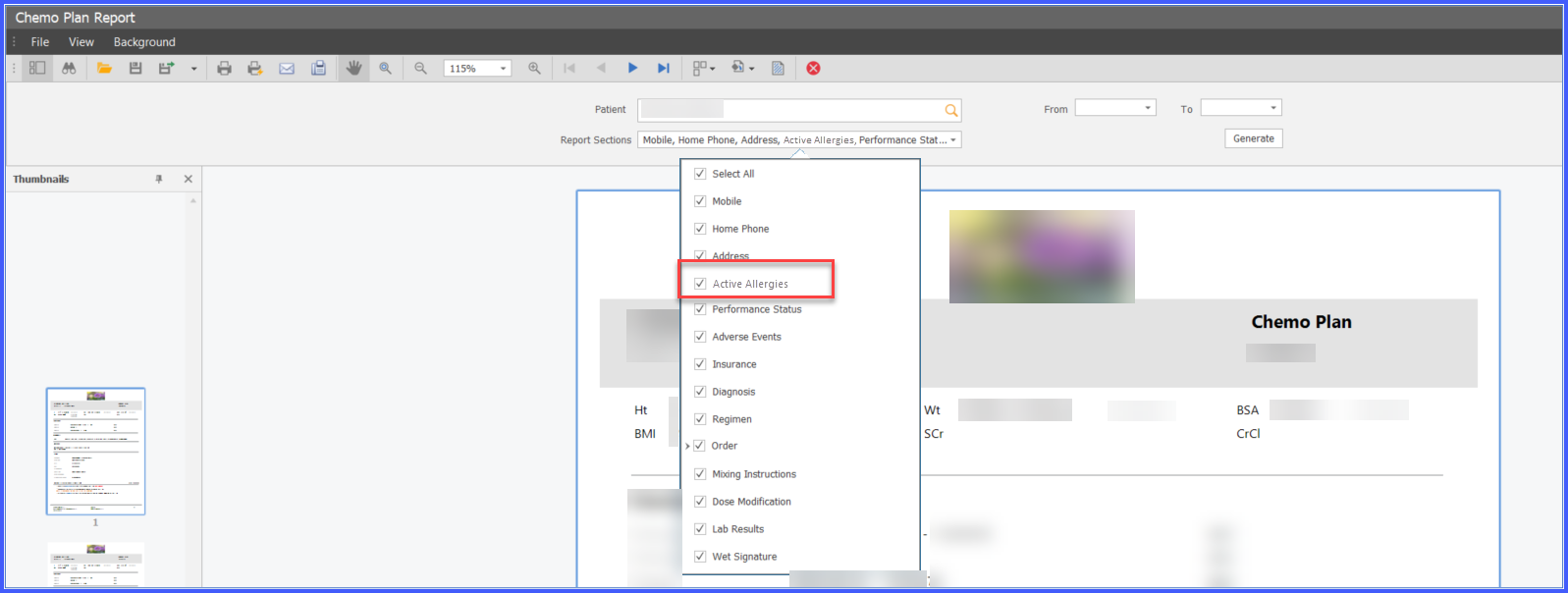
Configure Active Allergies in Chemo Plan Report
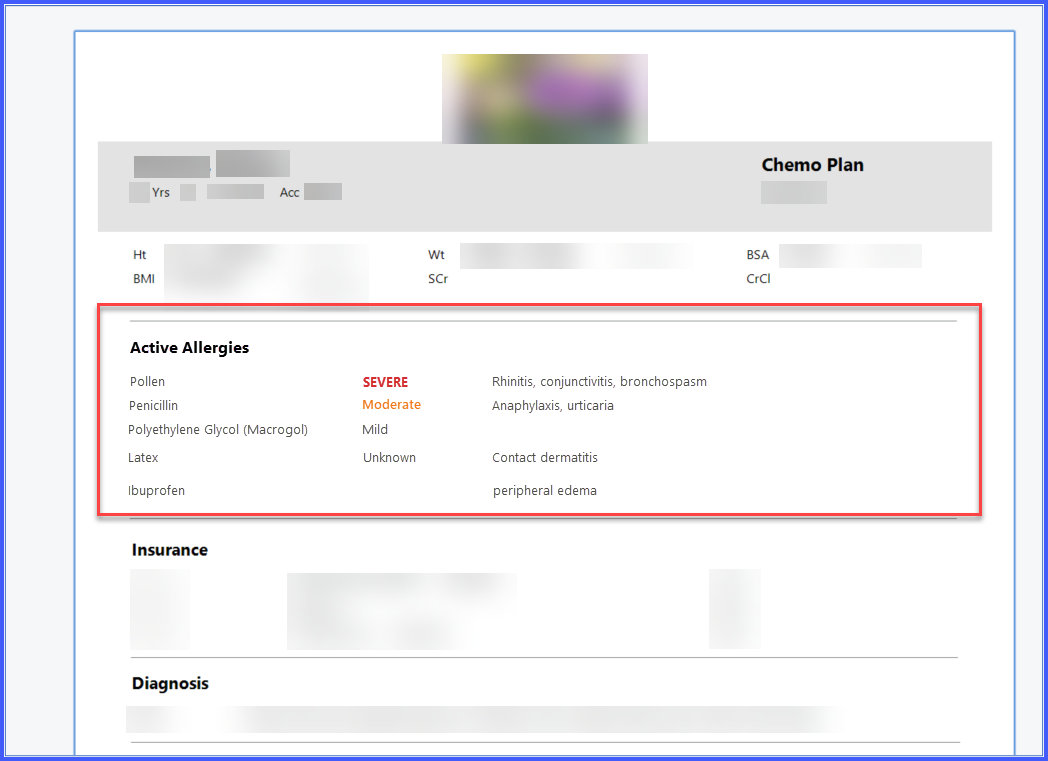
View Active Allergies in Chemo Plan Report
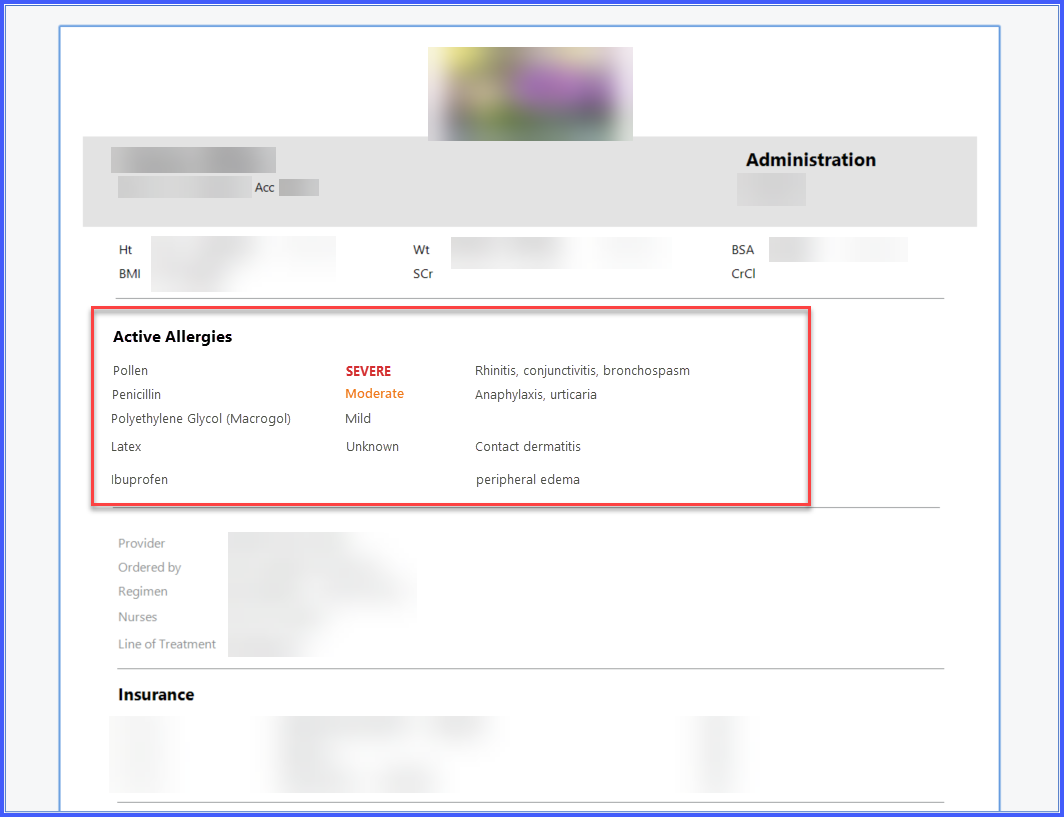
View Active Allergies in Drug Administration Report
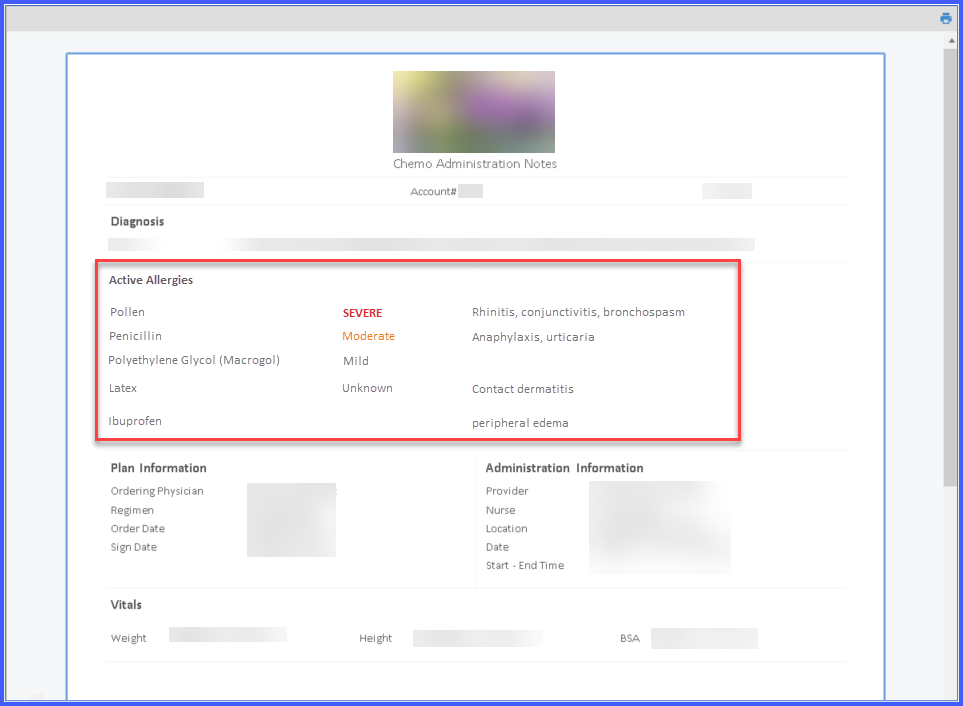
View Active Allergies in Administration Notes
View Allergy Severity in Patient Banner
What’s New
- What’s New
- A new Active Allergies section is available in the Chemo Plan Report and Drug Administration Report.
- The Active Allergies section is enabled by default.
- In the Chemo Plan Report, the Active Allergies section appears immediately after the Vitals/Labs section and displays:
– Allergen
– Severity
– Reaction - Similarly, the new Active Allergies section is available in the Drug Administration Report.
- In the Drug Administration Report, the section appears immediately after the Vitals/Labs section and displays Allergen, Severity, and Reaction.
- Active Allergies are now also included in Drug Administration Notes, including:
– Infusion Notes
– Injection Notes
– Therapeutic Phlebotomy Notes
– Off-Plan Administration Notes - In Administration Notes, the Active Allergies section appears immediately after the Diagnosis section.
- The Patient Banner now uses color coding to visually indicate allergy severity:
– Severe: Red
– Moderate: Orange
– Mild / Unknown / Not Specified: Grey
How It Works
- Ensure the patient has active allergies documented in the patient chart.
- For Chemo Plan Reports, navigate to the Report Sections configuration and confirm that Active Allergies is enabled.
- Generate or view the applicable chemotherapy documentation.
- The system dynamically retrieves the patient’s current active allergies and displays the allergen, severity, and reaction in the applicable report or note.
- Review the Patient Banner to quickly identify allergy severity using the corresponding color indicator.
- Active allergy information reflects the patient’s current active allergies at the time the report is viewed.

Benefits
- Improves visibility of clinically significant allergies during chemotherapy workflows.
- Reduces the risk of overlooking documented allergies during treatment planning and administration.
- Gives providers quicker access to allergy information during report review and documentation.
- Standardizes allergy presentation across Chemotherapy Manager workflows.
- Improves patient safety through consistent allergy severity visualization.
