Print Letter Templates from Scheduler Check-In
Print a Letter During Patient Check-In
Configure Available Letter Templates
What’s New
- A new Letter option is available in the Print dropdown on the Scheduler Check-In screen.
- Letter appears alongside the existing Superbill, Receipt, and Label options.
- Selecting Letter opens the Letter Templates window.
- Users can select from active Letter Templates previously configured in Settings.
- A Preview Letter option allows users to review the generated document before printing.
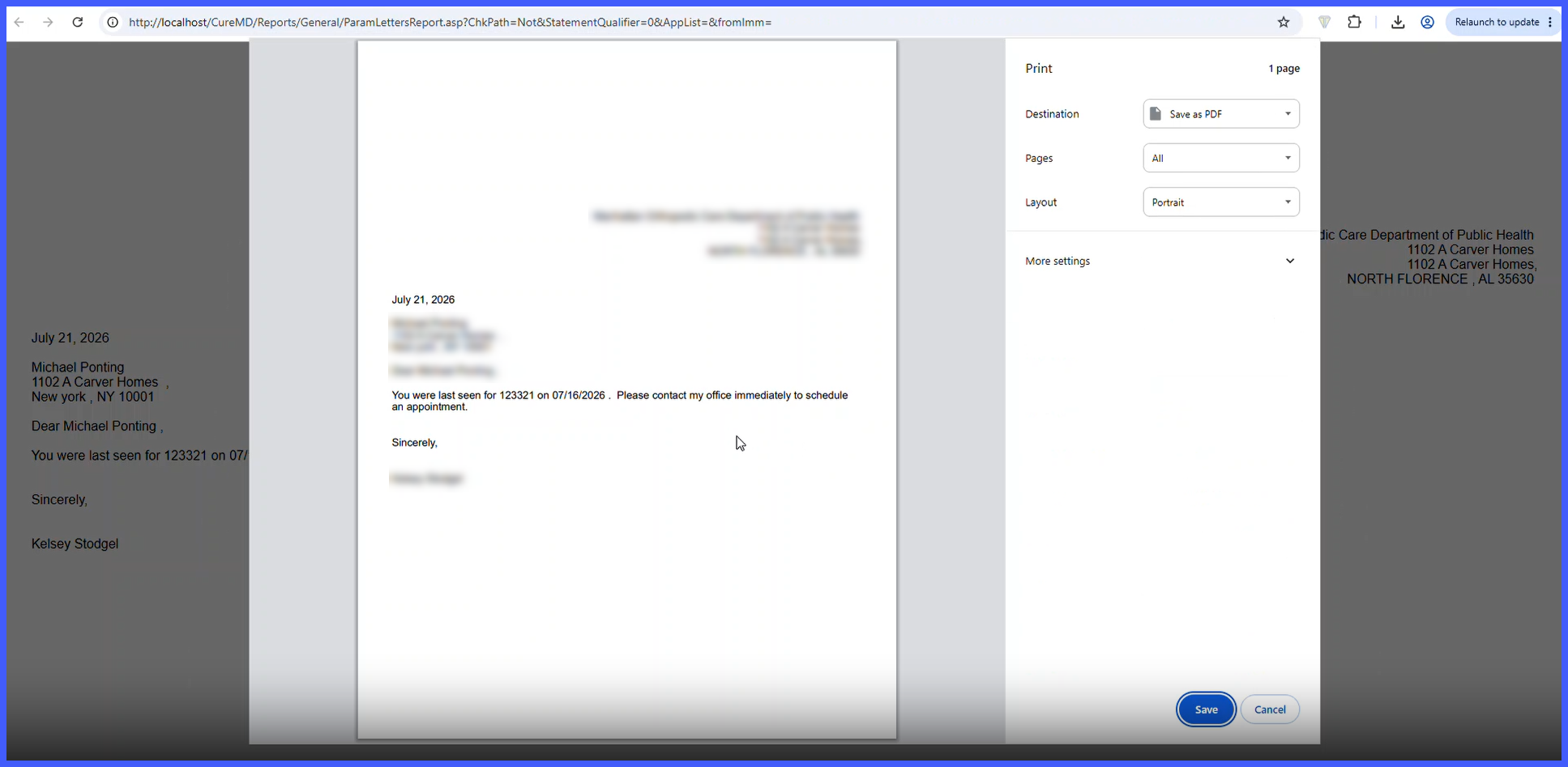
- After confirmation, the system generates the document as a PDF and opens the workstation’s standard print dialog.
- The entire workflow can be completed without leaving the Scheduler Check-In screen.
- Letter Templates cannot be created or modified through the Check-In workflow and must continue to be managed through Settings.
How It Works
- Navigate to the Scheduler and begin the patient Check-In workflow.
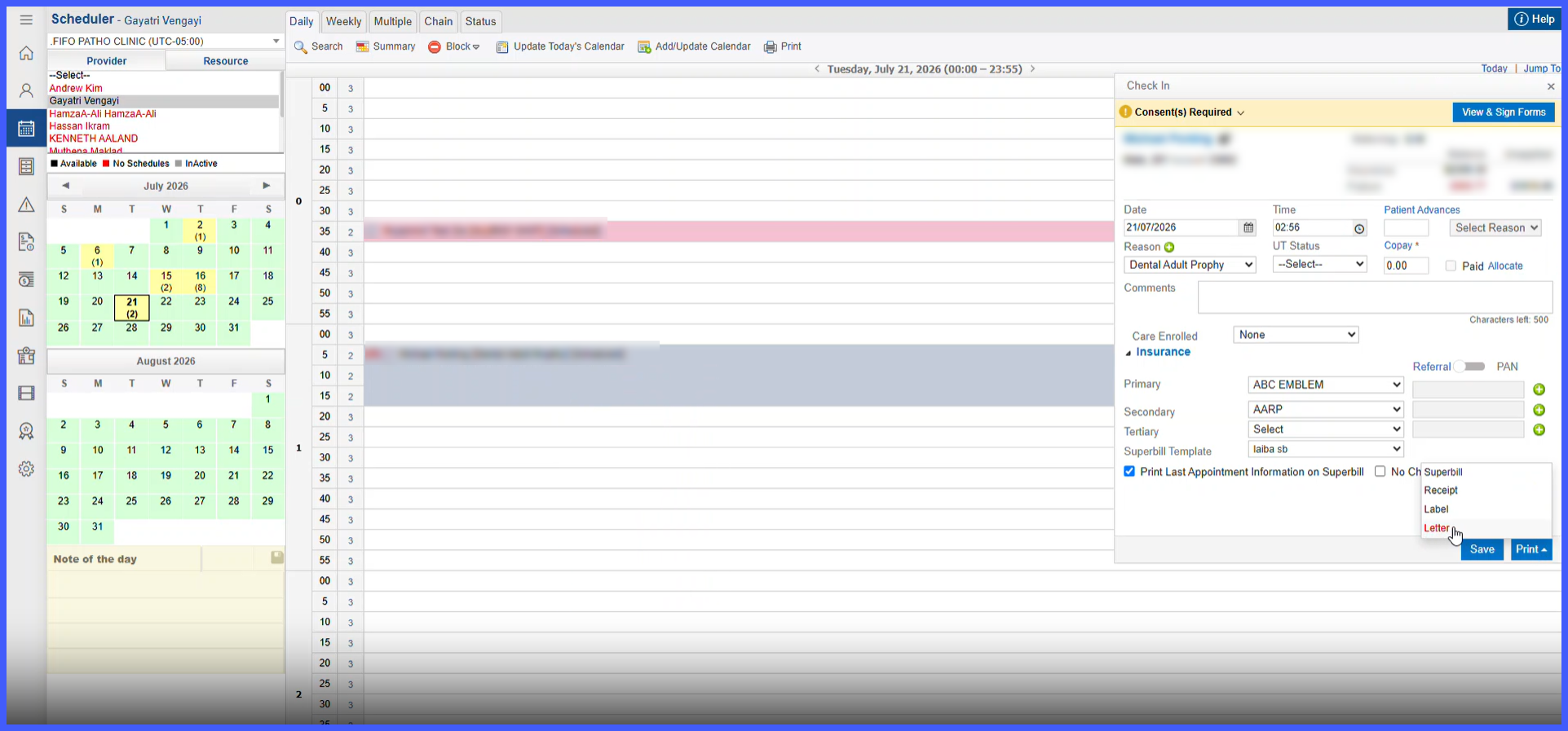
- Open the Print dropdown and select Letter.
- The Letter Templates window opens with the available configured templates.
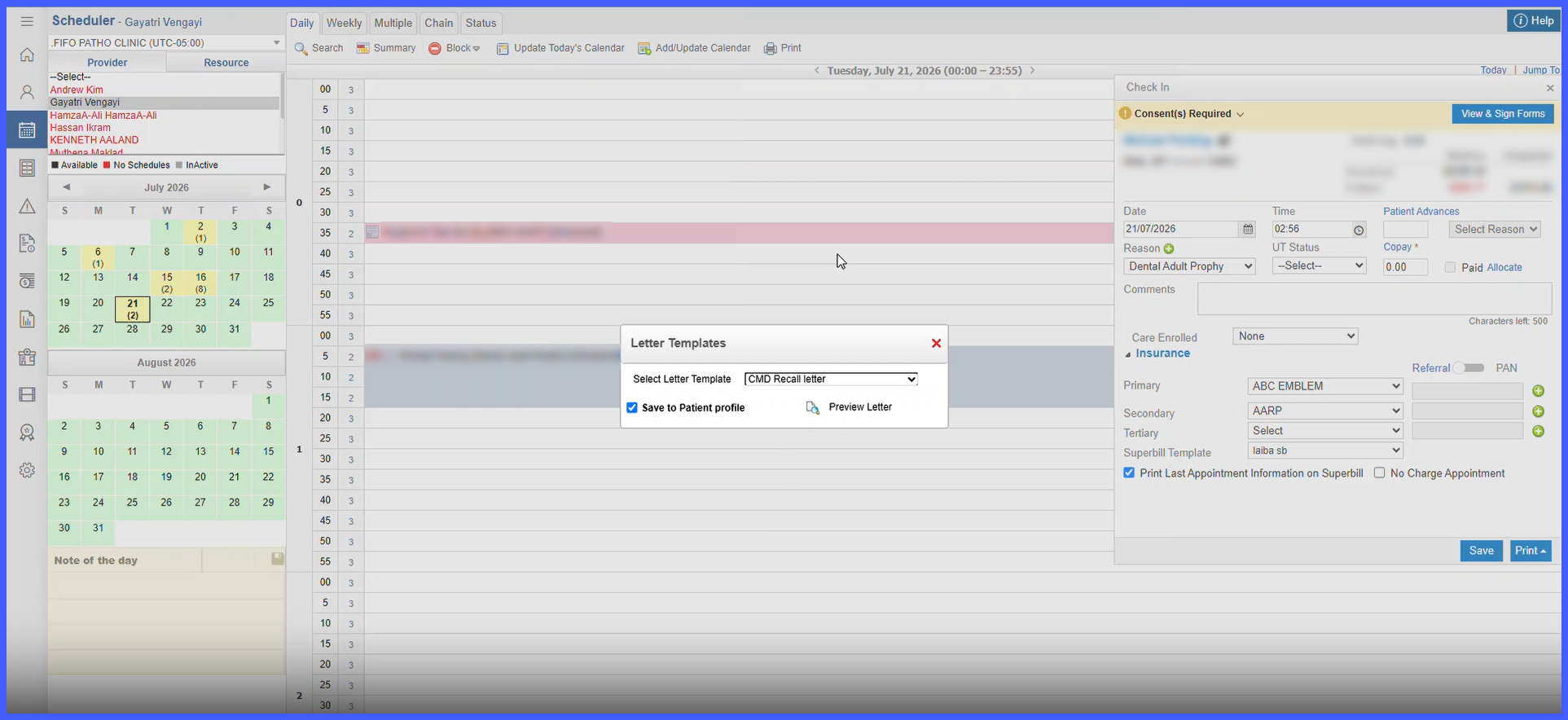
- Select the appropriate Letter Template.
- Select Preview Letter to generate and review the document using the patient’s available information.
- Confirm the document for printing.
- The system generates the letter as a PDF and opens the standard print dialog.
Impacted Areas
- Scheduler
- Appointment Scheduling
- Quick Schedule
- Referral Scheduling
- Follow-up Scheduling
- Patient Profile
- Patient Demographics
Benefits
- Reduces navigation between the Scheduler and other modules.
- Improves efficiency during patient check-in.
- Provides quick access to commonly used patient documents.
- Allows staff to verify document content before printing.
- Keeps document generation and printing within the existing Check-In workflow.
