Updated Birth Sex and Legal Sex Demographic Values
Capture Birth Sex and Legal Sex
Register New Patient
Review Demographic Changes
Manage Supported Demographic Settings
What’s New
• A new Select option is displayed as the first value in the Birth Sex dropdown.
• For new databases, Select is the default Birth Sex value.
• Select functions as a placeholder and cannot be saved as a patient’s Birth Sex.
• If a user attempts to save a patient record while Select remains selected, the system displays the applicable validation alert.
• Existing Birth Sex options remain unchanged and available for selection.
• Existing patient Birth Sex values are not modified.
• Previously configured Birth Sex defaults remain unchanged.
• The following Legal Sex values have been renamed:
– Patient Sex Unknown → Unknown
– Identifies as nonbinary gender → Nonbinary
• The renamed Legal Sex values remain in their existing locations.
• Updated terminology is reflected consistently across:
– Patient Demographics
– Patient Registration
– Quick Add
– Settings
– Avalon
– Patient Audit Trail
How It Works
- Open a supported patient registration or demographic workflow.
- For applicable new records, the Birth Sex dropdown displays Select as the initial placeholder.
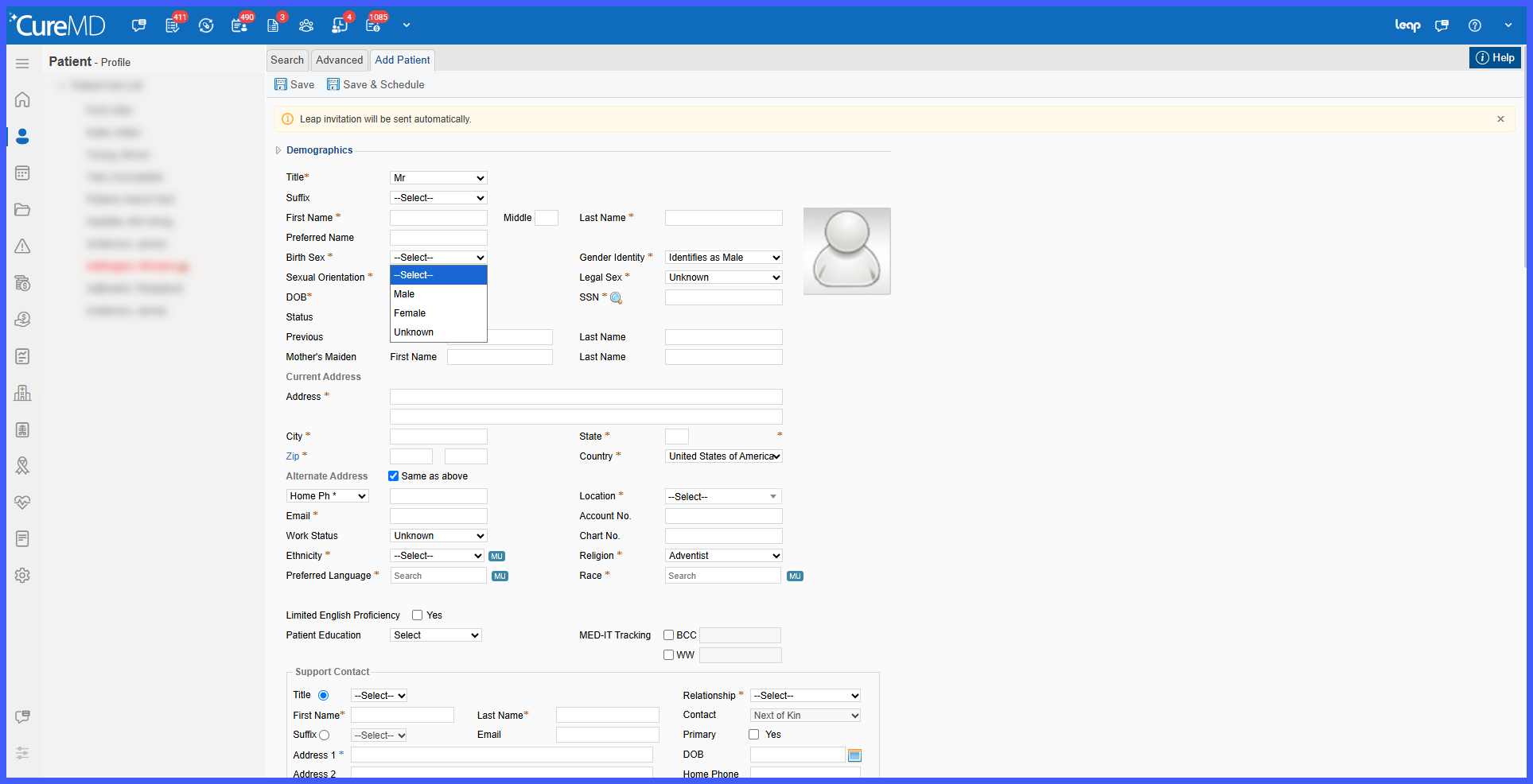
- Select a valid Birth Sex value before saving the patient record.
- If Select remains selected, the system prevents the record from being saved and displays a validation alert.
- When selecting Legal Sex, users will see Unknown and Nonbinary in place of the previous terminology
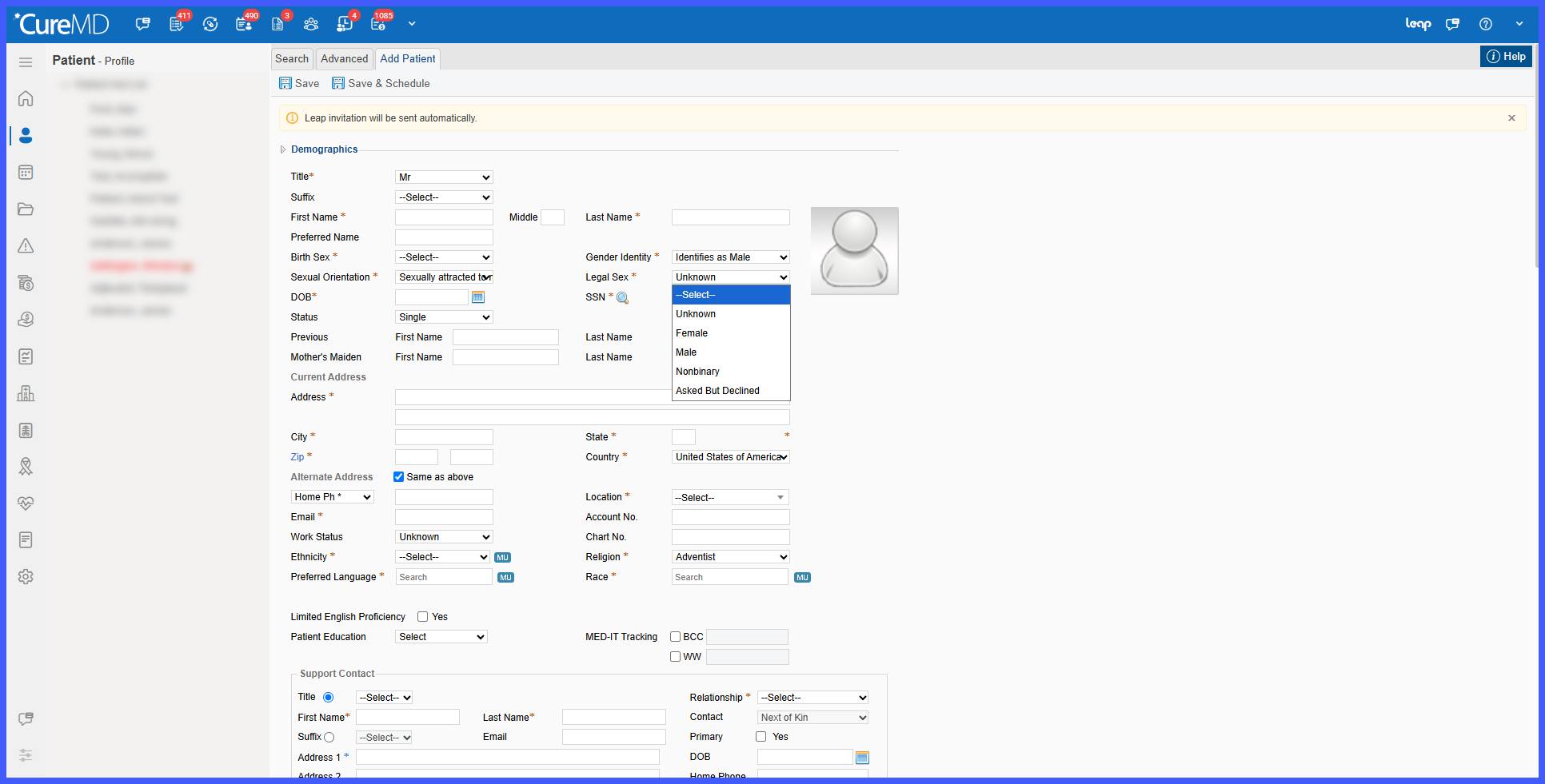
- The updated values and terminology are reflected consistently across connected workflows.
- Existing patient Birth Sex information and previously configured defaults remain unchanged.
Impacted Areas
- Patient Demographics
- Patient Registration
- Quick Add
- Settings
- Avalon
- Patient Audit Trail
Benefits
- Provides clearer and more consistent Legal Sex terminology.
- Prevents applicable new patient records from being saved without a valid Birth Sex selection.
- Preserves previously recorded demographic information for existing patients.
- Maintains existing Birth Sex defaults without automatically replacing them with Select.
- Provides consistent demographic terminology across Demographics, Settings, Avalon, Quick Add, and Patient Audit Trail.
- Supports more consistent demographic data capture and review throughout the application.
