Re-run Eligibility on DOS for Auto-Eligibility Checks
Configure Auto Eligibility Re-run
Automatic Eligibility Re-run on DOS
View Eligibility History
What’s New
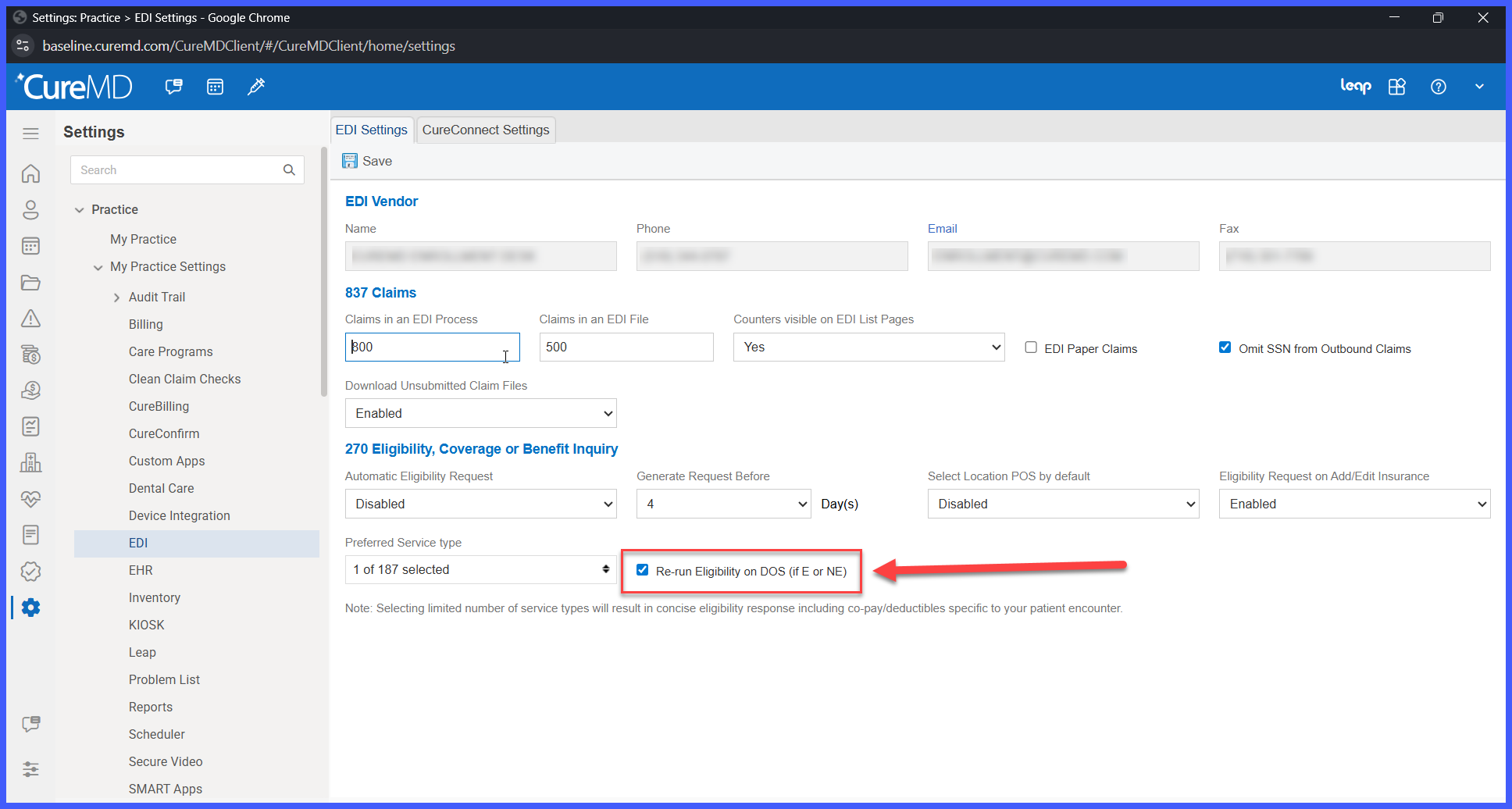
- A new setting, Re-run Eligibility on DOS (if E or NE), is available under:
Settings > Practice > My Practice Settings > EDI > 270 Eligibility, Coverage or Benefit Inquiry. - The feature is disabled by default.
- When enabled, the system automatically re-runs eligibility for appointments with an initial Eligible (E) or Not Eligible (NE) response.
- Automatic eligibility is performed on the DOS or within 24 hours of the appointment.
- Only one automatic re-run is performed during the eligible time window.
- Automatic re-runs do not overwrite more recent manual eligibility checks.
- Failed automatic re-runs do not replace the last successful eligibility response.
- Eligibility history retains both the initial eligibility request and the automatic re-run.
- Audit history identifies each eligibility request as either Auto or Manual.
How It Works
- Navigate to Settings > Practice > My Practice Settings > EDI > 270 Eligibility, Coverage or Benefit Inquiry.
- Enable the Re-run Eligibility on DOS (if E or NE) setting.
- The system performs the initial eligibility verification as part of the existing workflow.
- If the initial response is Eligible (E) or Not Eligible (NE), the system automatically performs one additional eligibility check on the DOS or within 24 hours of the appointment.
- If a manual eligibility check is performed after the initial response, the automatic re-run does not override it.
- If the automatic re-run fails, the last successful eligibility response remains active.
- All eligibility requests are retained in the eligibility history and identified as Auto or Manual.
 Benefits
- Improves administrative transparency by recording all significant template management activities.
- Strengthens compliance through immutable audit records.
- Increases accountability by identifying who performed each action and when it occurred.
- Simplifies troubleshooting and historical review of template configuration changes.
