Additional Demographic Fields in Patient Demographics Summary Reports
What’s New
-
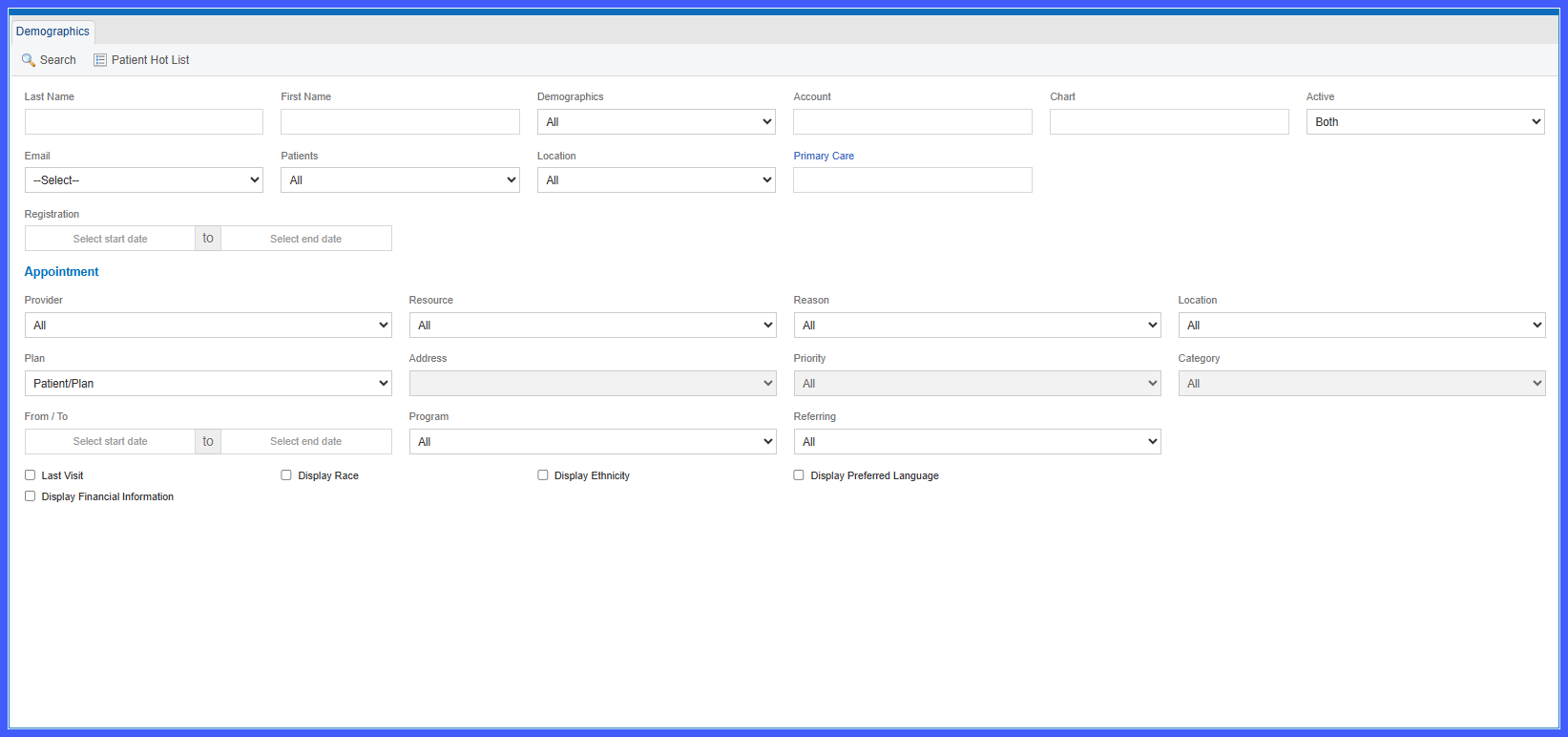
Three new report display options are available in Patient Demographics Summary Reports:
-
Display Race
-
Display Ethnicity
-
Display Preferred Language
-
-
Users can select any combination of the new demographic fields before generating a report.
-
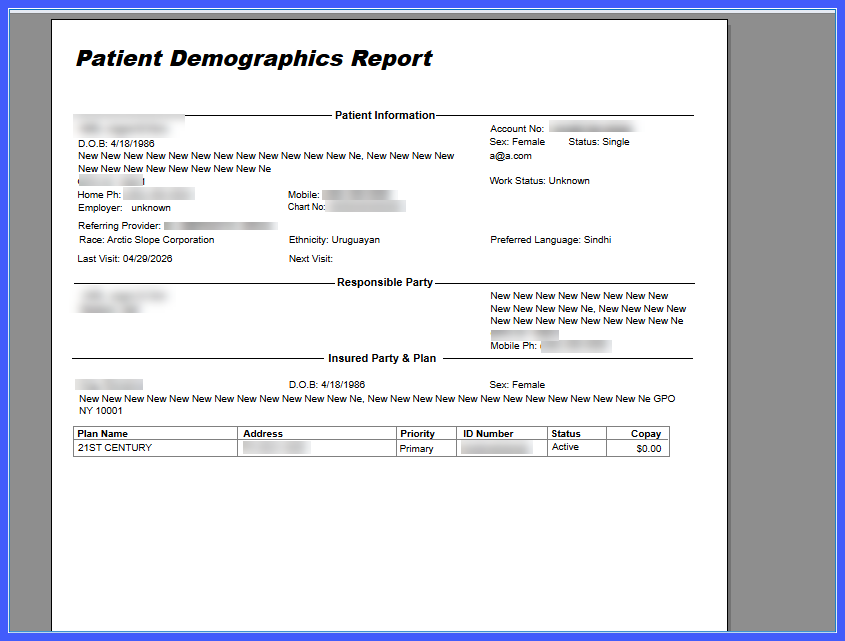
Selected fields are included in the report output alongside existing demographic information.
-
Report formatting and alignment remain consistent when additional fields are included.
How It Works
- Navigate to a Patient Demographics Summary Report.
- Review the available report configuration options.
- Select one or more of the following checkboxes:
– Display Race
– Display Ethnicity
– Display Preferred Language - Generate the report.
- The selected demographic fields appear within the report output as part of the report data structure.
Benefits
- Expands demographic reporting capabilities with additional patient data elements.
- Provides greater flexibility when generating demographic reports.
- Maintains consistent report formatting and presentation.
- Supports more comprehensive demographic analysis and reporting.
