Addition of Billing Provider Column in Balances in Collections Report
What’s New
-
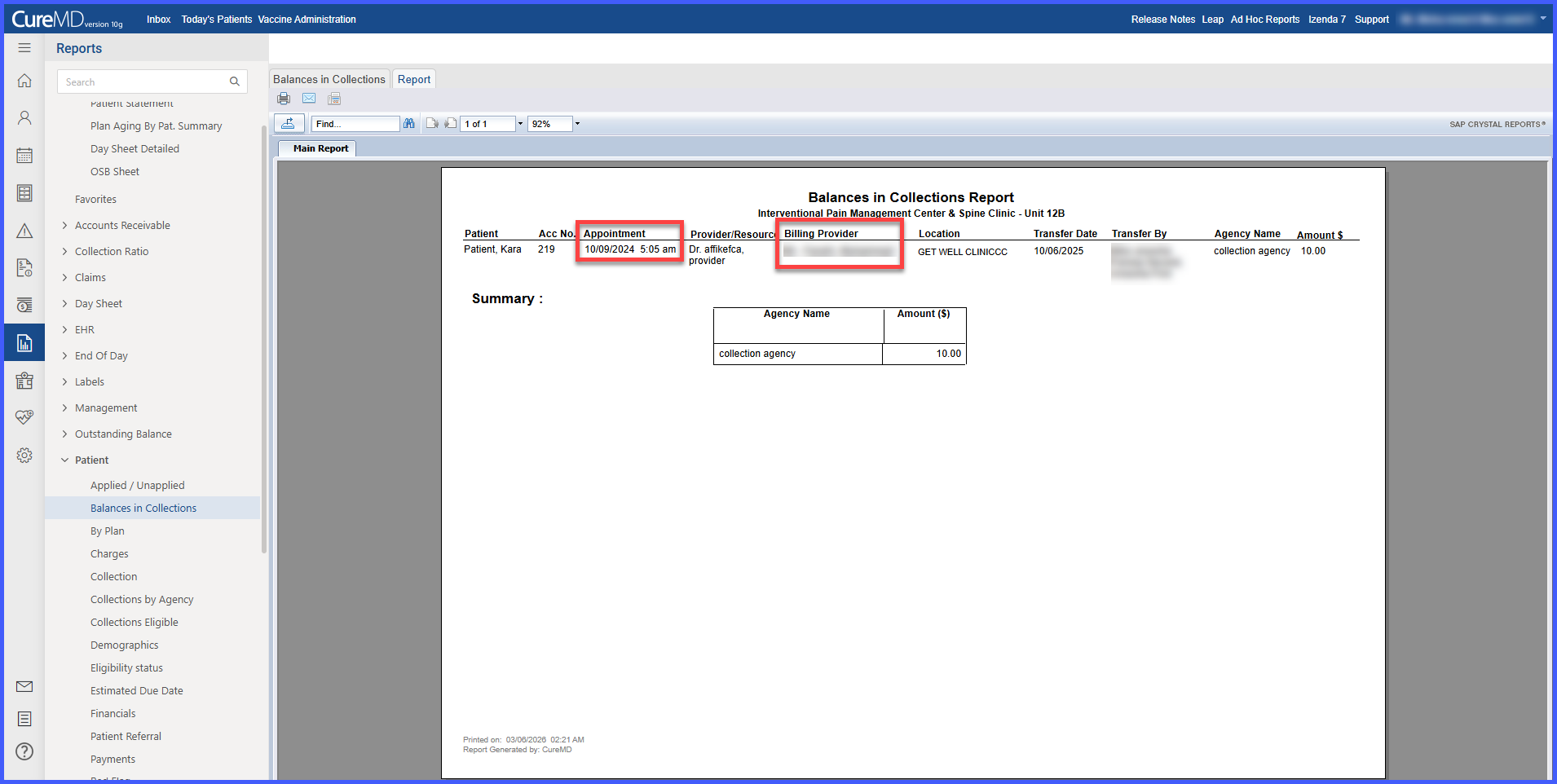
A new Billing Provider column has been added to the Balances in Collections report.
-
The report now displays both the rendering provider/resource and the associated billing provider.
-
No changes have been made to existing report filters or functionality.
-
The enhancement maintains compatibility with current reporting workflows.
How It Works
-
Log into the application.
-
Navigate to Reports > Patient > Balances in Collections.
-
Generate the report using the desired filters.
-
The report output now includes a Billing Provider column for each record.
Previously, when a rendering provider was a resource (e.g., ultrasound), the associated billing provider was not visible in the report. With this update, the Billing Provider is clearly identified for each balance entry.
Benefits
-
Enables clear identification of the billing provider for each balance.
-
Improves transparency when sharing collections reports with clients.
-
Supports more accurate provider-based collections tracking and reconciliation.
-
Preserves existing filtering and reporting functionality without disruption.
