Enhanced Handling of Ineffective CPTs in Order Searches
What’s New
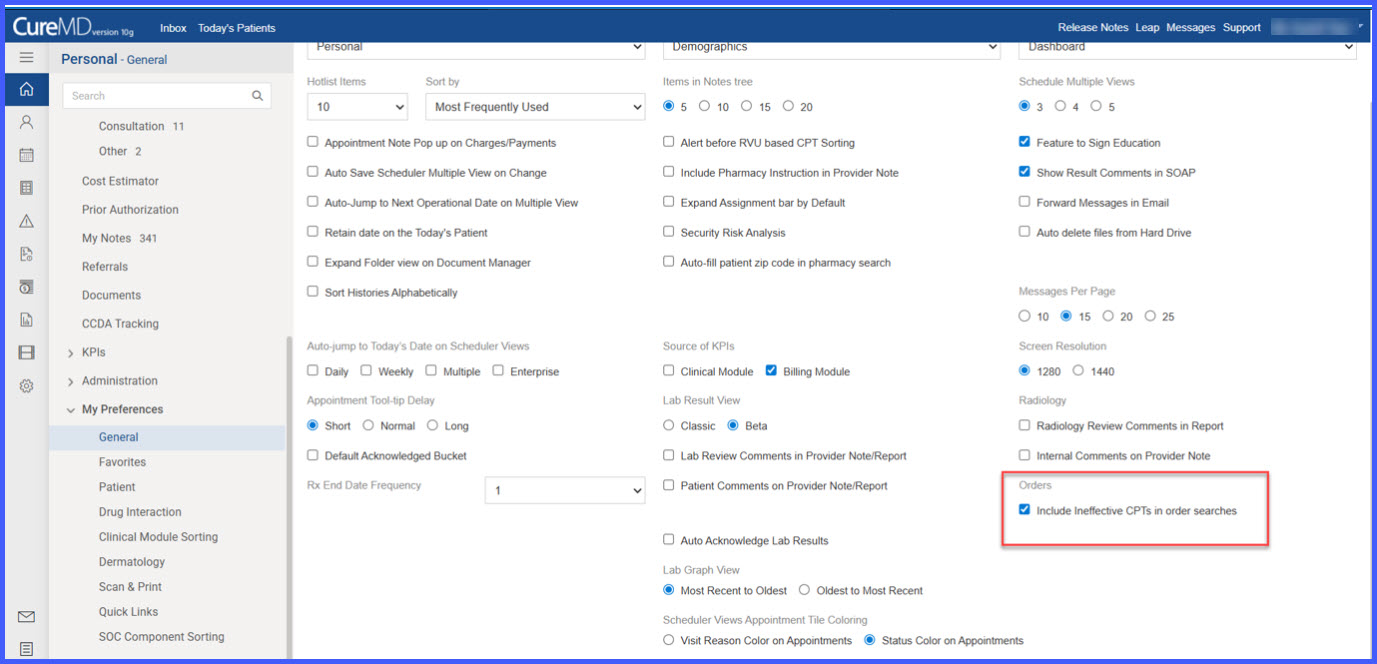
- A new user-level preference: Include Ineffective CPTs in order searches.
- The preference is located under Personal > My Preferences.
- The checkbox is enabled (checked) by default.
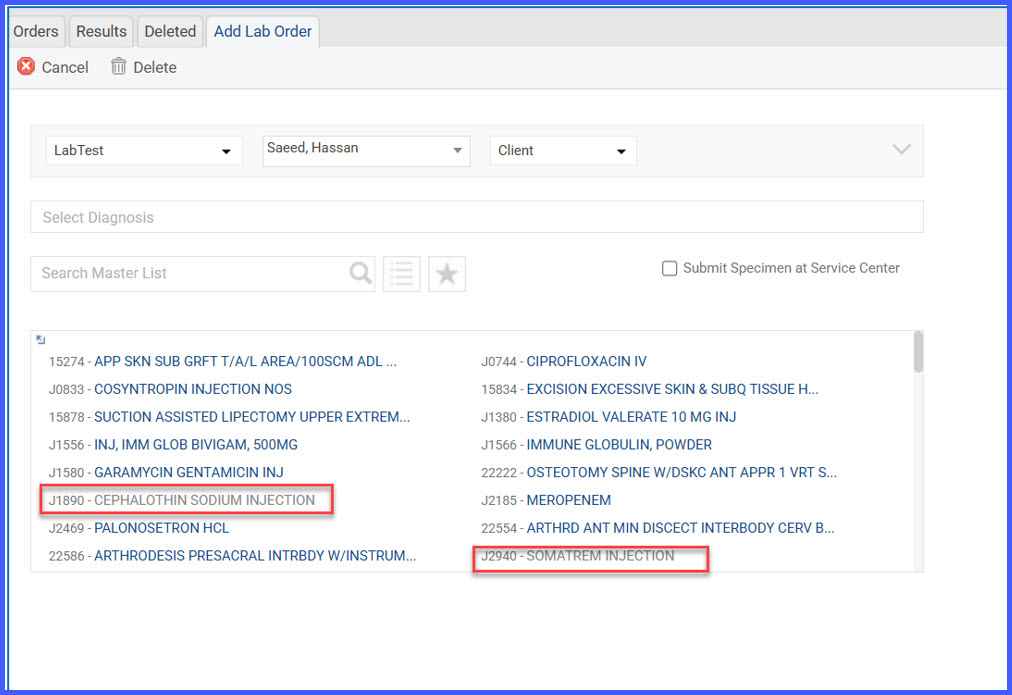
- Ineffective CPTs appear in grey text when included.
- Order Set behavior enforces consistent handling of ineffective CPTs.
- Order duplication logic now validates ineffective CPT scenarios.
How It Works
- Navigate to Personal > My Preferences.
-
Locate the checkbox: Include Ineffective CPTs in order searches.
If the checkbox is checked:
-
CPTs that are not effective on the selected Order Date appear in grey text.
-
These CPTs remain selectable.
-
Search results dynamically reflect both effective and ineffective CPTs.
If the checkbox is unchecked:
-
Only CPTs effective on the selected Order Date are displayed.
-
Ineffective CPTs are excluded from search results.
Order Set Behavior:
-
Ineffective CPTs (based on the current date) always appear in grey with the tooltip:
“Ineffective CPT.” -
If the preference is unchecked, ineffective CPTs are disabled and cannot be added.
-
If the preference is checked, ineffective CPTs remain selectable.
-
If multiple CPTs are associated with a test and any one CPT is ineffective, the entire test is treated as ineffective.
Order Duplication Logic:
-
If all tests within an order contain ineffective CPTs, duplication is blocked.
-
A system message is displayed to prevent proceeding with duplication.
Benefits
- Provides users with flexibility in viewing historical or inactive CPT codes.
- Clearly distinguishes ineffective CPTs to prevent accidental misuse.
- Maintains compliance by enforcing effectiveness validation rules.
- Reduces errors during order duplication and test selection.
- Ensures consistent handling across individual CPT searches and Order Sets.