Updated Occupation and Industry Dropdowns in Social History
What’s New
-
Occupation and Industry fields now use searchable dropdowns for both Present and Past entries.
-
Dropdowns dynamically return matching results based on user input instead of preloading all values.
-
Updated occupation and industry datasets are applied across all relevant Social History fields.
-
Previously saved values are retained and displayed for existing patient records.
-
Selected values are stored using standardized backend codes.
How It Works
-
Navigate to Patient > Clinical > History > Social History > Occupation.
-
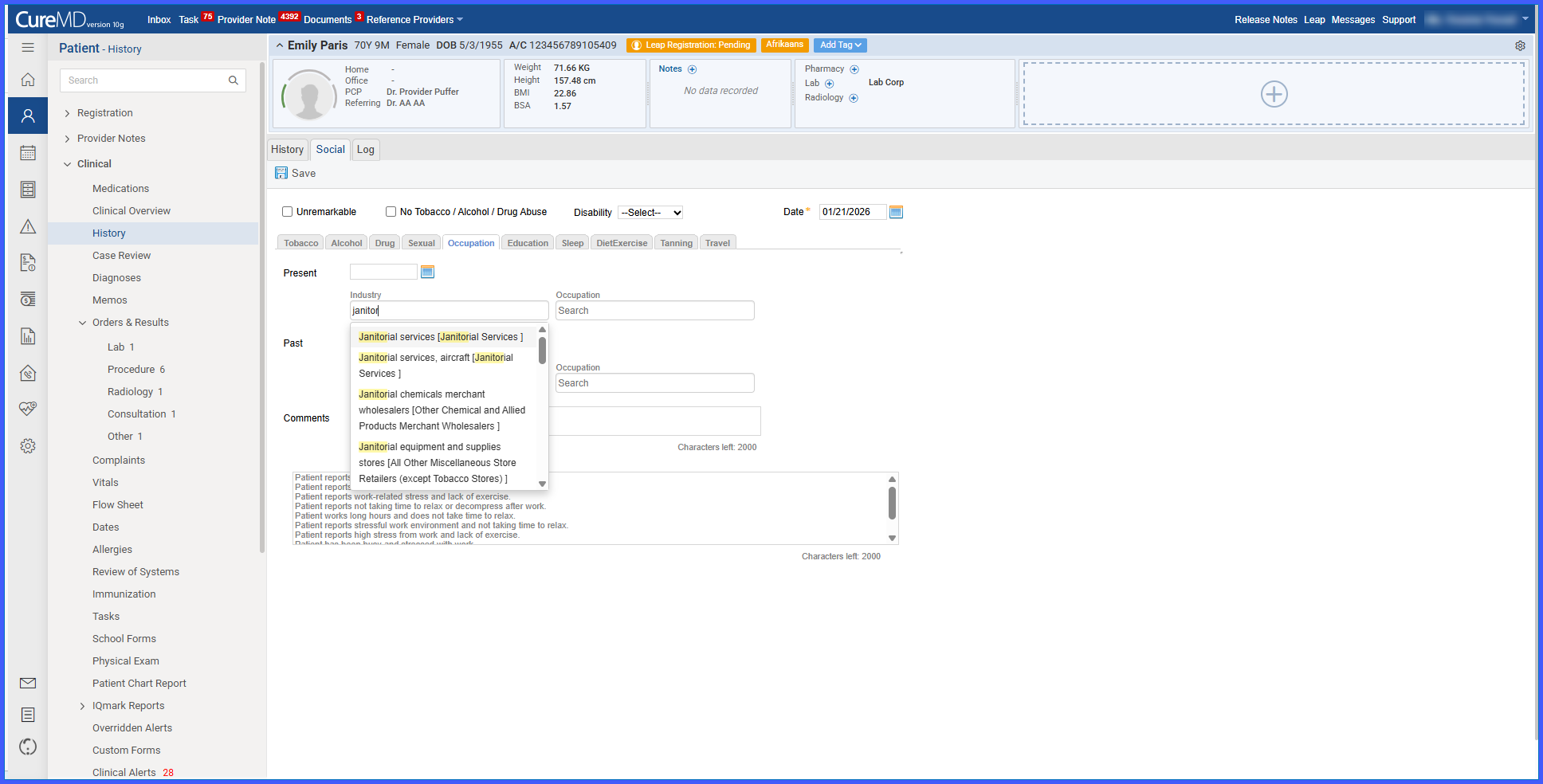
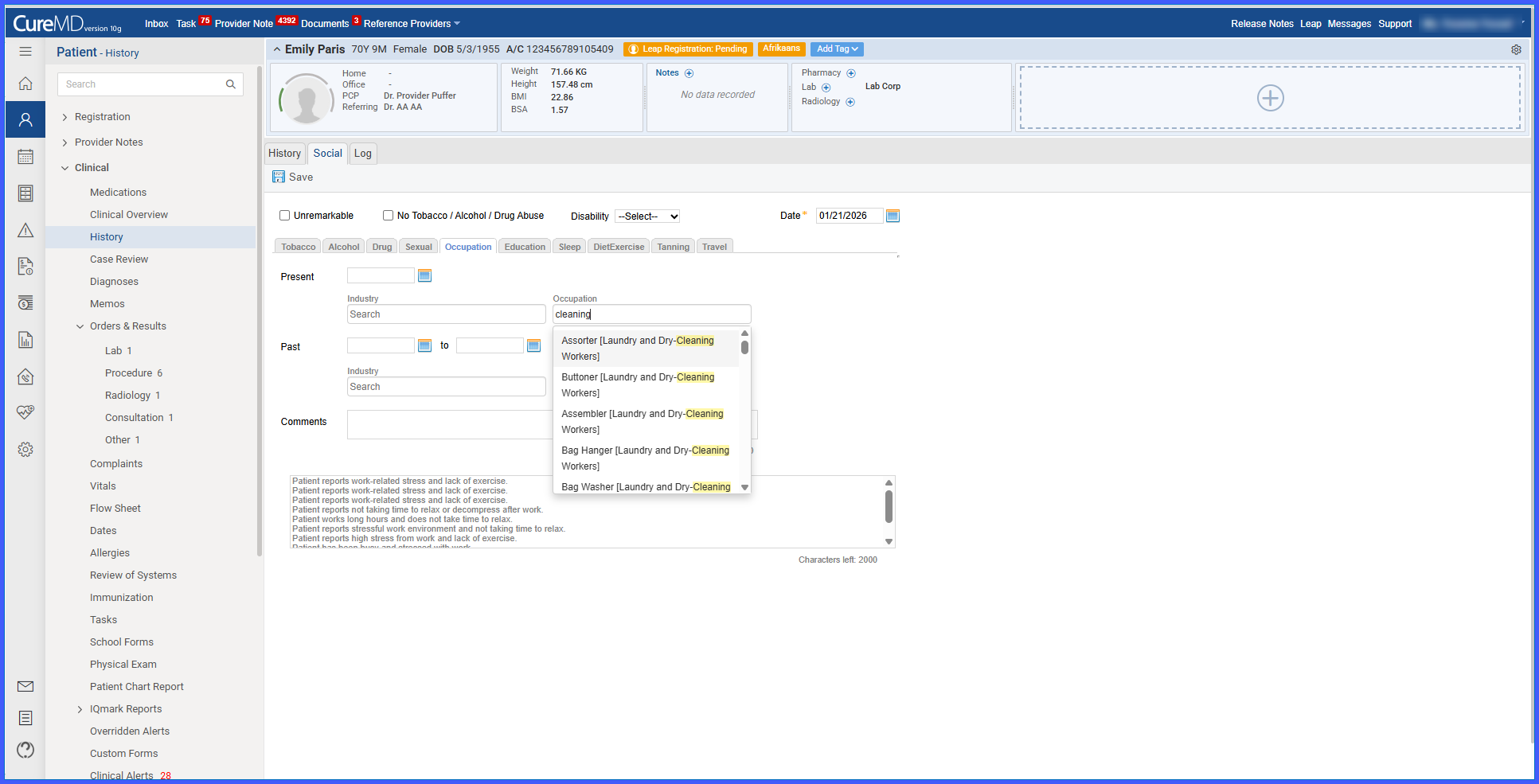
In the Present Occupation or Past Occupation field, begin typing to search the updated occupation dataset.
-
Matching occupation values appear dynamically in a dropdown, displayed by name only.
-
Select an occupation to apply it to the patient record; the corresponding code is stored in the backend.
-
To change a selection, click the cross (×) icon next to the existing value and perform a new search.
-
The same searchable behavior applies to Present Industry and Past Industry fields using the updated industry dataset.
-
Previously saved occupation and industry values appear at the top of the dropdown and remain selected unless replaced.
-
When a new value is selected, the prior value is removed and replaced with the new selection.
Benefits
-
Protects historical scheduling data from unintended modification.
-
Enforces clearer separation of scheduling responsibilities through permissions.
-
Reduces risk of accidental changes to past records.
-
Supports compliance and audit requirements by preserving schedule history.
-
Provides consistent, predictable permission behavior across scheduling workflows.
