Enhanced Permission Controls for Adding Schedule Blocks
What’s New
-
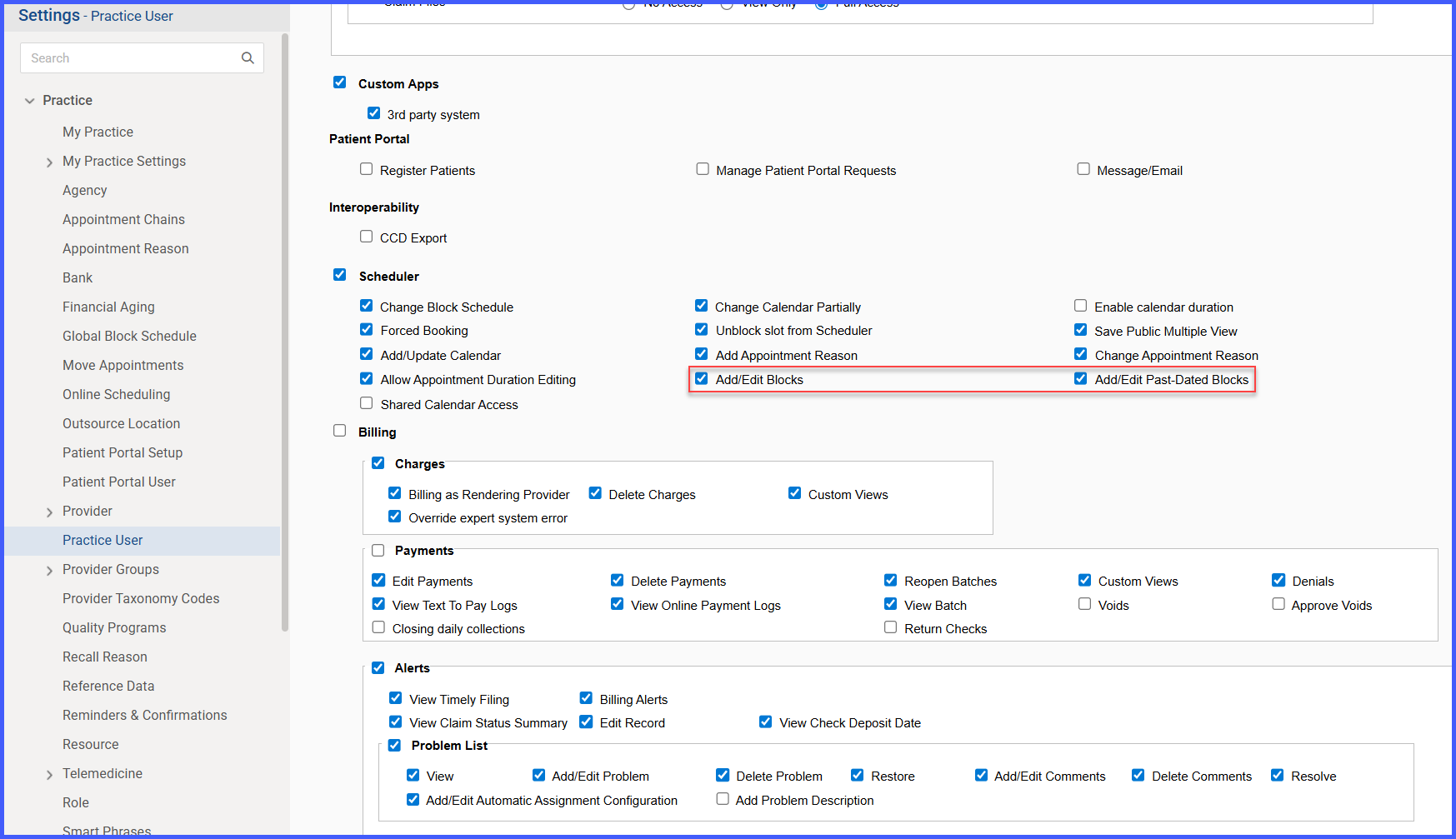
Schedule block permissions are now divided into two distinct controls for greater administrative precision:
1. Add/Edit Blocks (today and future dates)
This permission allows users to create or modify schedule blocks for the current day and future dates.2. Add/Edit Past-Dated Blocks (past dates)
This permission controls the ability to manage past-dated blocks.
If a user does not have this permission, past dates appear disabled (greyed out) in the Scheduler and Calendar views.
How It Works
1. An administrator configures user permissions for scheduling.
2. When a user opens the Scheduler or Calendar, the system evaluates their assigned permissions.
3. Users with Add/Edit Blocks permission can add or edit blocks for today and future dates.
4. Users must also have Add/Edit Past-Dated Blocks permission to add or edit blocks on past dates.
5. If a user without past-dated permissions attempts to modify those blocks, the system restricts the action and displays a guidance message.
6. If both permissions are disabled, all block placement and editing actions are unavailable.
Benefits
• Provides precise control over who can modify past versus future schedule data.
• Protects historical scheduling records from unintended changes.
• Reduces scheduling errors through clear, in-context permission guidance.
• Ensures consistent behavior across Scheduler and Calendar workflows.
• Strengthens administrative oversight and maintains data integrity.
