Enhanced Permission Controls for Deleting Past-Dated Schedule Blocks
What’s New
-
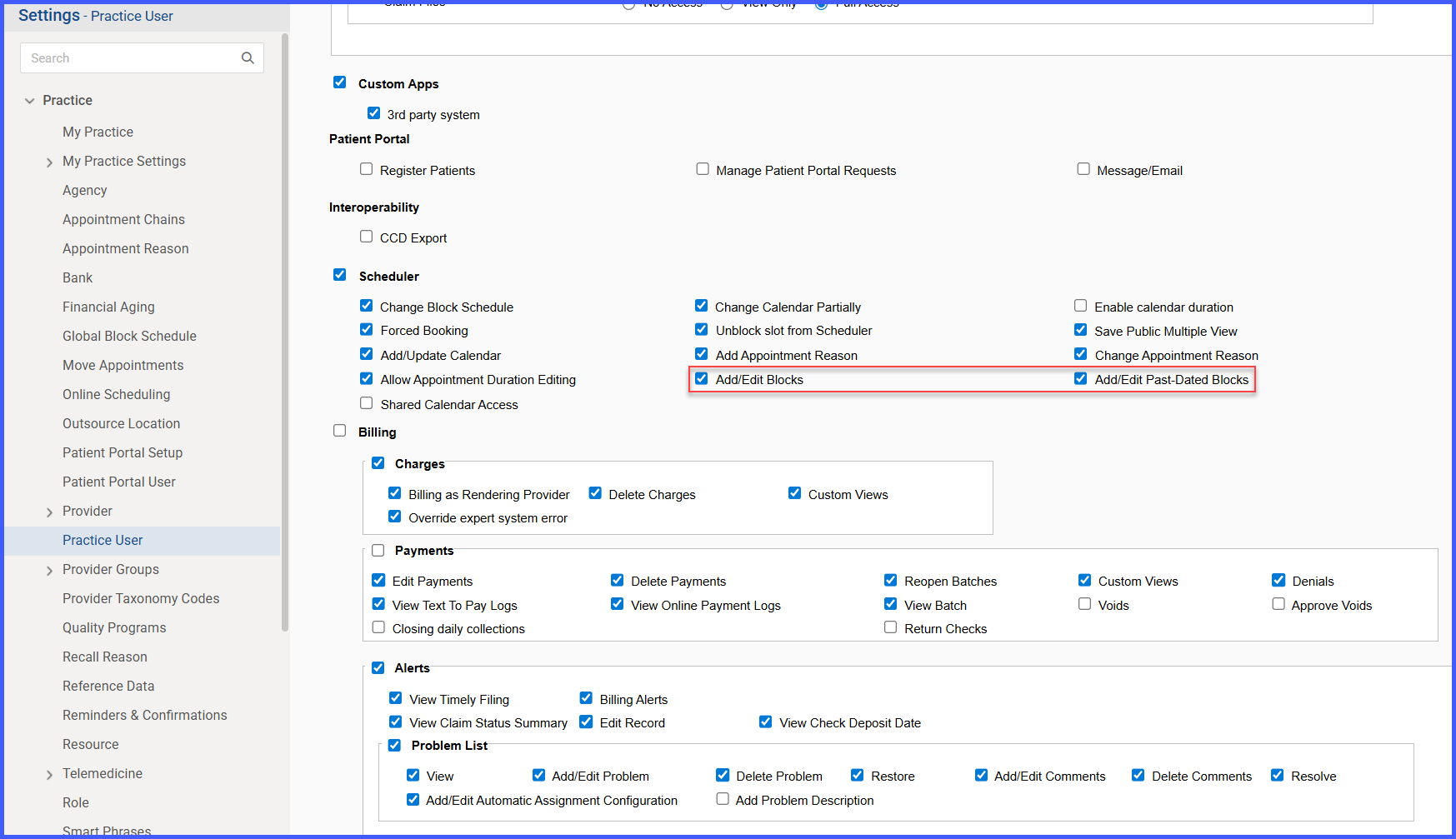
Deletion of past-dated schedule blocks is now controlled by the “Add Past-Dated Blocks” permission.
-
Past-dated blocks show a disabled (greyed-out) delete icon when the user lacks permission.
-
A tooltip explains why deletion is restricted when hovering over the disabled icon.
-
Permission behavior is applied consistently across Provider Blocks and Resource Blocks.
-
Users without both Add Blocks and Add Past-Dated Blocks permissions cannot access delete actions at all.
How It Works
-
Navigate to a scheduling screen that displays Provider Blocks or Resource Blocks.
-
Locate a schedule block dated in the past.
-
The system evaluates the user’s permissions.
-
If the user has Add Blocks but not Add Past-Dated Blocks:
-
The delete icon appears disabled for past-dated blocks.
-
Hovering over the icon displays: “User does not have permission to delete past-dated blocks.”
-
-
If the block is scheduled for today or a future date, deletion remains available with standard confirmation prompts.
-
If the user has Add Past-Dated Blocks permission enabled, deletion of past-dated blocks becomes available immediately.
-
If the user lacks both Add Blocks and Add Past-Dated Blocks permissions:
-
Delete actions are removed entirely.
-
Hovering over the disabled control displays: “The user does not have the appropriate permissions to delete blocks.”
-
Benefits
-
Protects historical scheduling data from unintended modification.
-
Enforces clearer separation of scheduling responsibilities through permissions.
-
Reduces risk of accidental changes to past records.
-
Supports compliance and audit requirements by preserving schedule history.
-
Provides consistent, predictable permission behavior across scheduling workflows.