Preference to Control Auto-Fill of Zip Code in Pharmacy Search
What’s New
-
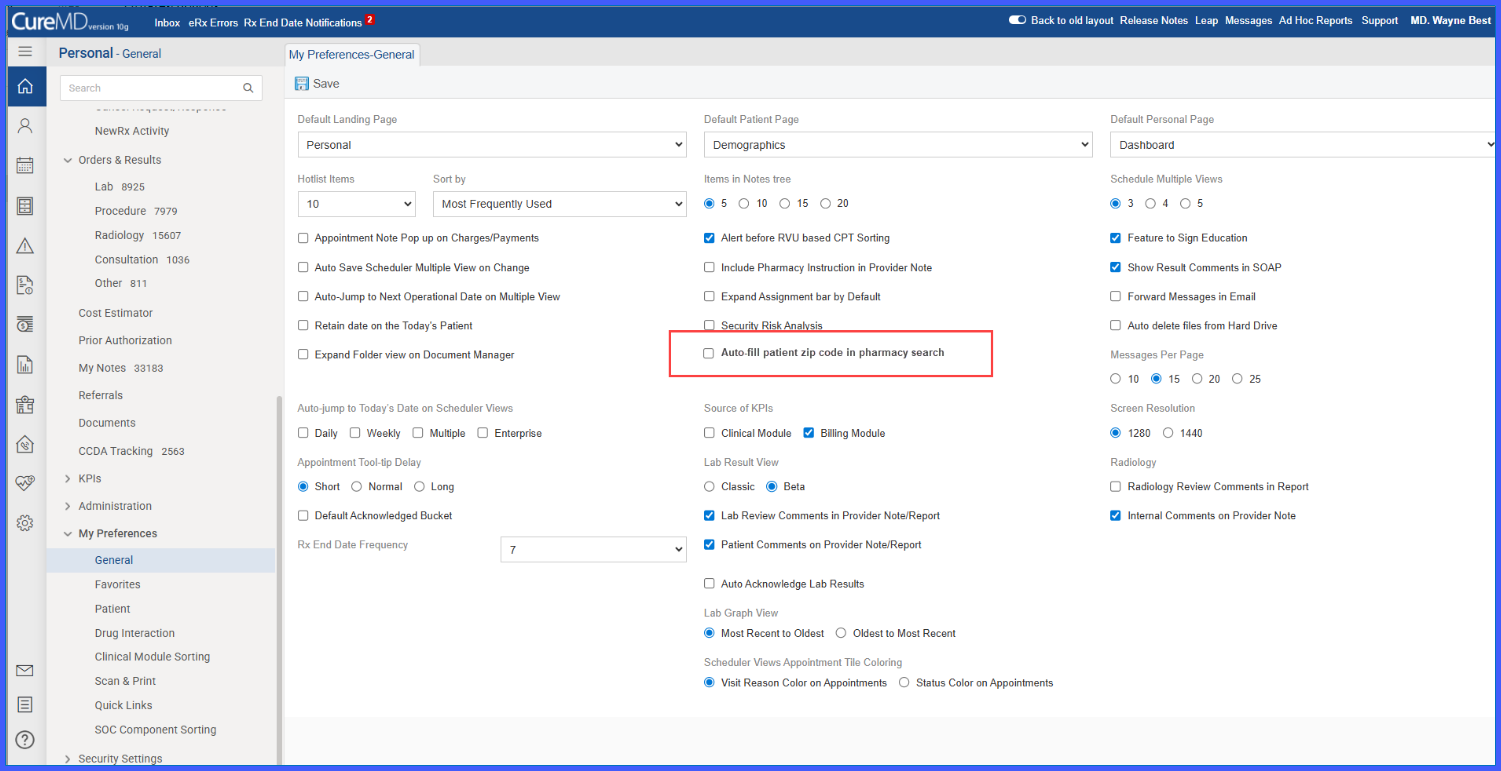
A new checkbox labeled “Auto-fill patient zip code in pharmacy search” is available under My Preferences > General Preferences.
-
The checkbox reflects the current saved state (enabled or disabled).
-
The preference persists across sessions and page reloads until changed by the user.
-
The setting is applied consistently across all workflows that launch the Pharmacy Search window.
-
Pharmacy Search behavior dynamically changes based on the saved preference.
How It Works
-
Navigate to Personal > My Preferences > General.
-
Locate the checkbox labeled “Auto-fill patient zip code in pharmacy search.”
-
Select the checkbox to enable auto-filling of the patient’s home zip code, or clear it to disable auto-fill.
-
Click Save to apply the preference.
-
Open the Pharmacy Search window from any supported workflow.
-
The system applies the saved preference when displaying pharmacy search results.
Benefits
-
Allows users to control how pharmacy search results are filtered.
-
Reduces the need to manually clear or enter zip codes during pharmacy selection.
-
Ensures consistent pharmacy search behavior across all clinical and prescribing workflows.
-
Improves efficiency for users who frequently work with pharmacies outside the patient’s immediate location.
