Enhancements to Pending Order Preview Tab and Specimen Details
What’s New
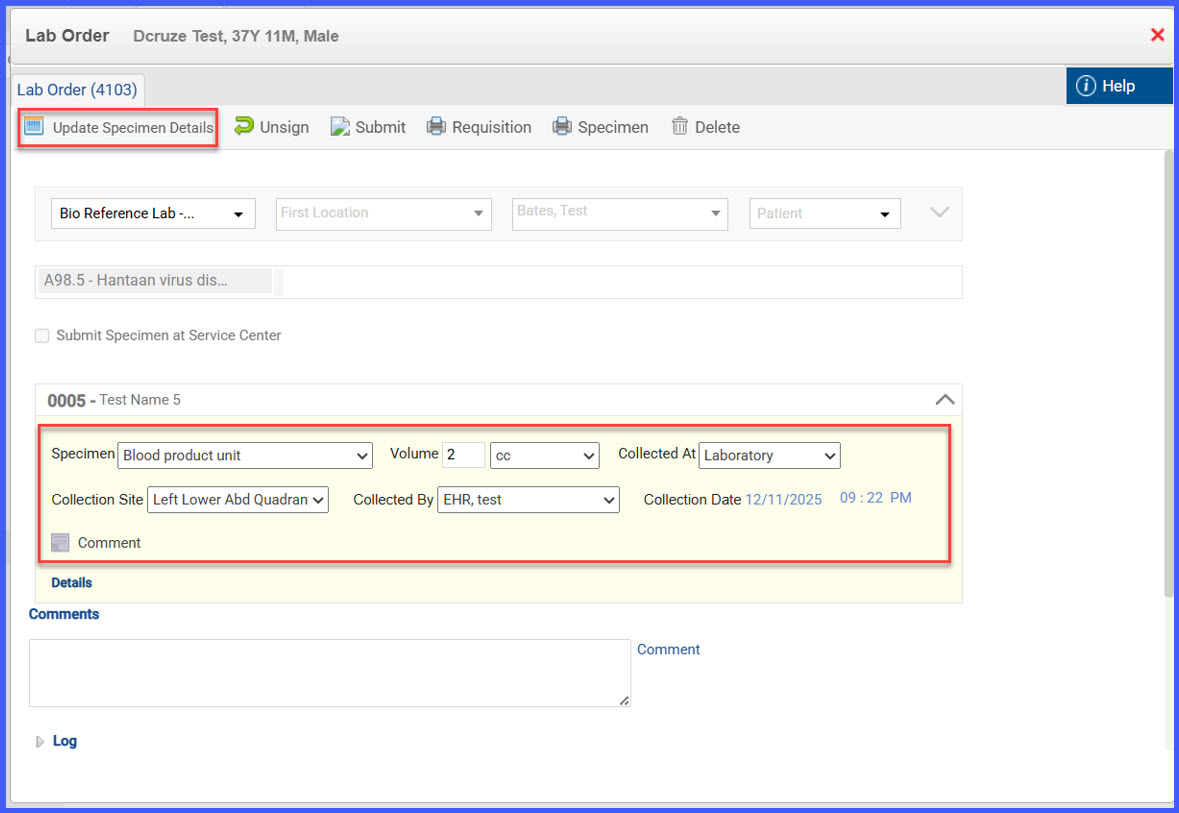
- Users can update specimen information for signed and queued orders that require manual submission.
- Signed and submitted orders are locked and cannot be modified.
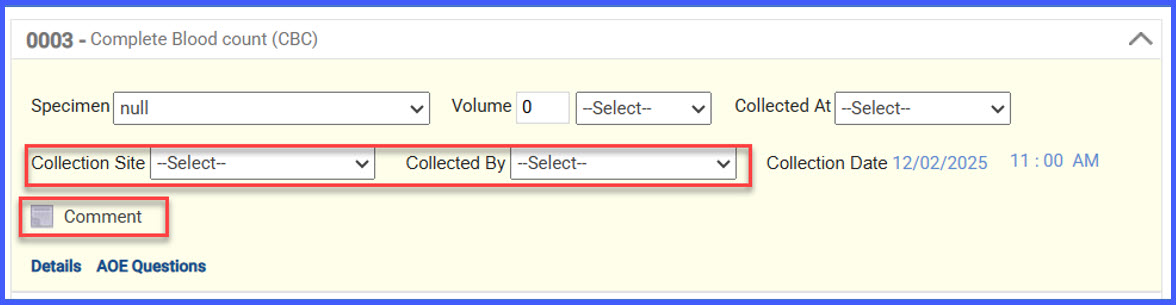
- Specimen Details now includes new editable fields:
- – Collected By
– Collection Site
– Comment - Collected By dropdown shows all users at the selected location with a searchable list.
- Collection Site dropdown includes predefined options plus an Other option that converts the field to free text (50-character limit).
- Comment field captures reaction-related notes; special characters are restricted except parentheses and full stops.
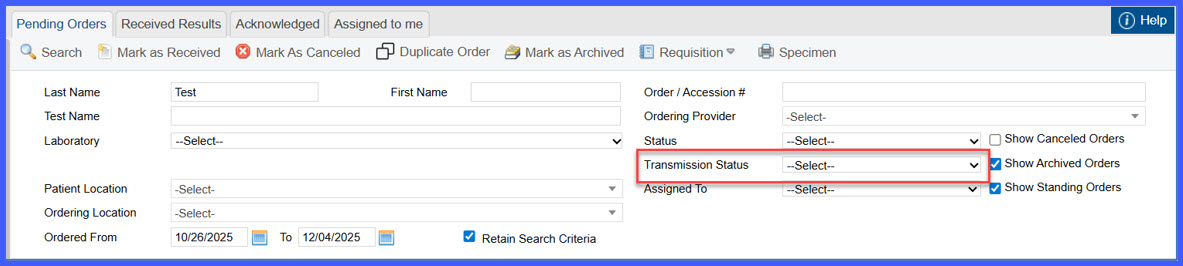
- A new Transmission Status dropdown has been added with the options:
– Signed-Queued
– Signed-Submitted
– Failed to Send - Transmission Status becomes enabled when the main Status dropdown is set to Signed, Cancelled, or Archived.
- Detailed logs—including updates to specimen information—are now shown in the addendum.
 How It Works
- Open a lab order from any of the workflows listed above.
- If the order is signed and queued (manual submission required), specimen fields become editable; signed and submitted orders remain locked.
- In Specimen Details, users can:
– Select Collected By from a searchable list of users at the location.
– Choose a Collection Site, or select Other to enter free text (up to 50 characters).
– Enter a Comment (reaction-related information) using allowed characters only. - On the Pending Orders page, users can refine results using the new Transmission Status filter when applicable.
- Updated specimen details and all related actions appear in the addendum logs.
Benefits
- Enables more precise specimen documentation for orders requiring manual submission.
- Adds structured, user-friendly fields that improve data completeness and clarity.
- Enhances workflow efficiency through improved filtering options.
- Strengthens auditability with detailed action logs.
- Ensures a consistent and accurate process for managing lab orders across modules.
