Standing Orders – Create, Manage, and Automate Recurring Orders
What’s New
- Standing Orders can now be created from:
– Provider Note > Add/Edit Lab, Radiology, or Procedure Order
– Clinical > Add/Edit Lab, Radiology, or Procedure Order - A calendar icon appears on each added test tile (grey by default; turns green when recurrence is configured).
- A new Standing Order pop-up allows users to enter recurrence settings:
– Repeat every
– For (duration or number of occurrences) - Apply to Tests allows recurrence settings to be applied to multiple selected tests at once.
- The system automatically creates the first recurrence row upon saving or signing the order.
- Recurrences automatically generate future rows in Draft status based on the configured schedule.
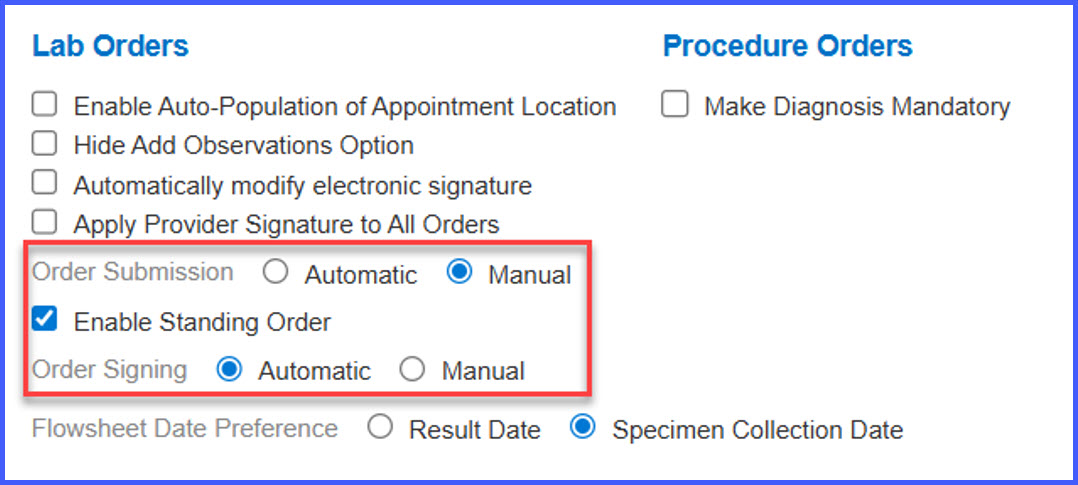
- Four automation modes determine recurrence behavior:
– Manual: Recurrence remains Draft until manually signed and submitted.
– Auto-sign only: System signs recurrence automatically at 12 a.m.; user submits manually.
– Auto-submit only: User signs manually; system auto-submits.
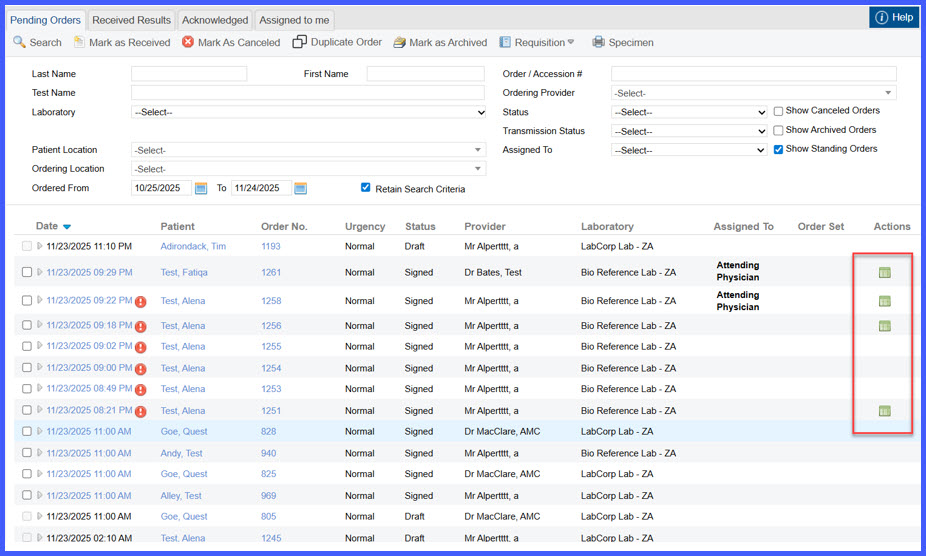
– Fully automated: System signs and submits automatically at 12 a.m. on the scheduled date. - A calendar icon in the orders listing displays recurrence history and future recurrences.
- Recurrence pop-up includes actions: Reschedule, Cancel, and Cancel All (for unsubmitted recurrences).
- Tooltip added to calendar icon (“View recurrences”).
- Personal module includes a toggle to show/hide standing orders.
- Users can edit draft recurrences individually without affecting the overall series.
How It Works
- Navigate to Settings > Practice Configurations > Billing.
- Locate the “Enable Medicare-Specific Code G0498 for Prolonged Infusions” option.
- Turn the setting ON to activate payer-based billing logic.
- During charge capture for prolonged chemotherapy infusions:
- If Real-Time Payer ID = CMS → system assigns HCPCS G0498.
- If Real-Time Payer ID ≠ CMS → system assigns CPT 96416.
- If required documentation is incomplete, the system halts auto-assignment.
- Users with appropriate permissions may override the assigned code; all overrides are recorded with username and timestamp.
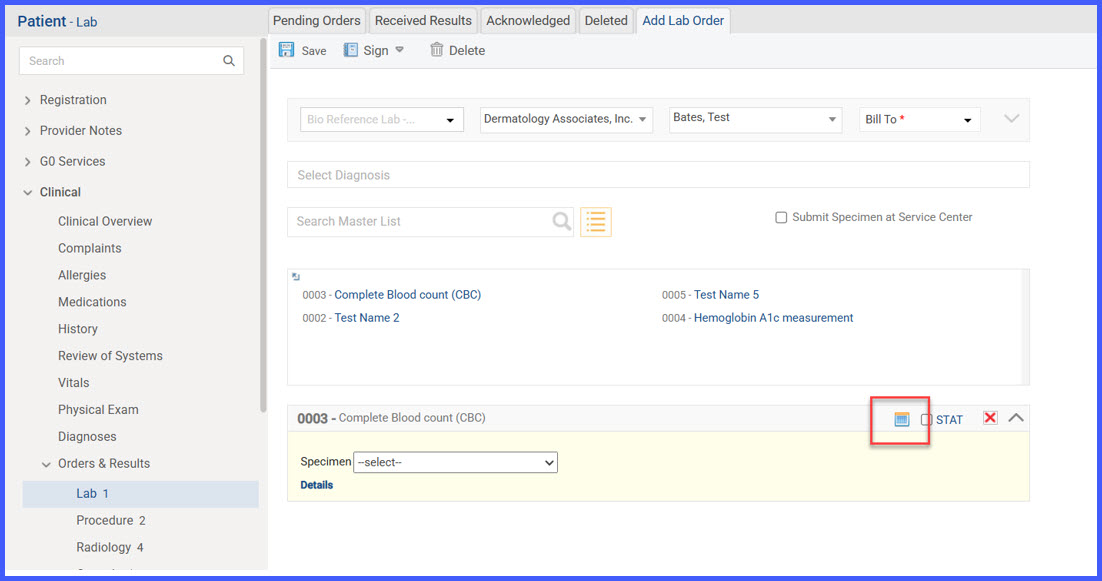
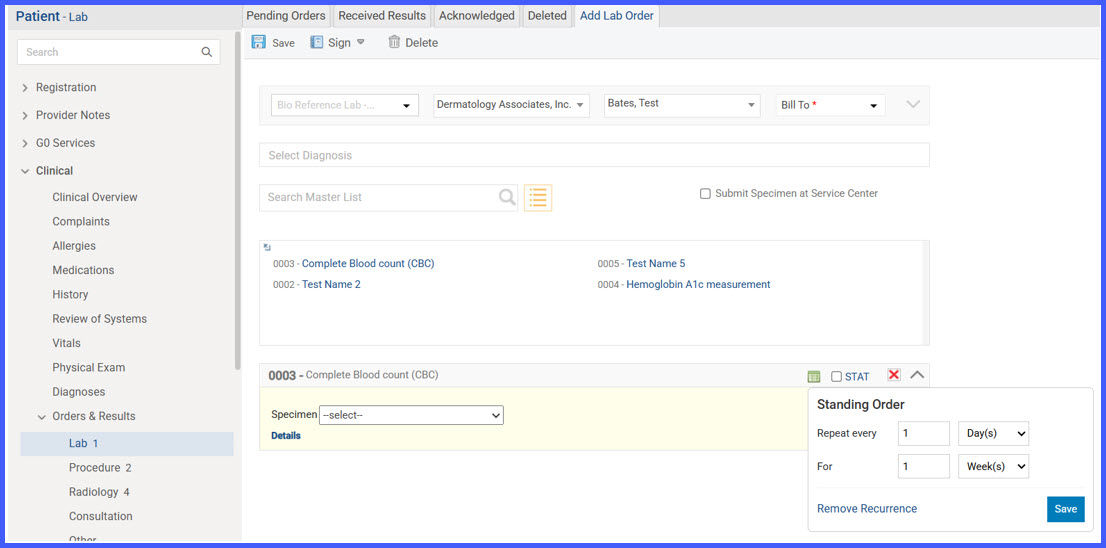
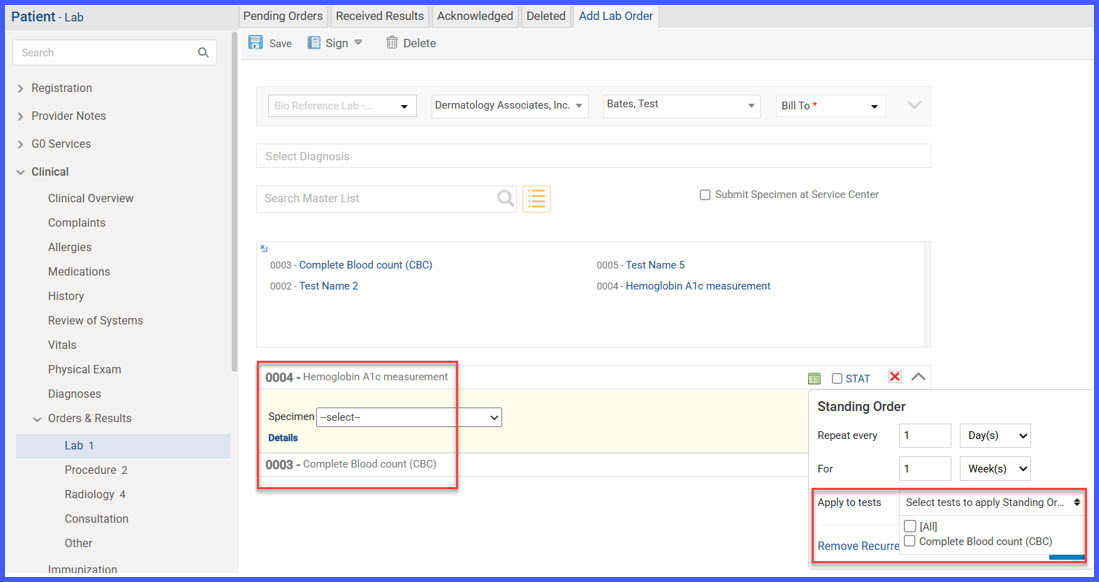
When orders are saved or signed, the system automatically creates the first recurrence row in the listing, with its status and behavior based on automation settings (manual or automated or selectively automated). On the scheduled date of an existing order, its next recurrence automatically appears in the listing in Draft status, ready for review or processing according to the automation mode. Each recurrence is processed according to its configured date and automation mode, ensuring flexibility for manual and automated workflows:
- Manual mode: Each recurrence remains in Draft until manually signed and submitted.
- Auto-sign only: The system automatically signs the recurrence at 12 a.m. on its scheduled date; submission must still be done manually.
- Auto-submit only: The recurrence remains in Draft and is automatically submitted once it is manually signed by the user.
- Fully automated mode: The system automatically signs and submits the recurrence at 12 a.m. on its scheduled date.
From the orders listing, users can click the calendar icon under the Actions column to view all recurrences, including their statuses and scheduled dates. The pop-up allows Reschedule and Cancel actions for unsubmitted recurrences and includes a Cancel All option. Hovering over the icon shows a tooltip (“View recurrences”), and a toggle in the Personal module lets users show or hide standing orders.
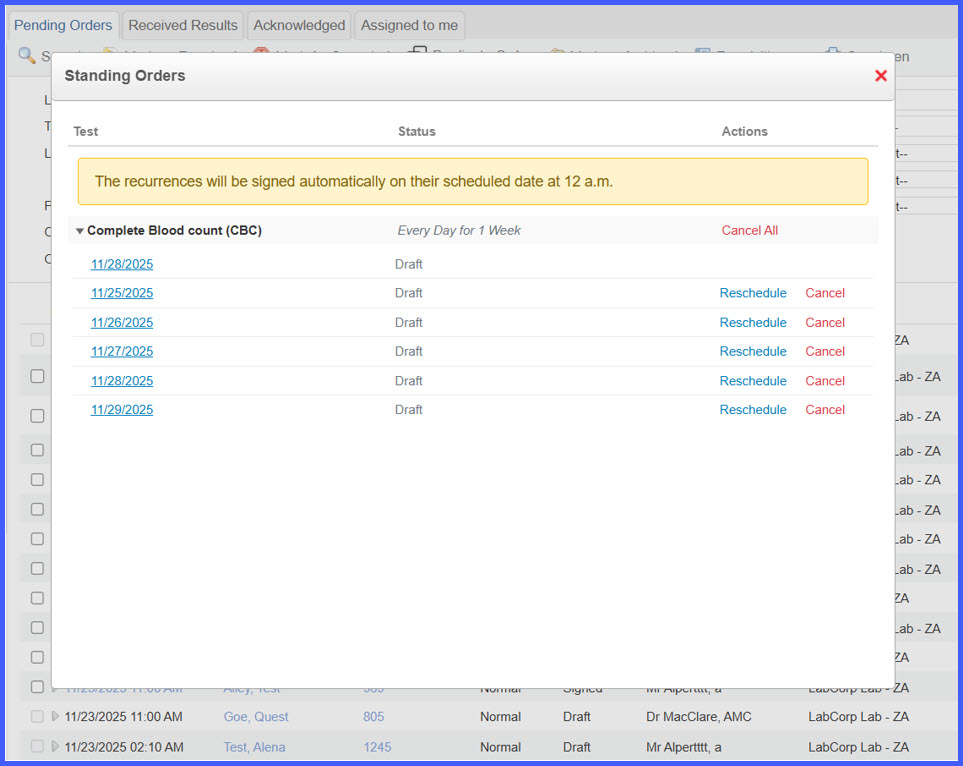
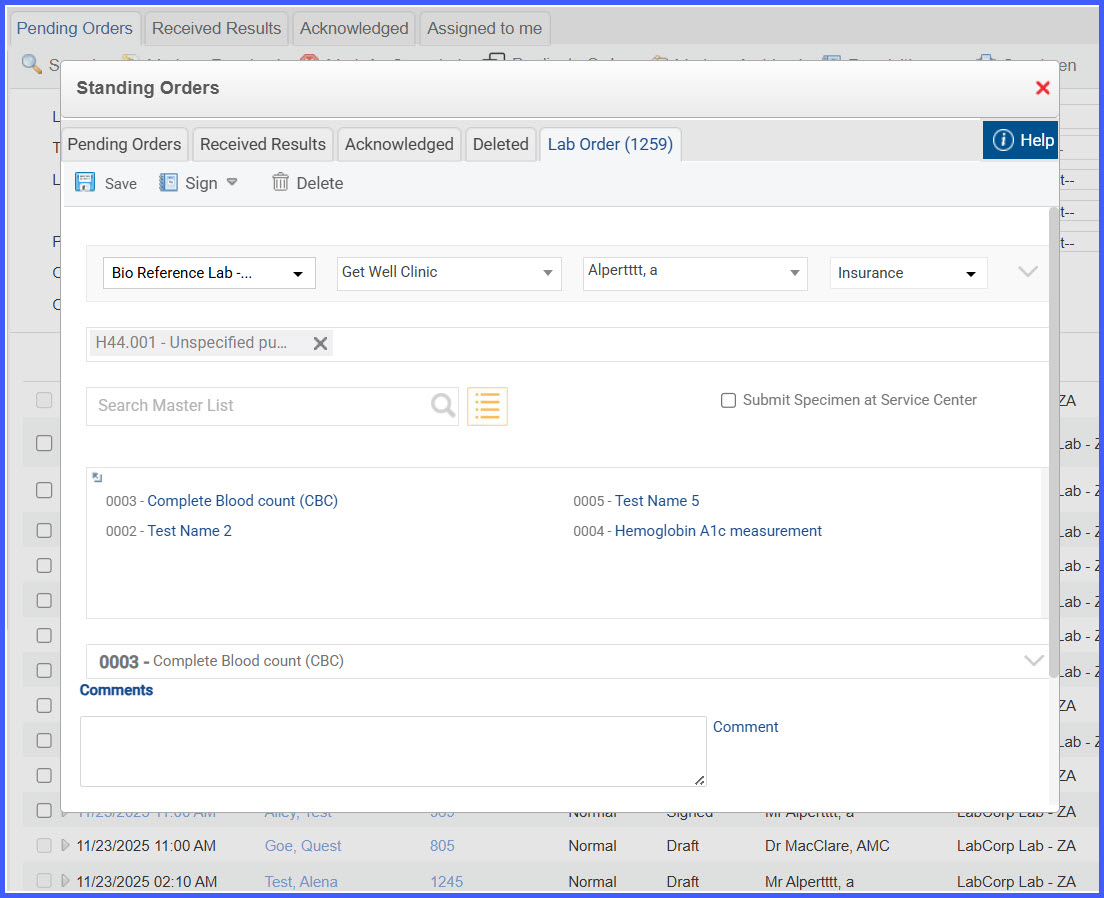
Users can edit draft recurrences by clicking a recurrence date from the pop-up or its list row. Each recurrence can be individually managed without affecting others in the series.
Benefits
- Provides a complete, centralized workflow for recurring clinical orders.
- Reduces manual effort through configurable automation settings.
- Improves clinical efficiency with clear visual indicators and recurrence tracking.
- Enables flexible management—each recurrence can be edited independently.
- Minimizes errors by automatically creating and scheduling future recurrences.
