Print Labels Without Installing CureMD Client Utility
What’s New
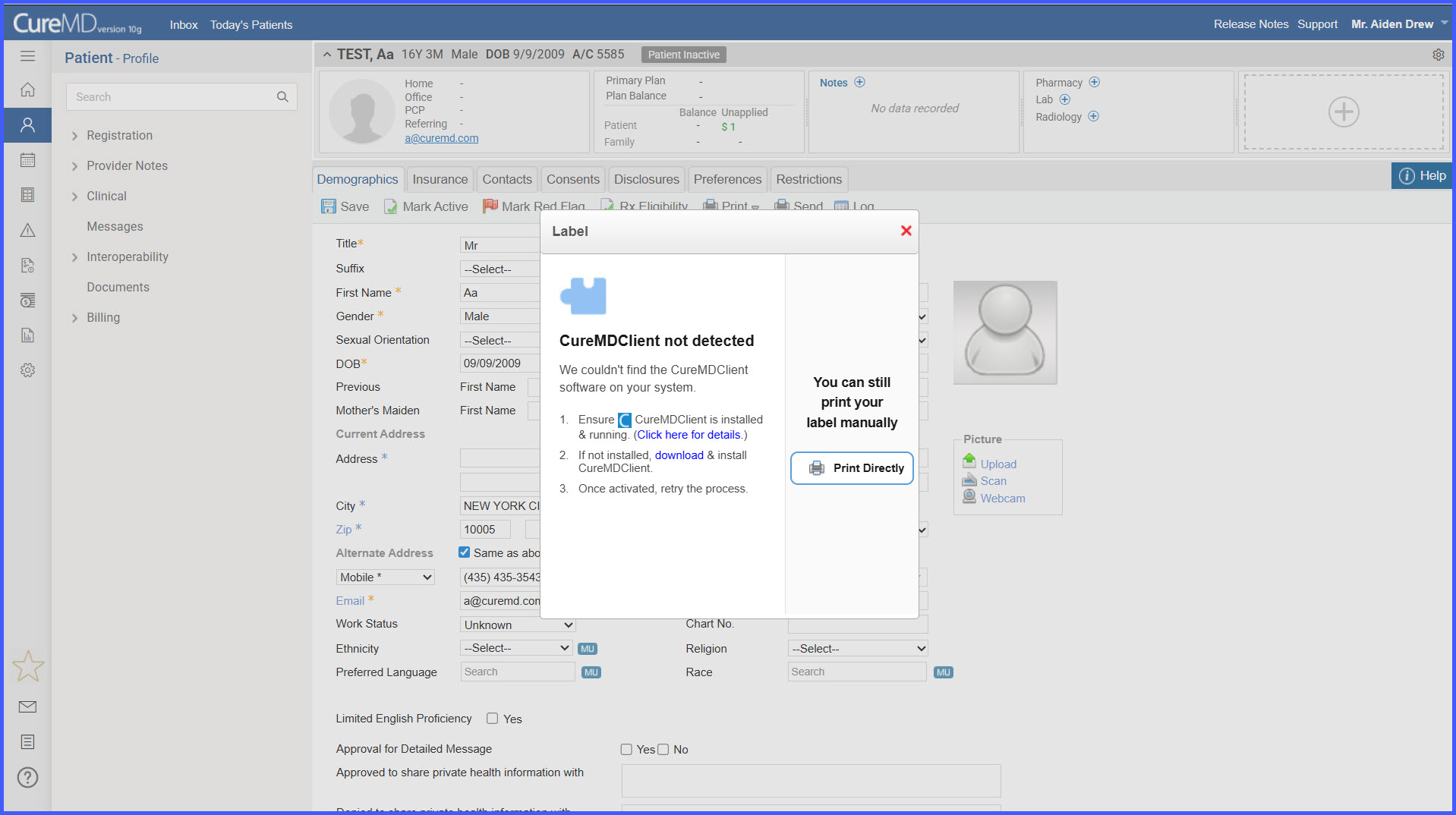
The system automatically detects the status of the Cure Client software during label printing. If the client is unavailable, a clickable link appears:
“You can still print your label manually”
Clicking the link opens a label generation window, allowing the user to print the label manually.
How It Works
-
The system checks for Cure Client software during the print process.
-
When the CureMD client utility is not turnrd on or is not installed, a message with a manual print link appears.
-
Users click the link to generate and print the label manually.
-
This ensures label printing continues even when automation via Cure Client is unavailable.
Benefits
-
Prevents workflow interruptions caused by missing or inactive Cure Client software.
-
Improves reliability and efficiency in clinical label printing.
- Maintains seamless printing even when Cure Client is not installed, while providing a safe fallback option.