Review of Systems Template Names Override “Review of Systems” Subheading in Provider Notes
What’s New
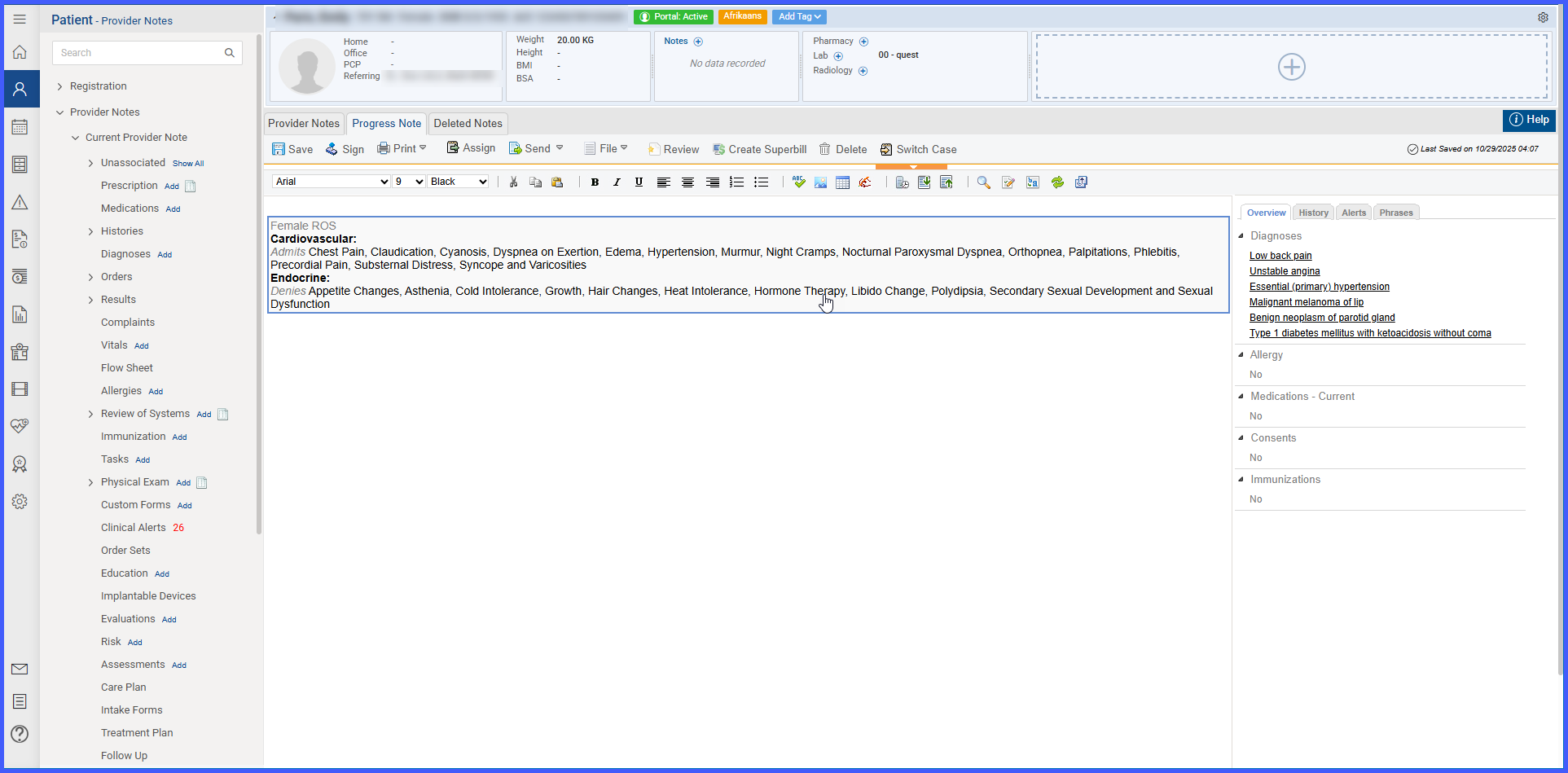
Template-Based Subheading: The Review of Systems subheading now displays the name of the applied customized template (e.g., “Detailed Review of Systems”).
Existing Notes Unchanged: Notes with previously added Review of Systems components retain the default subheading.
How It Works
-
Navigate to
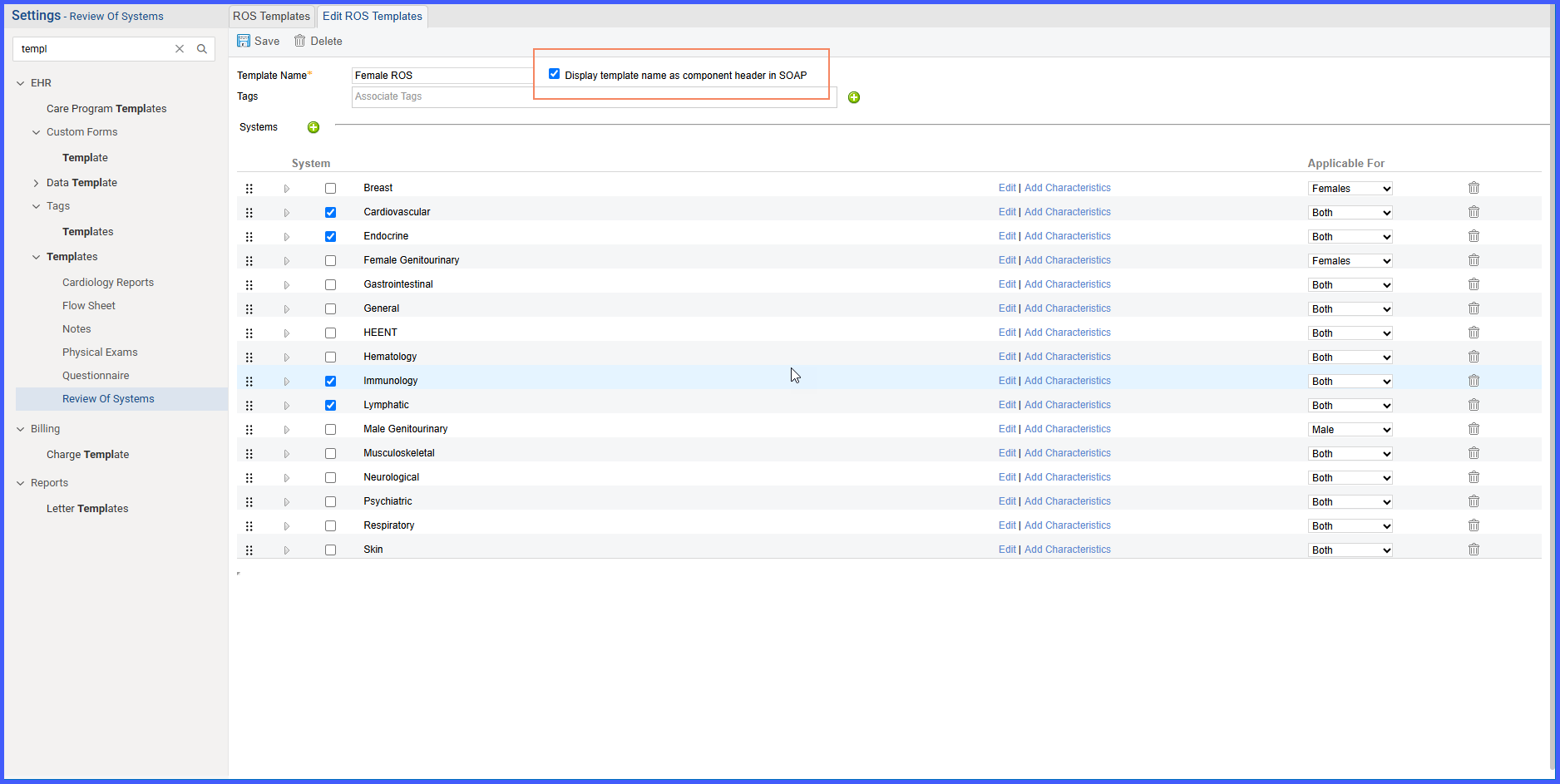
Settings > Template > Review of Systemsto create a template and select checkbox “Display template name as component header in SOAP” -
Open a provider note:
Patient > Provider Notes > Note > Clinical > Review of System. -
Add the Review of Systems component using the customized template.
-
The note’s subheading updates automatically to the template name (e.g., “Detailed Review of System Exam”) instead of the default “Review of Systems”.
-
Existing notes with previously added Review of Systems components continue to display the default subheading.
Benefits
-
Ensures that provider notes accurately reflect the specific Review of Systems content added.
-
Improves clarity and reduces confusion when multiple Review of Systems templates exist.