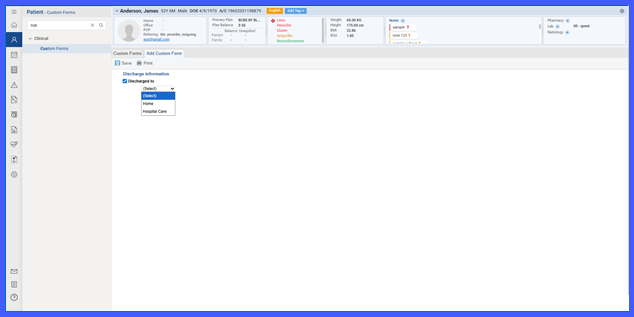
Discharge Disposition Form Added under Custom Forms
What’s New
-
New Custom Form Added:
-
Discharge Disposition now available under Custom Forms.
-
-
Dropdown Field Introduced:
-
Discharged to field added with predefined options:
-
Discharged to Home
-
Discharged to Hospital Care
-
-
-
Form Availability:
-
Accessible from both Clinical and Provider Notes workflows.
-
-
Standardized Data Capture:
-
Structured form design supports consistent discharge documentation.
-
How It Works
-
Open the patient’s chart.
-
Navigate to Custom Forms from either the Clinical module or within a Provider Note.
-
Select Discharge Disposition from the available list of custom forms.
-
In the form, locate the dropdown field labeled Discharged to.
-
Choose the appropriate option:
-
Discharged to Home
-
Discharged to Hospital Care
-
-
Click Save to record the discharge details.
Benefits
-
Enables standardized recording of discharge disposition data.
-
Improves accuracy and consistency in patient discharge documentation.
-
Supports continuity of care by ensuring uniform data capture across workflows.
-
Provides easy accessibility to discharge forms from both Clinical and Provider Note modules.