Social Determinants of Health (SDOH) Goals in Care Plan
What’s New
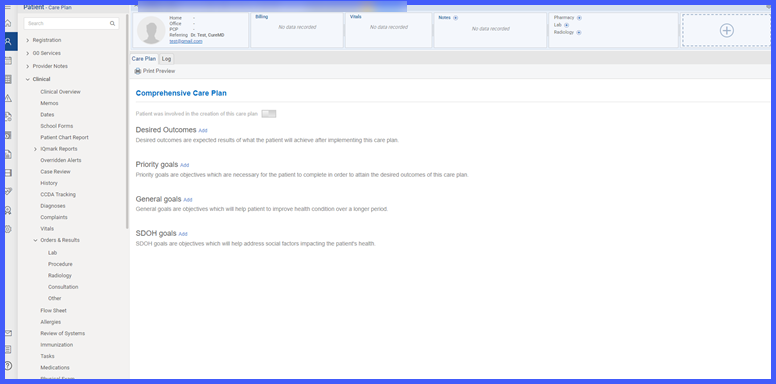
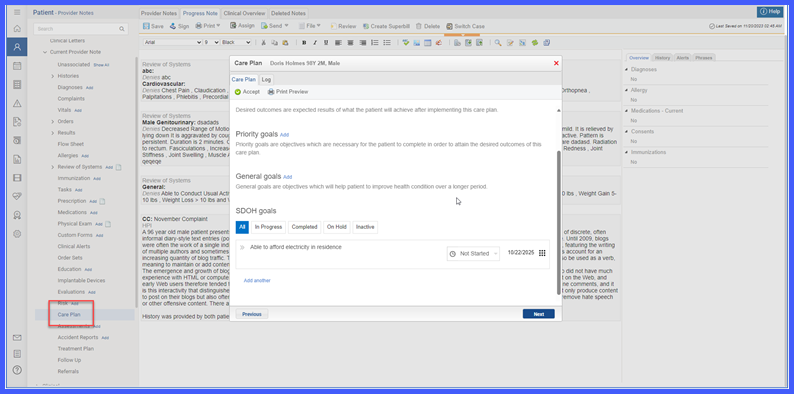
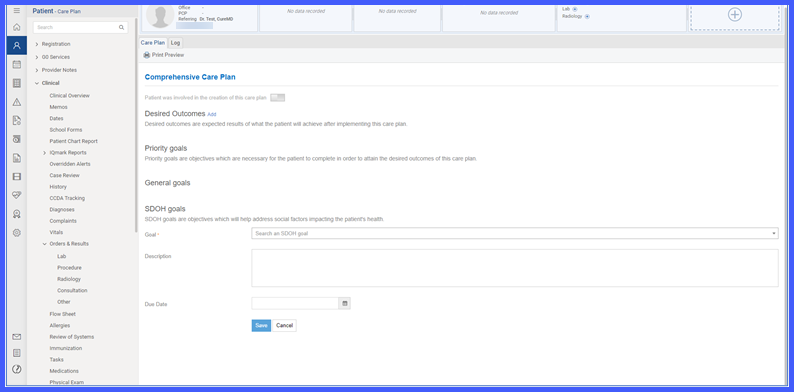
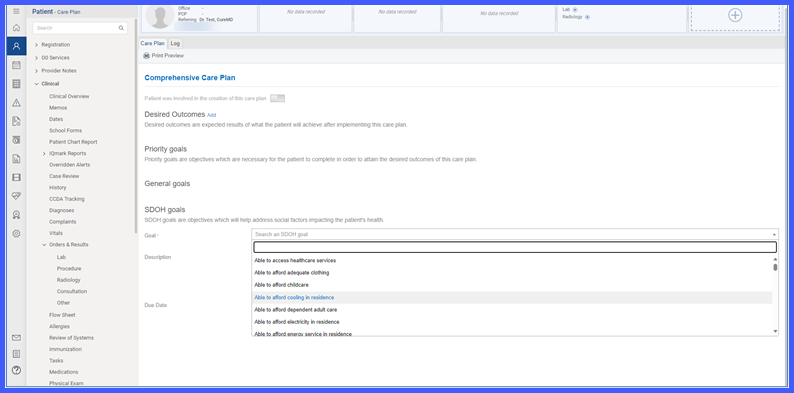
A new SDOH Goals section has been added below General Goals in both Clinical > Care Plan and Provider Note > Care Plan. Users can create goals using the Add button, which opens a structured goal entry screen with a mandatory Goal field (search dropdown) and an optional Description.
Each goal starts in Not started status, with visual status bars updating as progress is recorded. Goals can be expanded using the caret (▾) to view Evaluation, Barriers, and Interventions:
-
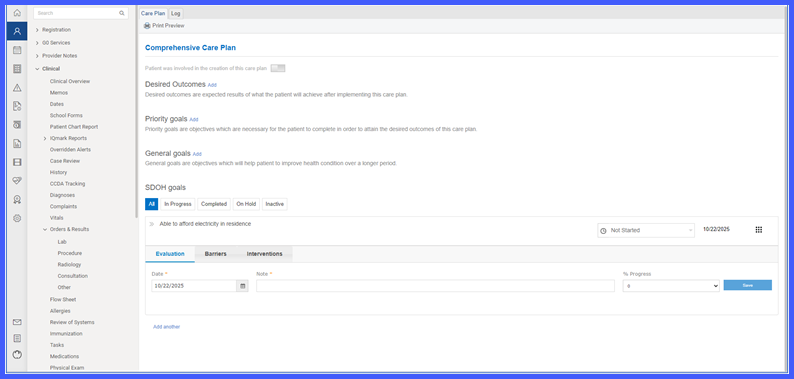
Evaluation allows narrative updates and % Progress entry.
-
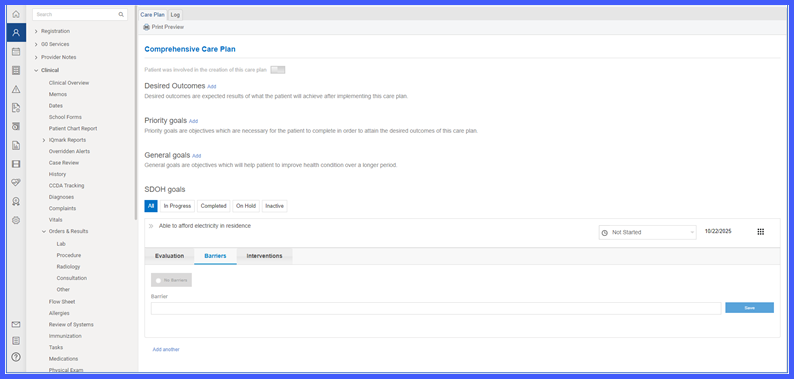
Barriers lets users record obstacles to achieving goals or select No Barriers, which disables existing entries and hides them from Care Plan reports.
-
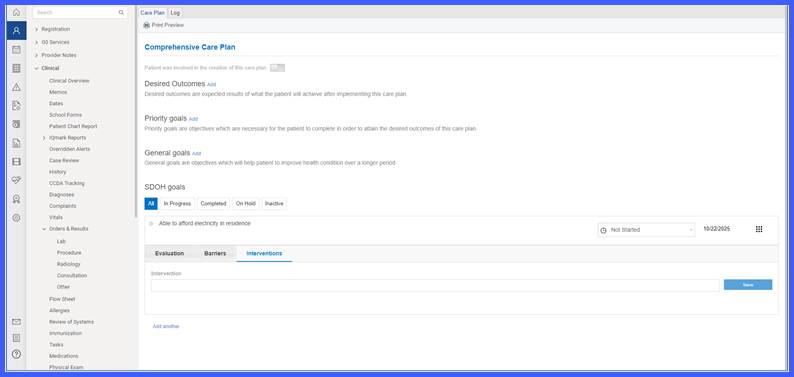
Interventions supports adding, editing, and deleting interventions related to each goal.
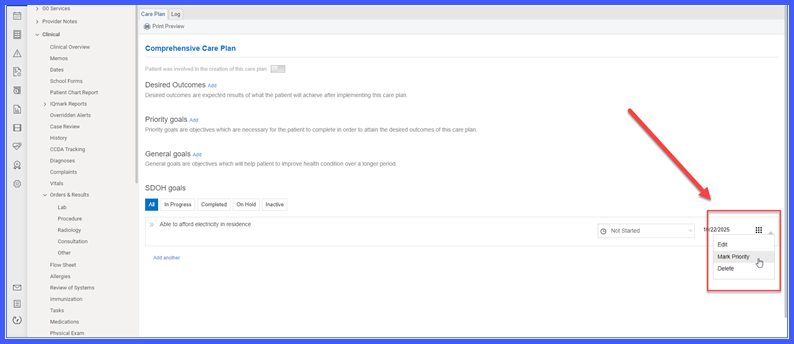
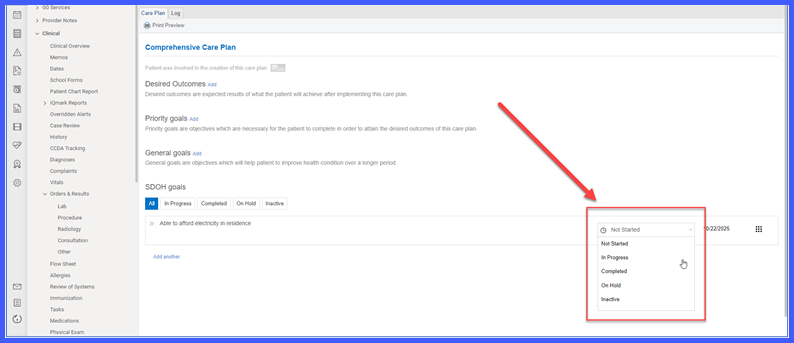
Users can also mark or remove Priority for an SDOH goal; marked goals automatically appear under Priority Goals. Supported statuses include Not started, In Progress, Completed, On Hold, and Inactive.
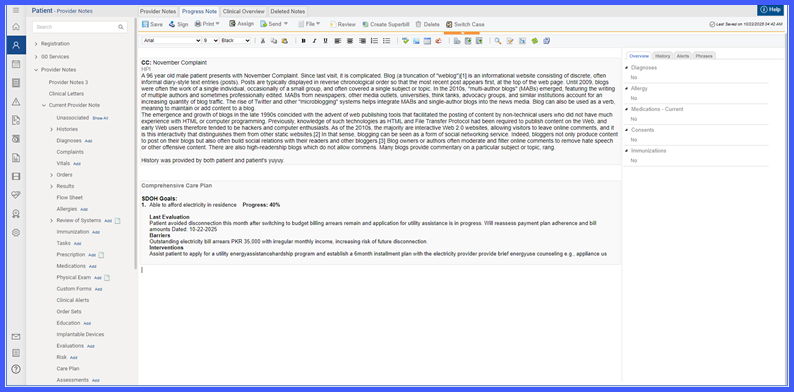
Within Provider Note, SDOH Goals now display under the Comprehensive Care Plan section in SOAP format.
How It Works
-
- In Clinical > Care Plan, a new section titled SDOH goals appears below General Goals. In Provider Note > Care Plan, the same SDOH goals section is available.
- Clicking Add next to the SDOH goals title opens the Goals entry section. The Goal field is mandatory and uses a search dropdown. Users may enter a Description. Clicking Save records and shows the goal on the Care Plan. The goal starts in Not started, and status bars begin to appear to distinguish goals by status as progress is recorded.
- Expanding a goal via the caret-down option reveals Evaluation, Barriers, and Interventions. In Evaluation, users record narrative updates and % Progress.
- In Barriers, users can record barriers to health or check No Barriers. If No Barriers is checked, previously added barriers (if any) appear disabled and do not display in the Care Plan report.
-
In Interventions, users record interventions for the goal and can edit or delete them.
- In Clinical > Care Plan, a new section titled SDOH goals appears below General Goals. In Provider Note > Care Plan, the same SDOH goals section is available.
-
Users can mark or remove Priority on an SDOH goal. When marked as Priority, the goal appears in the Priority goals.
-
Available statuses are Not started, In Progress, Completed, On Hold, and Inactive.
-
When Care Plan is opened inside a Provider Note, SDOH Goals SOAP appears within the Comprehensive Care Plan section.
Benefits
-
Integrates SDOH documentation into the Care Plan for holistic patient management.
-
Enables structured goal tracking with evaluations, barriers, and interventions.
-
Improves visibility of social factors influencing health outcomes.
-
Ensures consistent Care Plan formatting across Clinical and Provider Note views.
-
Enhances continuity of care and data accuracy in patient goal management.
