Enhance Patient Statement Report with Text-to-Pay Counts and Payment Insights
What’s New
-
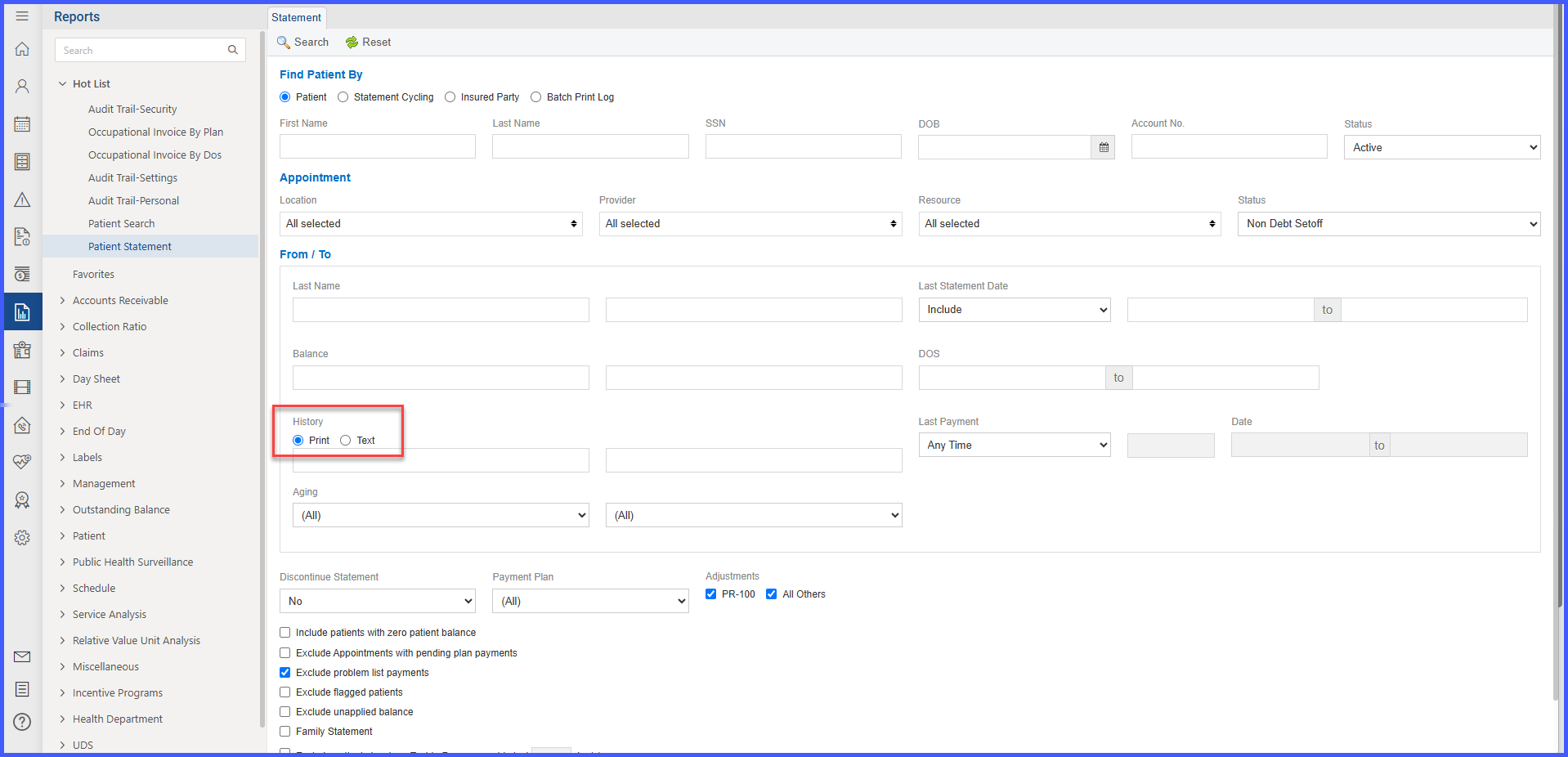
Added a toggle button on the Statement History screen in the Patient Statement Report, allowing users to switch between:
-
Print View (existing functionality)
-
Text/Email View (new feature)
-
-
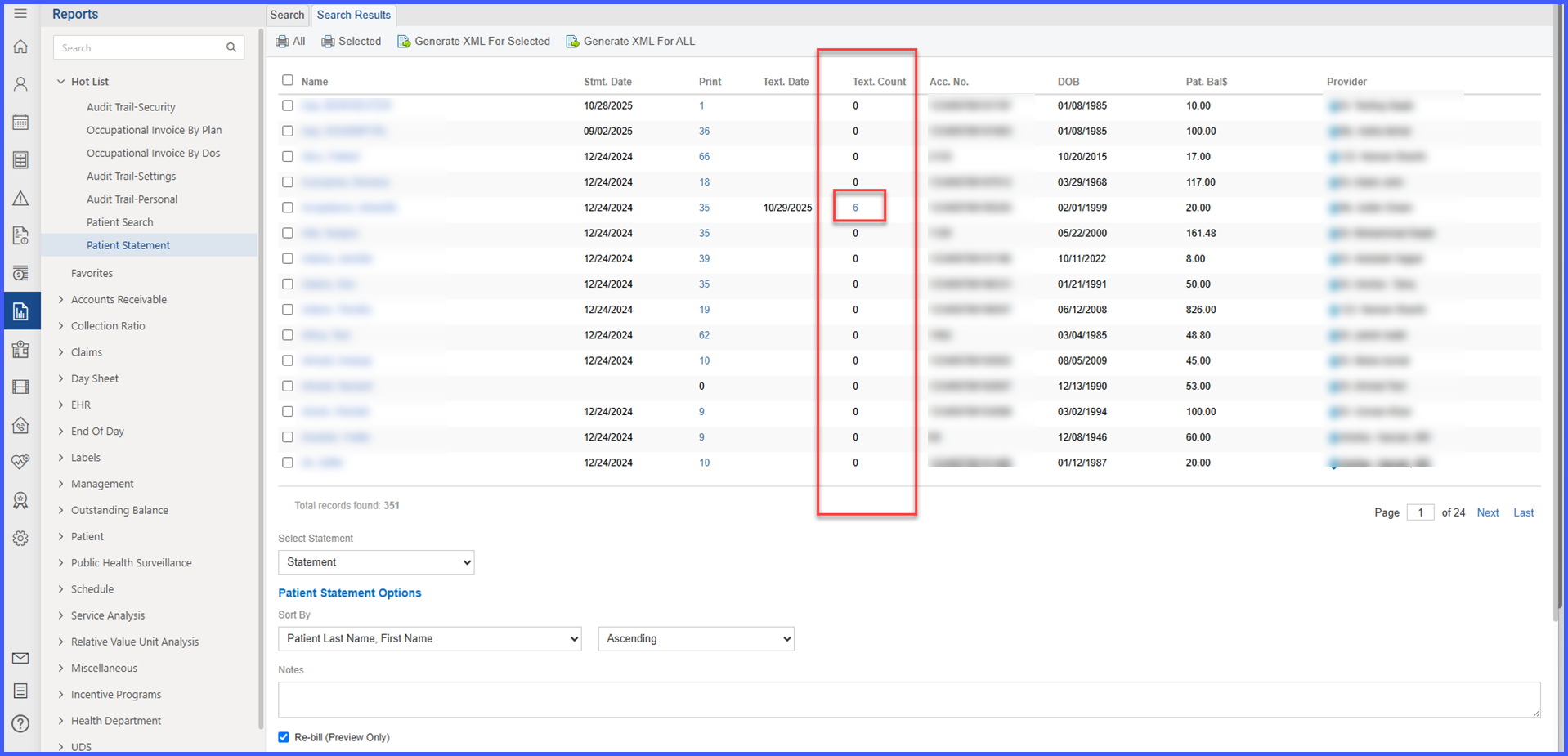
In Text/Email View, new columns have been added:
-
Text. Date – Date when the text/email statement was sent.
-
Print (Text Count) – Number of text/email messages sent to the patient.
-
Text. Bal – Patient balance amount at the time the text/email was sent.
-
-
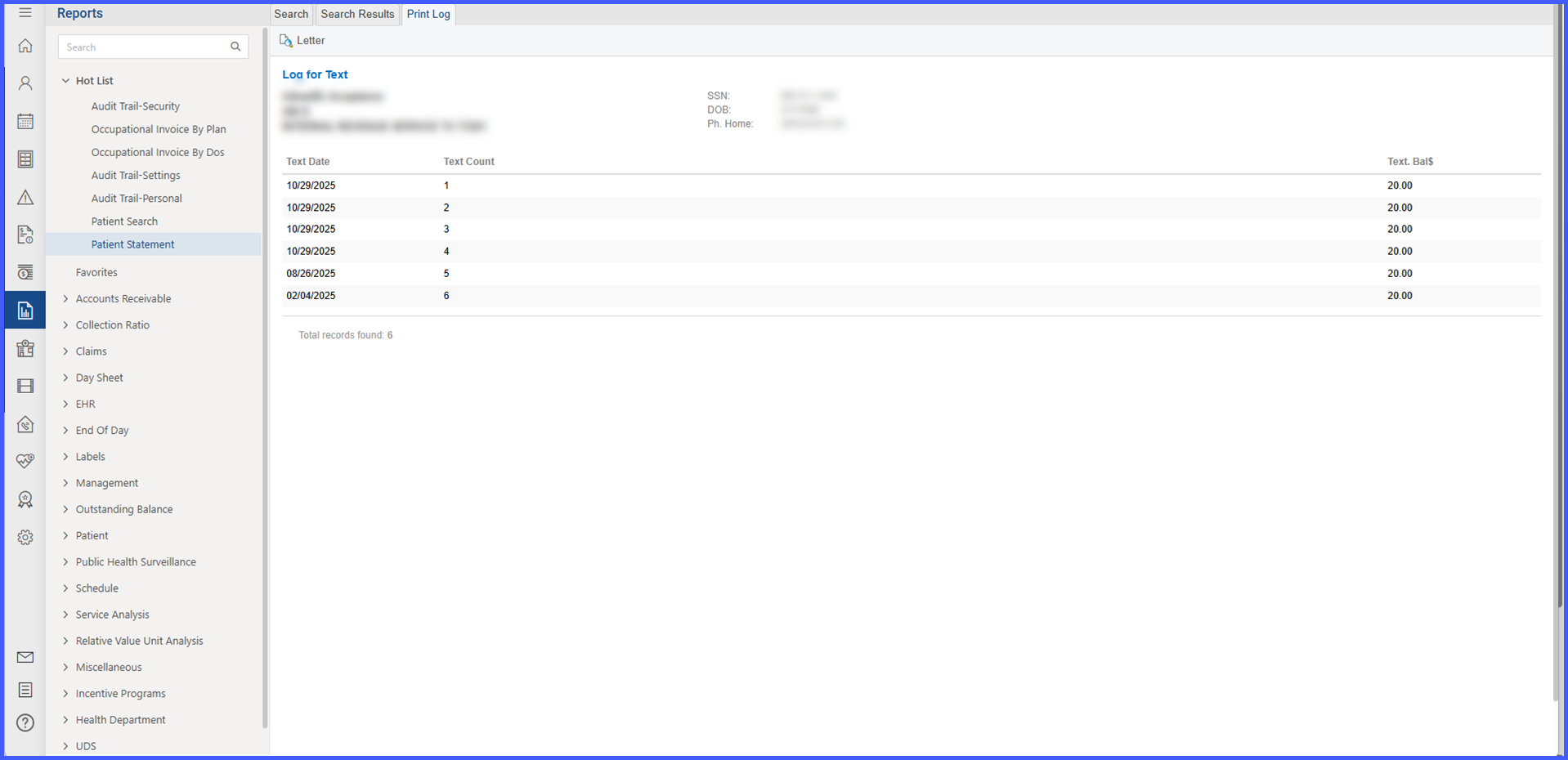
Added an interactive modal window that opens when clicking the Text Count value, showing:
-
Text Date – Date the message was sent.
-
Text Count – Total number of messages sent.
-
Text. Bal – Balance shown in that message.
-
Paid – Amount paid after the message was received.
-
-
New backend rules ensure:
-
Data separation between Print and Text/Email views.
-
Payment attribution only to payments made after the text/email was sent.
-
Accurate balance and transaction representation per message.
-
Consistent data in on-screen and exported (Excel/PDF) reports.
-
No performance degradation during report generation.
-
How It Works
-
Navigate to Reports → Patient Statement Report → Statement History.
-
Use the toggle button to switch between Print View and Text/Email View.
-
When Text/Email View is selected:
-
The system displays new columns (Text. Date, Print (Text Count), Text. Bal).
-
Data shown corresponds only to digital statement transactions.
-
-
Click on a patient’s Text Count value to open a modal window showing detailed text/email message and payment information.
-
Review Text Date, Text Count, Text. Bal, and Paid details directly within the modal.
-
Close the modal to return to the main report without reloading the page.
Benefits
-
Provides clear visibility into text/email statement outreach activity.
-
Enables accurate tracking of digital communication effectiveness and patient payment responses.
-
Supports data-driven collection strategies by correlating messages sent with payments received.
-
Reduces manual tracking through automated reporting of digital outreach and payment data.
-
Maintains report consistency and performance while adding interactivity.