Ability to Discard Errors from the eRx Errors Tab
What’s New
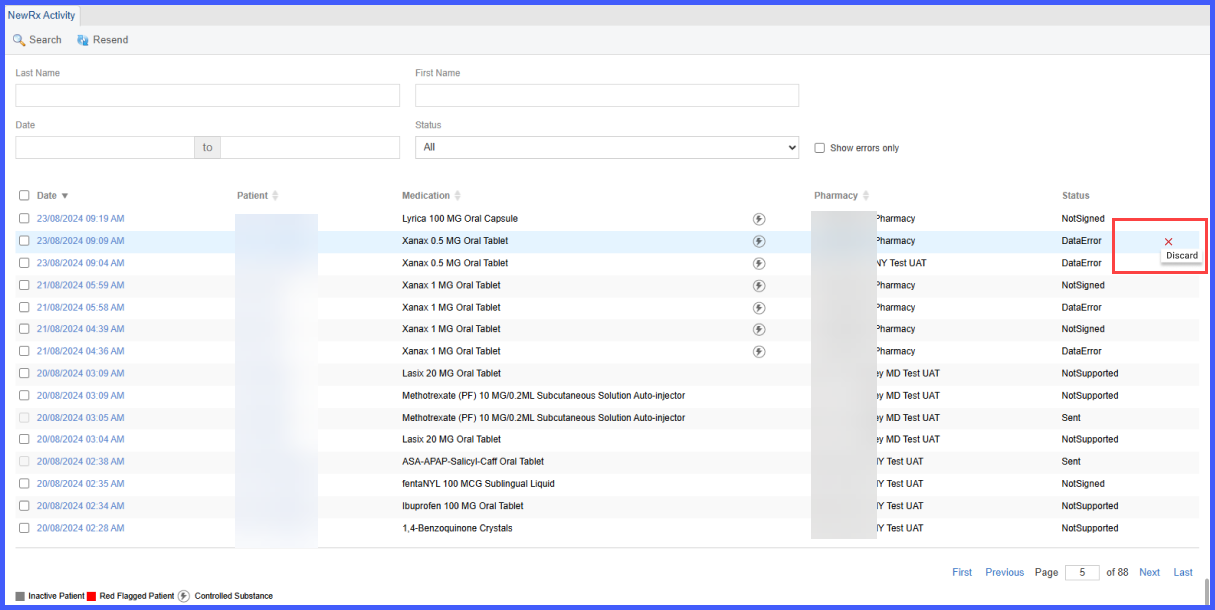
While reviewing the eRx Errors tab, the user hovers over an individual error entry to reveal a Discard icon. Hovering over this icon displays a tooltip labeled “Discard”.
Upon clicking the icon, the system presents a confirmation prompt asking, “Are you sure you want to discard this error?” with options for ‘Yes’ and ‘No’. Selecting ‘Yes’ updates the error’s status to ‘Discarded’, visually disables the associated text and icons, and reduces the Quick Links error counter by one. If the user selects ‘No’, the application redirects them back to the New Rx Activity screen without making changes.
Discarding an error is irreversible. Once discarded, the error remains visible on the eRx Errors tab in a disabled state with its status shown as ‘Discarded’. Hovering over this status displays the log showing the name of the user who discarded it, along with the date and time stamp. Discarding an error does not impact the medication listing.