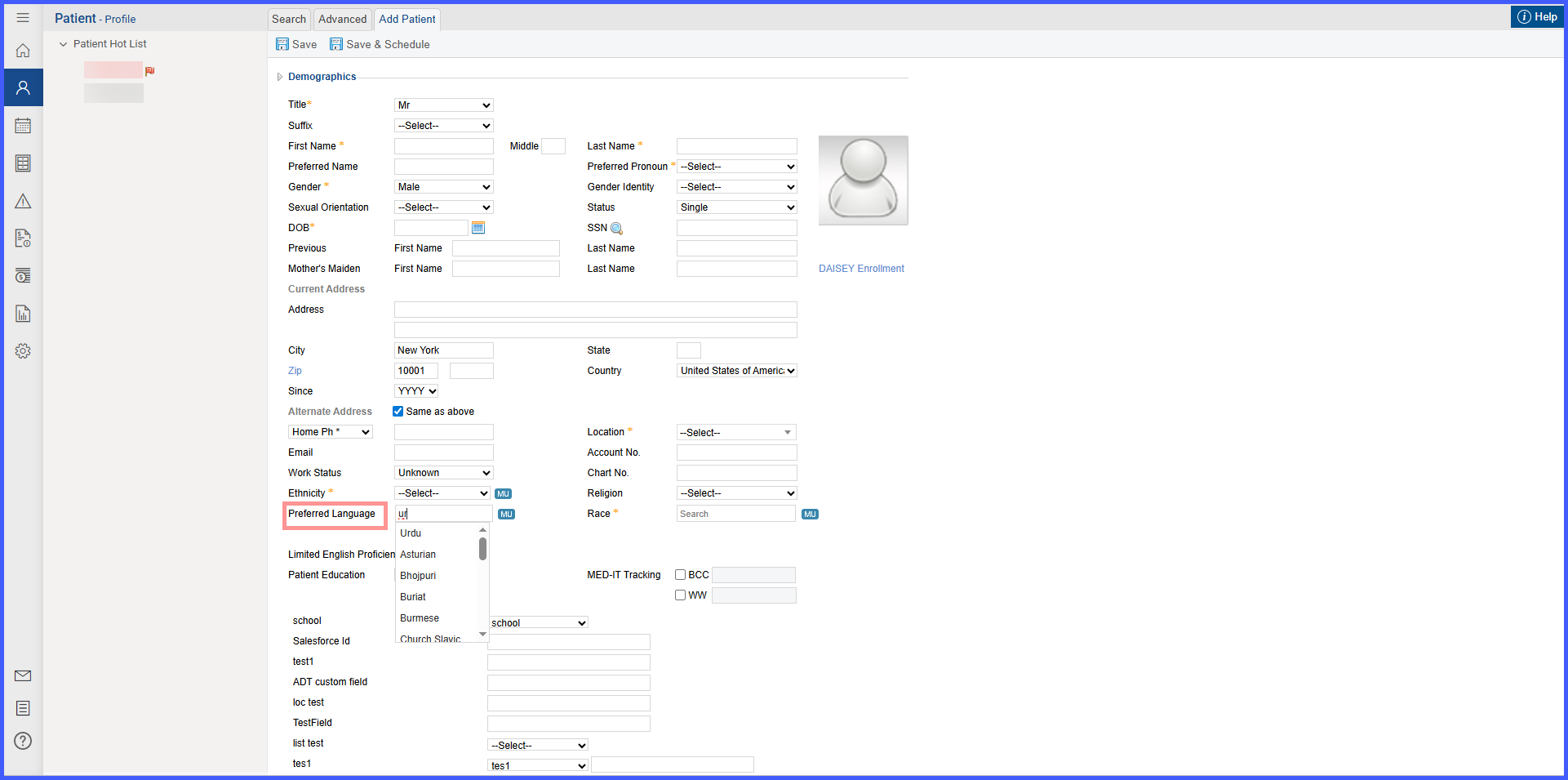
Preferred Language List Customization in EHR
What’s New
In Settings > My Practice Settings > EHR, a row labeled [checkbox] Preferred Language List Customization – Customize List appears above Race List Customization; the checkbox is on by default.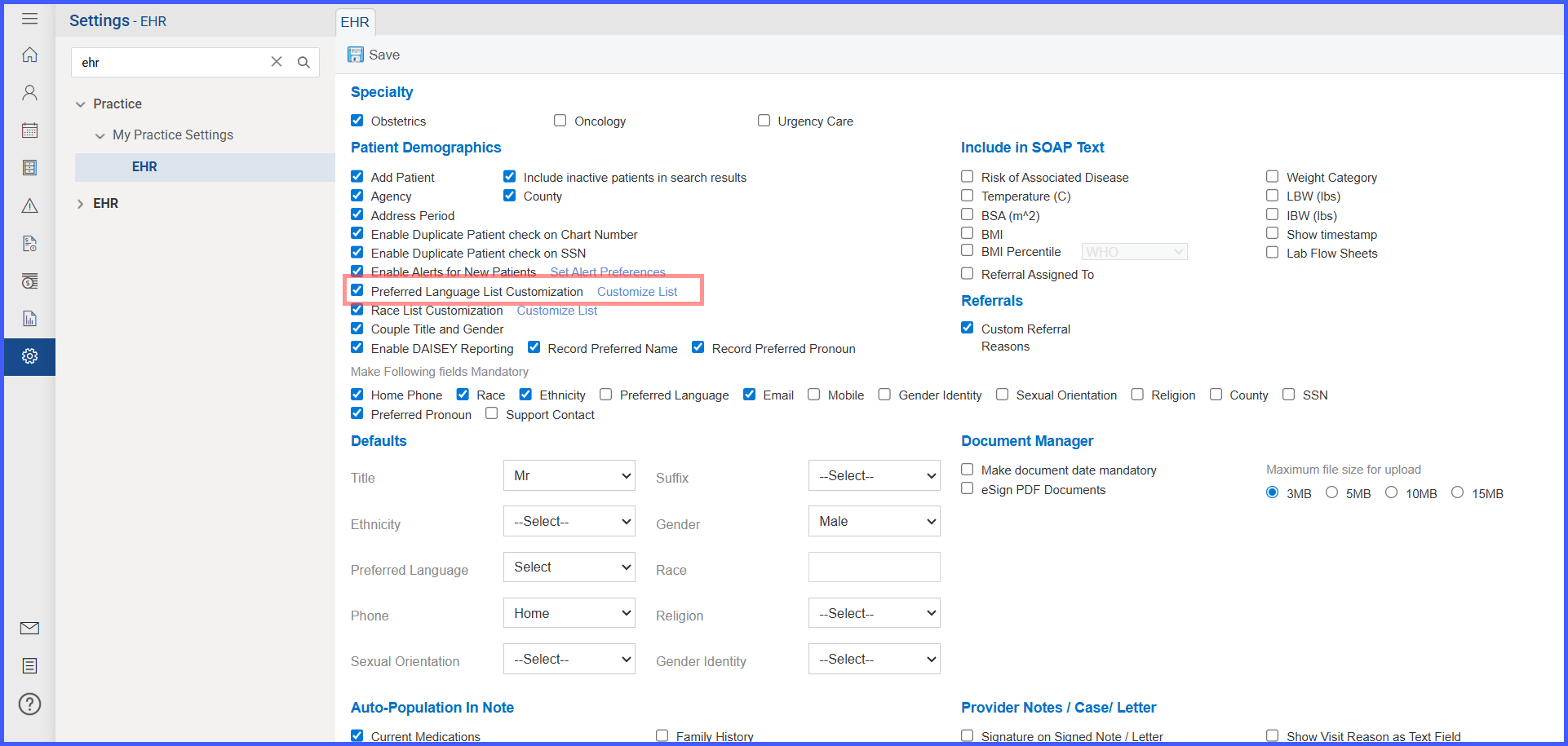
When the checkbox is on, selecting Customize List opens the Preferred Language Customization pop-up.
Within the pop-up:
- Selected Preferred Languages is prepopulated with all languages; Available Spoken Languages starts empty.
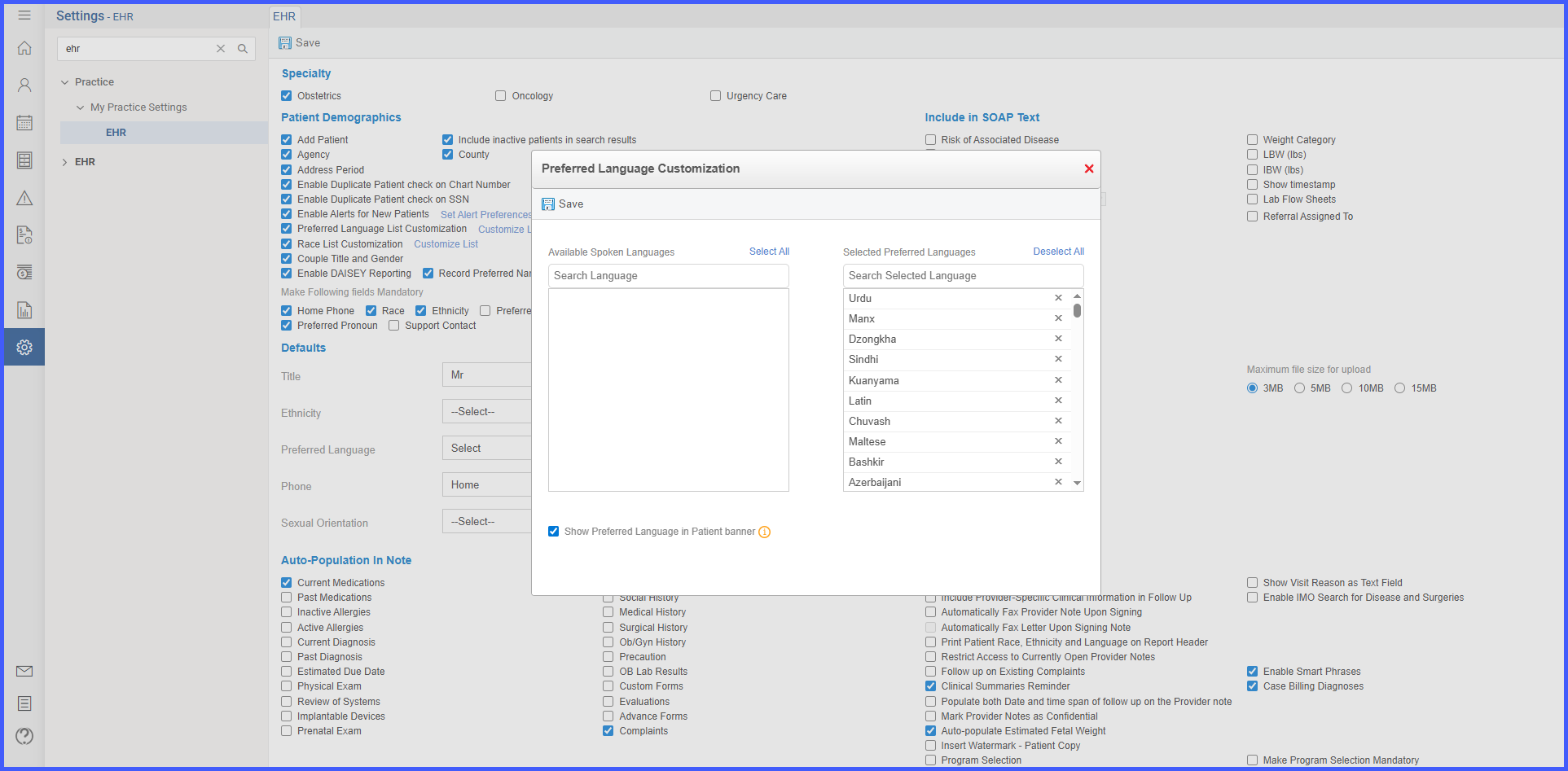
- A checkbox Show Preferred Language in Patient banner with an info icon is present and on by default.
- Hovering the info icon shows: “Automatically adds a preferred language tag in the patient banner when the patient’s language differs from the practice’s default language.”
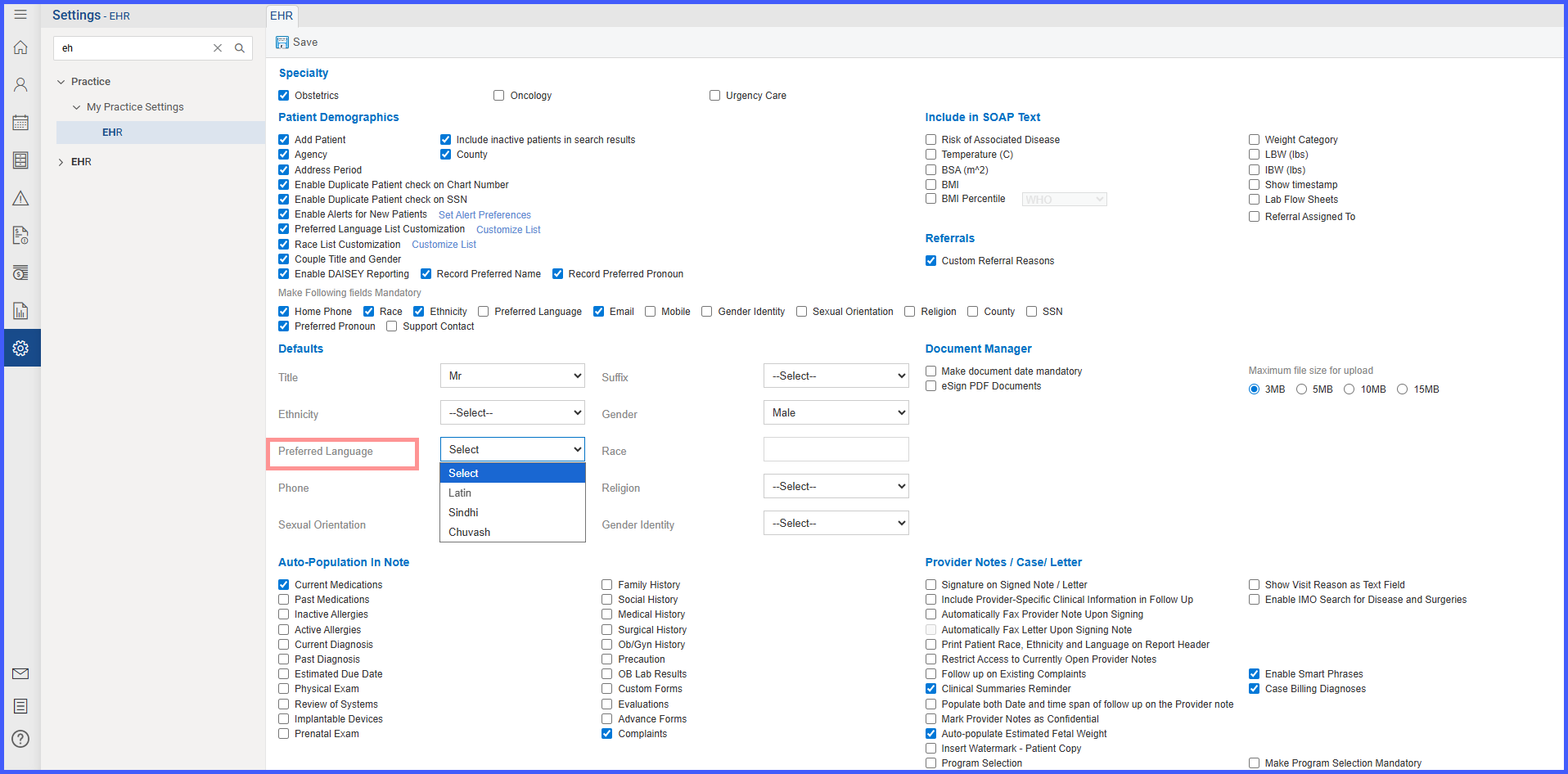
Choosing Save applies the customized list to:
- Settings > My Practice Settings > EHR > Defaults > Preferred Language
- The Preferred Language field functions as a single-select dropdown consistent with other Defaults dropdowns.
- Dropdown contents reflect the customized list when customization is on; otherwise, all languages display.
- Patient Profile > Preferred Language
- If a practice previously set a default language in the settings, that value appears selected while adding a new patient..
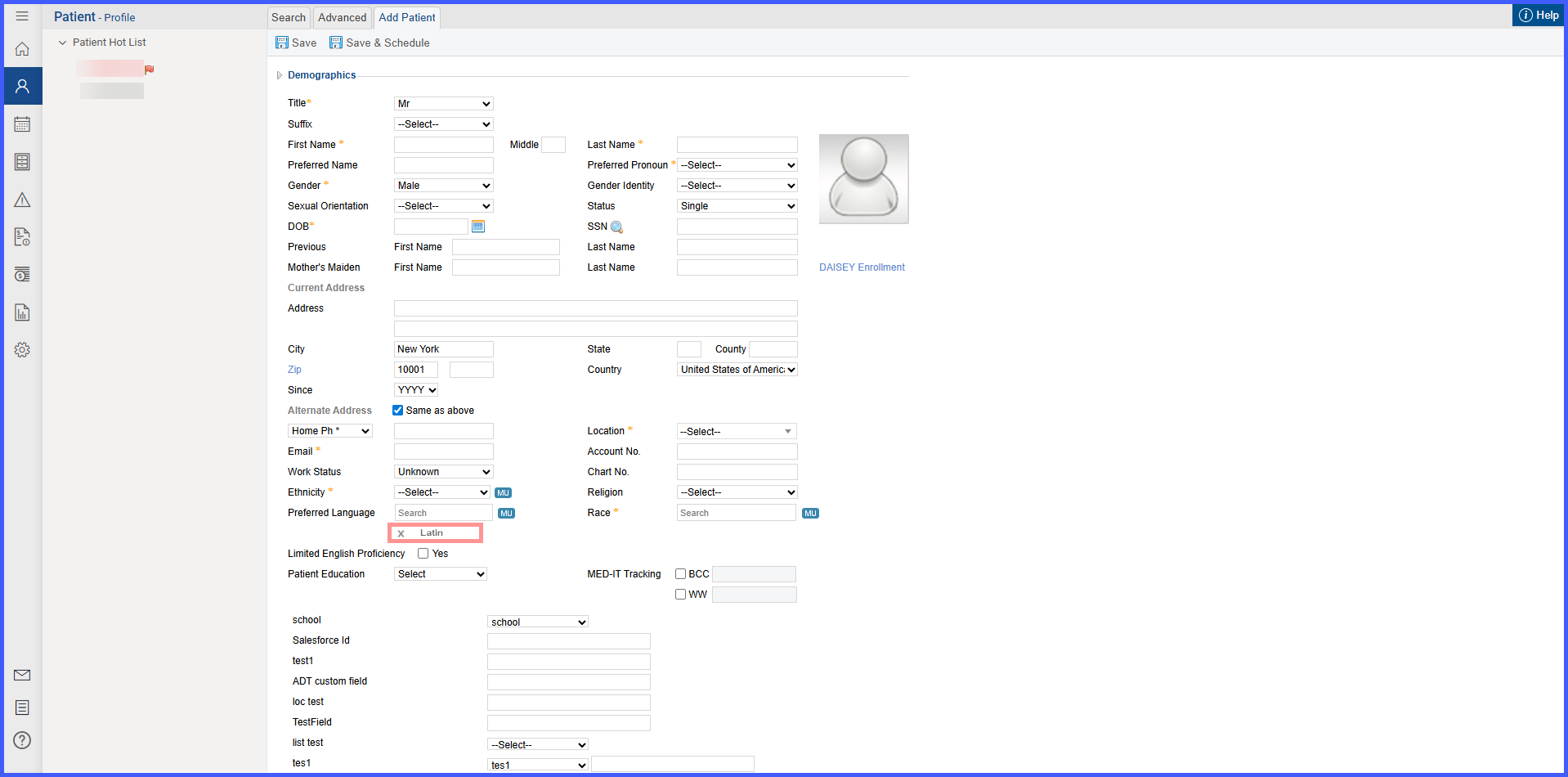
- If none exists, the Search option appears, It displays all available spoken languages on search.