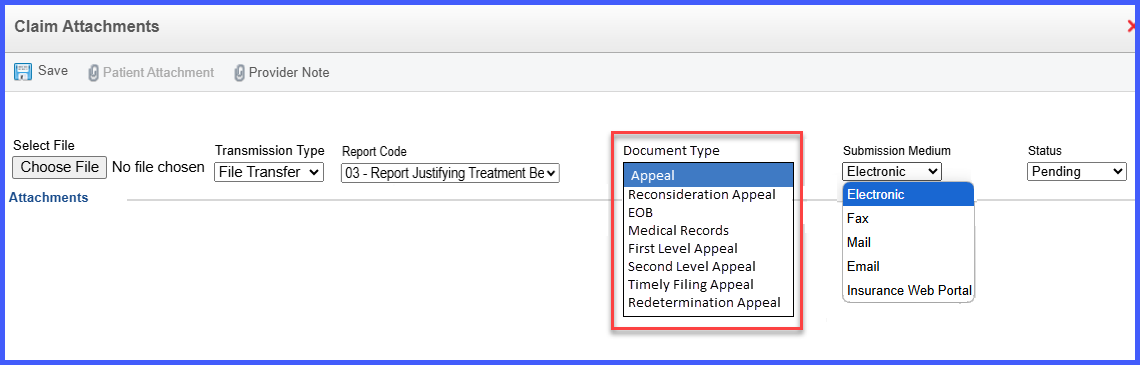
Dynamic Document Type Dropdown in Claim Attachment Window on the Charge Page
When the user accesses the claim attachment window from the charge page, a document type dropdown appears to help categorize the uploaded file. If the claim has not yet been submitted to the primary payer, the dropdown displays a single option: Medical Records. Once the claim has been submitted to the primary, the dropdown expands to include options such as Appeal, Reconsideration Appeal, EOB, First Level Appeal, Second Level Appeal, Timely Filing Appeal, and Redetermination Appeal. These options allow the user to tag the document appropriately depending on the context of submission or follow-up.
The dropdown is only visible in the charge page’s claim attachment window and reflects the status of the claim. Users with appropriate permissions can configure the available document types through Billing Settings, where they can add or remove dropdown options. Certain options, like Medical Records, are protected and cannot be removed to maintain system integrity. Status values for attachments such as Pending, Sent, In Progress, Denied, and Approved help track the workflow. All changes made in the configuration are reflected in the dropdown presented to users during the claim attachment process.