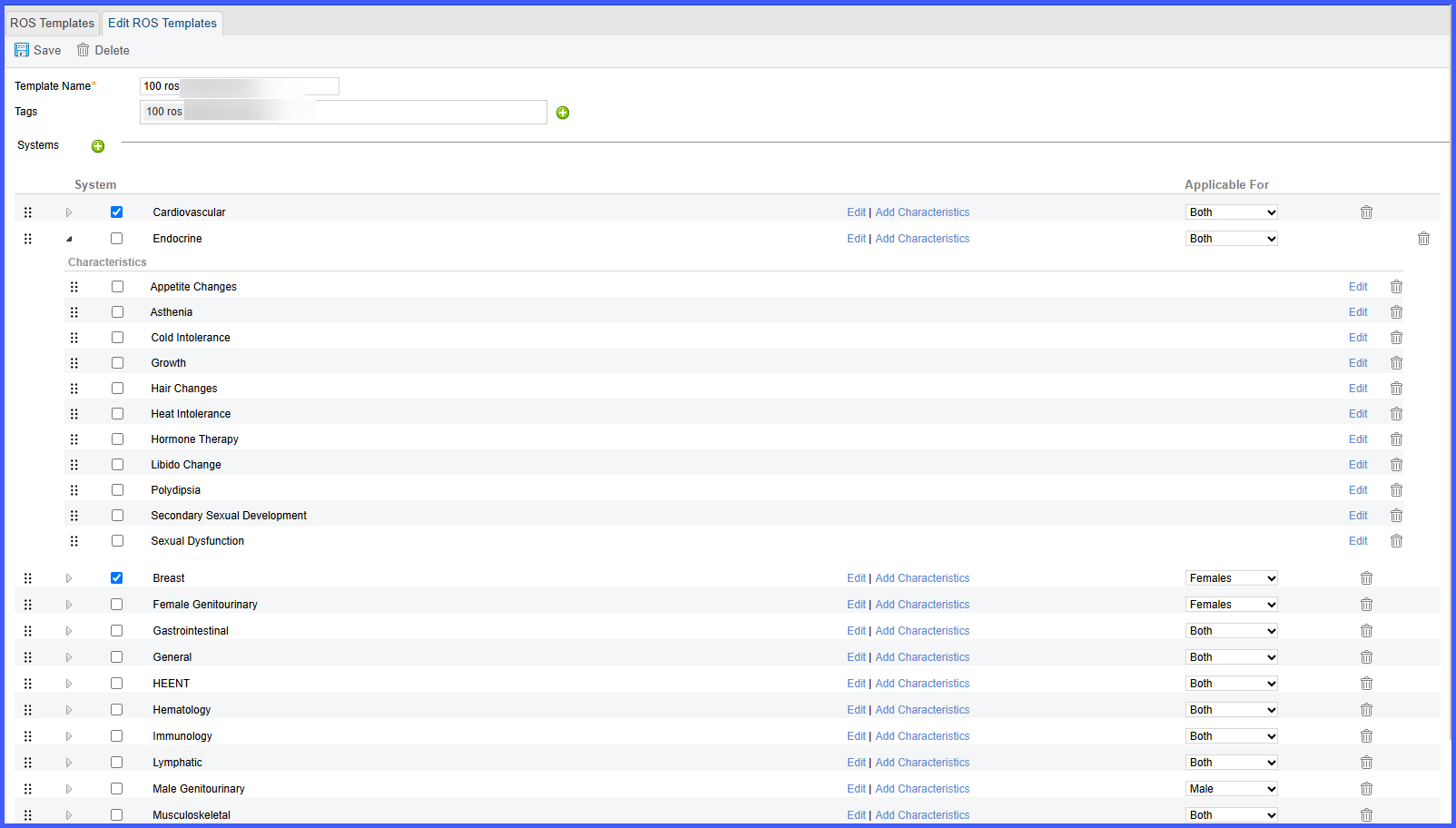
Drag and Drop Enabled for Reordering Systems in ROS Templates
The user accesses the ROS template configuration page and selects a template to edit. On the interface where systems are listed, the user clicks and drags a system to a new position in the sequence. As the system is moved, the order updates dynamically and reflects the new structure without requiring manual changes to sequence numbers. To reorder subsystems, users simply click the dropdown arrow associated with any main system. This reveals the subsystems, which can then also be reordered using the same drag-and-drop method. This eliminates the previous requirement of assigning a temporary unique number before reordering. The existing order remains unchanged for all practices unless manually modified by the user.