What are Appointment Location Flags?
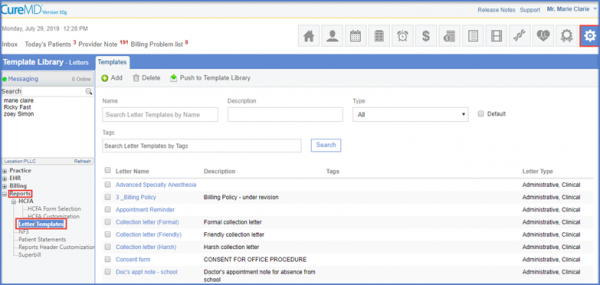
Letter Templates
Click on the required template to display the ‘Letter Template’ screen.
Select ‘Appointment’ from the ‘Type’ dropdown and click on the ‘Fields’ dropdown to select from the options provided.
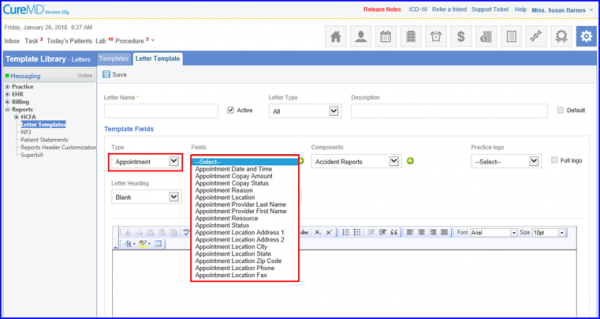
Click ‘Save’ when done.
Once these flags have been added, the system auto-populates them by retrieving the ‘Locations’ data from ‘My Practice’ located under ‘Practice’ in the ‘Settings’ module.
