CMS75v12 – Children Who Have Dental Decay or Cavities
| Children Who Have Dental Decay or Cavities | CMS 75v12 | Percentage of children, 1 – 20 years of age at the start of the measurement period, who have had tooth decay or cavities during the measurement period as determined by a dentist. |
|---|---|---|
| – DENOMINATOR
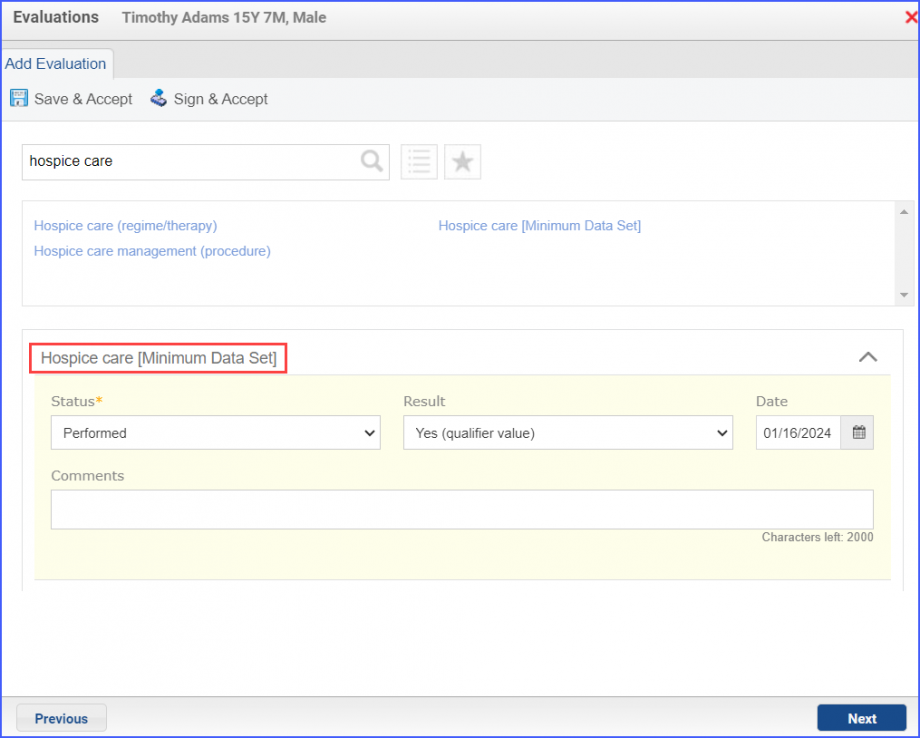
Children, 1 – 20 years of age at the start of the measurement period, with a clinical oral evaluation by a dentist during the measurement period. – NUMERATOR Children who had a diagnosis of cavities or decayed teeth (Dental Caries) in any part of the measurement period. –Denominator Exclusions Patients who are in hospice care for any part of the measurement period. |
||
| – APPLICATION WORKFLOW
For Denominator: To record a clinical oral evaluation encounter, navigate to Patient > Provider Note > Create Superbill. Under the ‘Procedure- CPTs’ heading, enter the encounter code. 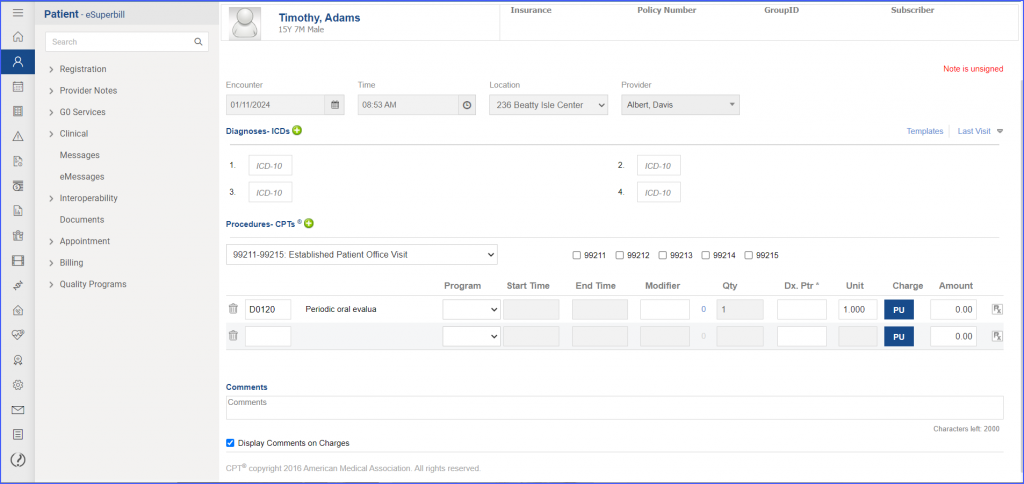 For Numerator: The documentation of ‘Dental Caries’ diagnosis can be done via Patient > Provider Note > Diagnoses. Here, click ‘Add’ and search for any relevant diagnosis. Fill out the diagnosis details as needed and click ‘Save’. Then click ‘Accept’ to add the diagnosis to the provider note. 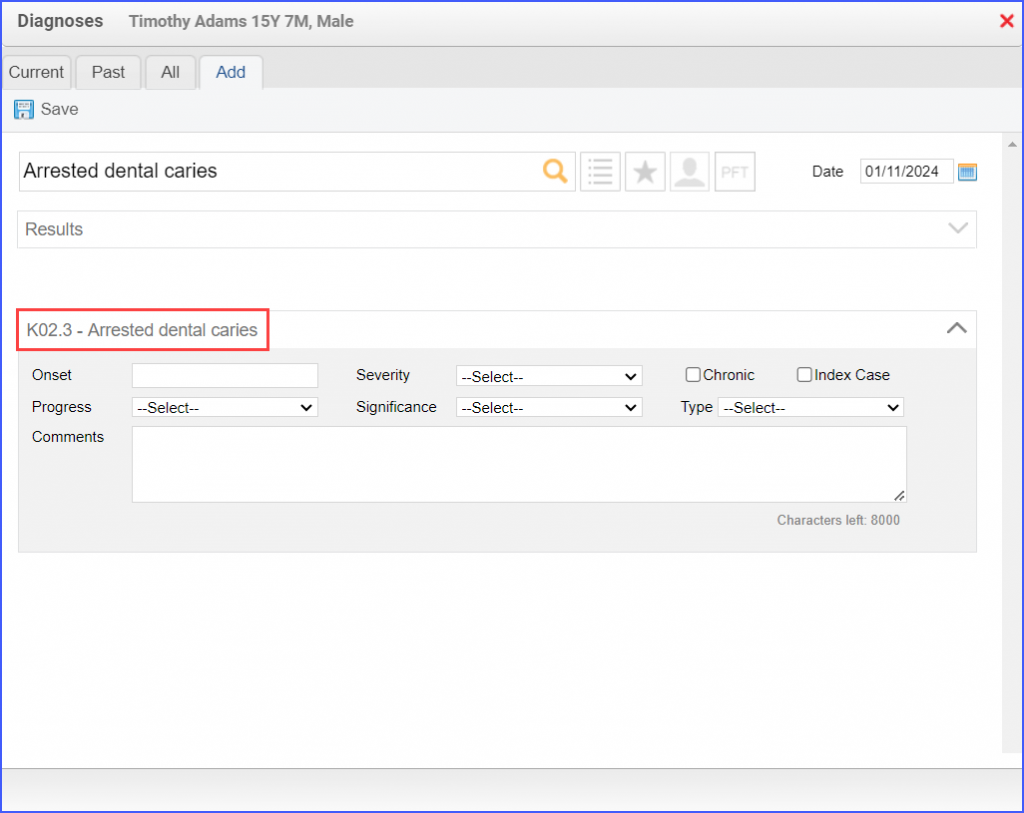 For Denominator Exclusions:
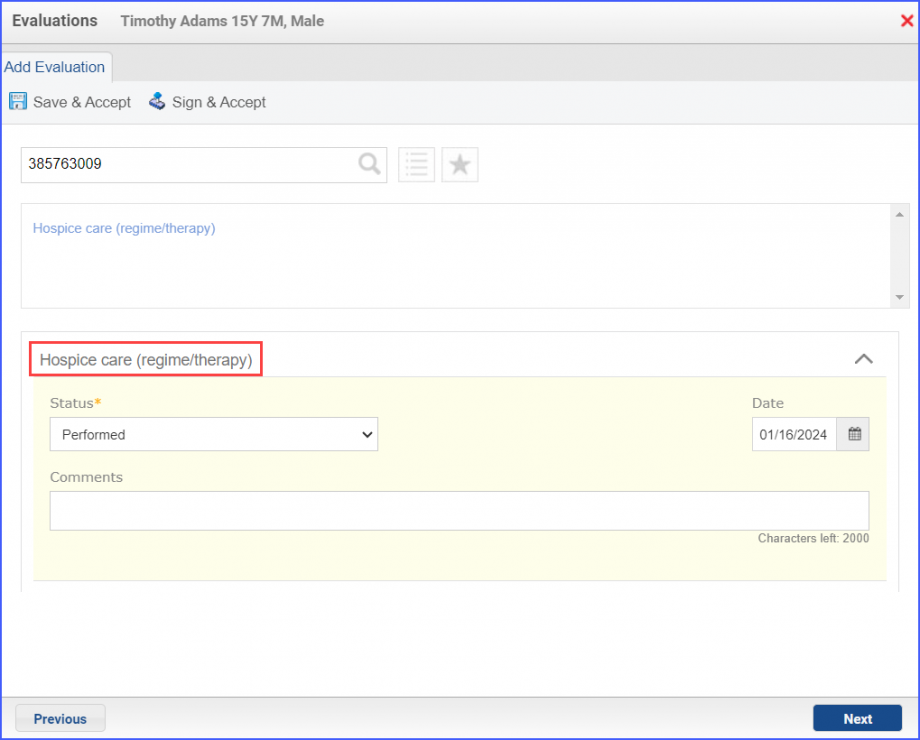
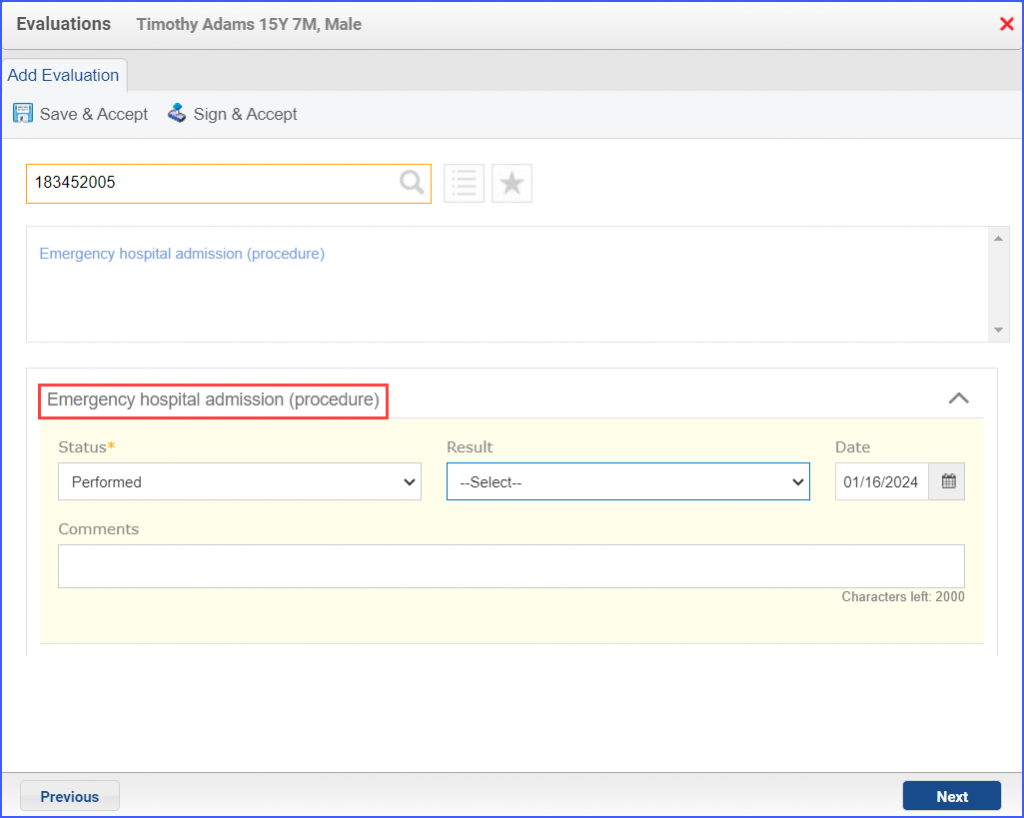
|
||
