CMS147v10 – Preventive Care and Screening: Influenza Immunization
Pneumococcal Vaccination Status for Older Adults
CMS147v10
Percentage of patients aged 6 months and older seen for a visit between October 1 and March 31 who received an influenza immunization OR who reported previous receipt of an influenza immunization.
– DENOMINATOR
All patients aged 6 months and older seen for a visit during the measurement period and seen for a visit between October 1 and March 31.
– DENOMINATOR EXCEPTIONS
Documentation of medical reason(s) for not receiving influenza immunization (e.g., patient allergy, other medical reasons).
Documentation of patient reason(s) for not receiving influenza immunization (e.g., patient declined, other patient reasons).
Documentation of system reason(s) for not receiving influenza immunization (e.g., vaccine not available, other system reasons).
– NUMERATOR
Patients who received an influenza immunization OR who reported previous receipt of an influenza immunization.
– APPLICATION WORKFLOW
For Denominator:
Include patients aged 6 years and older at the start of the measurement period and fulfilling one of the following criteria:
Patients having a qualifying encounter during the measurement period with one of the following:
An encounter during influenza season
A hemodialysis during influenza season
A peritoneal dialysis during influenza season
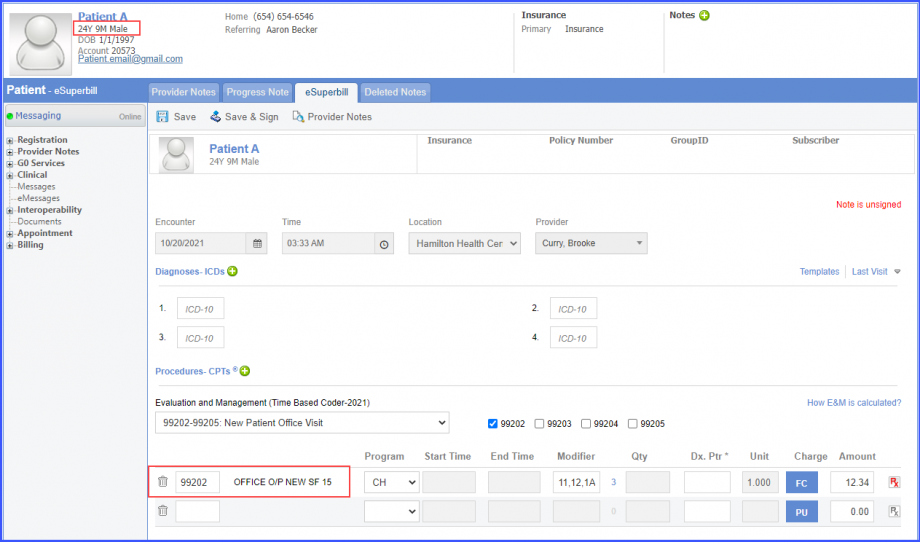
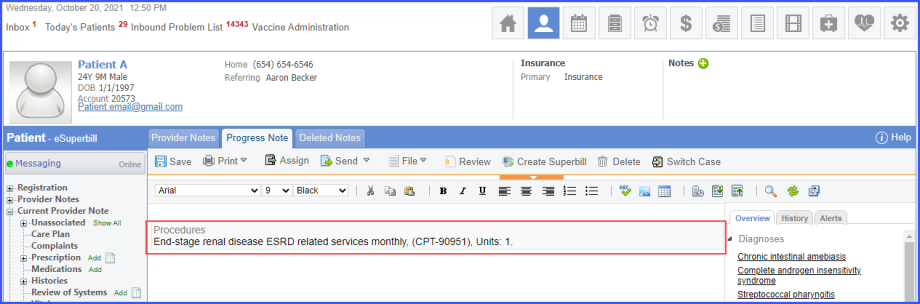
To record an encounter, navigate to Patient > Provider Note > eSuperbill. Under the ‘Procedure – CPTs’ heading, enter the encounter code.
eSuperbill
Note: Influenza season starts three months prior and ends three months after the start of the measurement period.
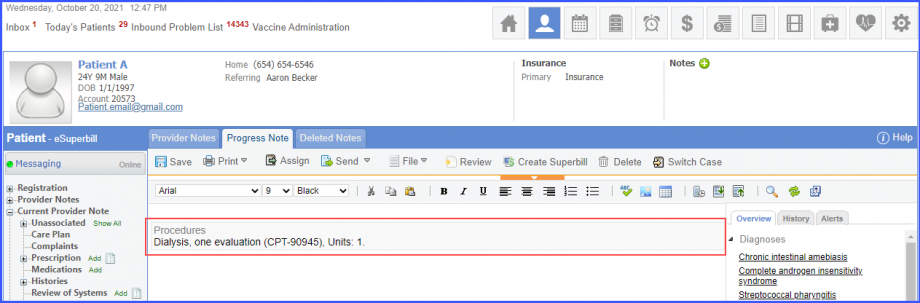
To document the peritoneal dialysis procedure performed, navigate to Patient > Provider Notes > Orders > Procedures. Click ‘Add’ and search for the procedure. Add the procedure details and click on ‘Save & Accept’/hover over ‘Sign & Accept’. If the user hovers over ‘Sign & Accept’, then click ‘Complete’. The procedure is added to the provider note.
Peritoneal Dialysis Procedure
Note:
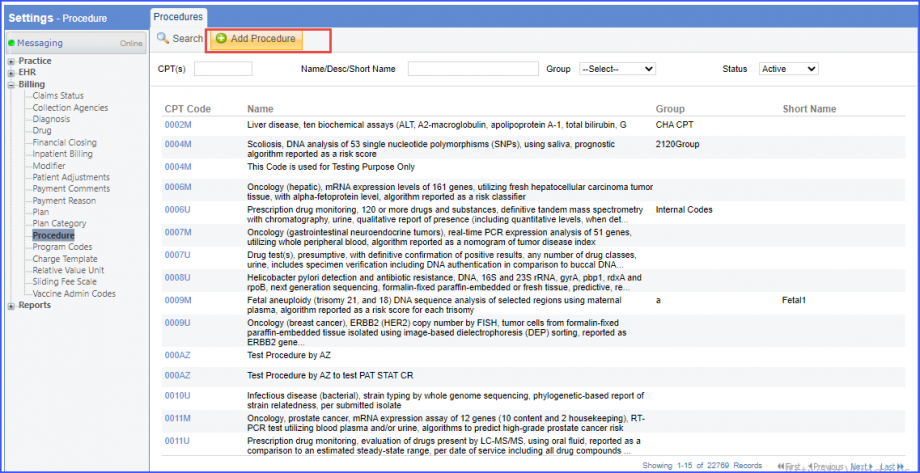
Please ensure that the Procedure is present in the system. For this, navigate to Settings > Billing > Procedure. If the procedure is not added then, click on the ‘Add Procedure’ button.
Add Procedure
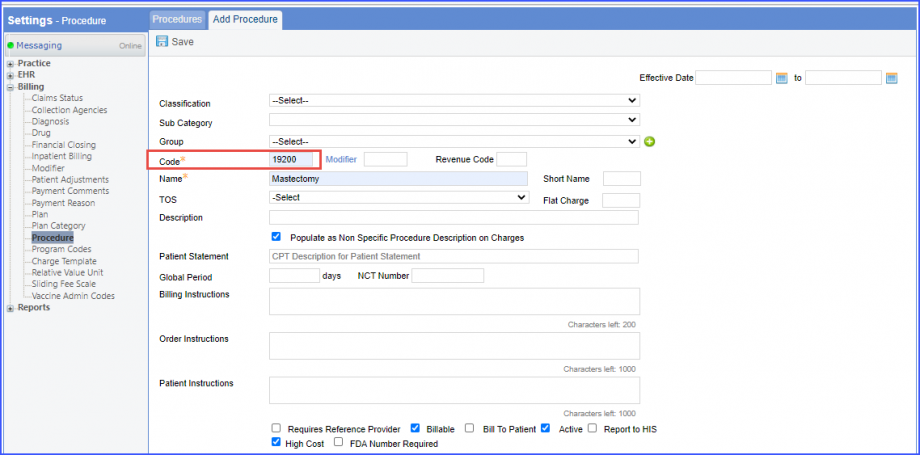
Here, enter the ‘Code’ and ‘Name’ of the Procedure. Once done, click on the ‘Save’ button.
Add Procedure
To document the hemodialysis procedure performed, navigate to Patient > Provider Notes > Orders > Procedures. Click ‘Add’ and search for the procedure. Add the procedure details and click on ‘Save & Accept’/hover over ‘Sign & Accept’. If the user hovers over ‘Sign & Accept’, then click ‘Complete’. The procedure is added to the provider note.
Hemodialysis Procedure
Patients having hemodialysis during the measurement period with one of the following:
An encounter during influenza season
A hemodialysis during influenza season
A peritoneal dialysis during influenza season
To record an encounter, navigate to Patient > Provider Note > eSuperbill.
To document the hemodialysis or peritoneal procedure performed, navigate to Patient > Provider Notes > Orders > Procedures.
Patients having peritoneal dialysis during the measurement period with one of the following:
An encounter during influenza season
A hemodialysis during influenza season
A peritoneal dialysis during influenza season
To record an encounter, navigate to Patient > Provider Note > eSuperbill.
To document the hemodialysis or peritoneal procedure performed, navigate to Patient > Provider Notes > Orders > Procedures.
For Numerator:
Include patients satisfying one of the following conditions:
Patients having influenza vaccination procedure performed during ‘Influenza season including August and September of the prior year’. To document the hemodialysis or peritoneal procedure performed, navigate to Patient > Provider Notes > Orders > Procedures.
Note: ‘Influenza season including August and September of the prior year’ begins five months prior and ends three months after the start of the measurement period.
Patients having ‘Previous Receipt of Influenza Vaccine’ assessment performed during ‘Influenza season including August and September of the prior year’. To record the assessment, navigate to Patient > Clinical > Evaluations. Click ‘+ Add’ and search for the assessment. Select ‘Performed’ from the ‘Status’ dropdown and then click ‘Sign’ or ‘Save.
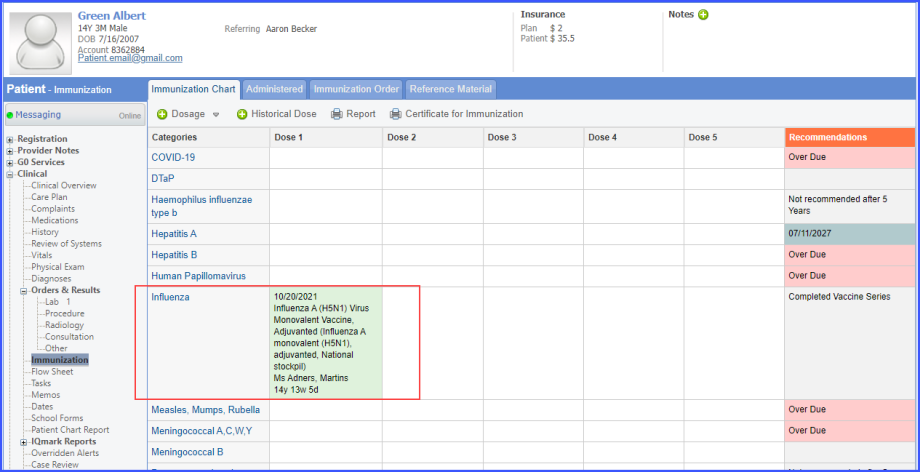
Patients having influenza vaccine administered during ‘Influenza season including August and September of the prior year’. To document the immunization, use the workflow Patient > Clinical > Immunization. Click ‘+Dosage’ and select ‘Administer Vaccine’ and the ‘Influenza’ category. In the vaccine search window, search for the influenza vaccine. Complete the vaccine details and click ‘Save’.
Influenza Immunization
For Denominator Exceptions:
Include patients satisfying any of the following conditions:
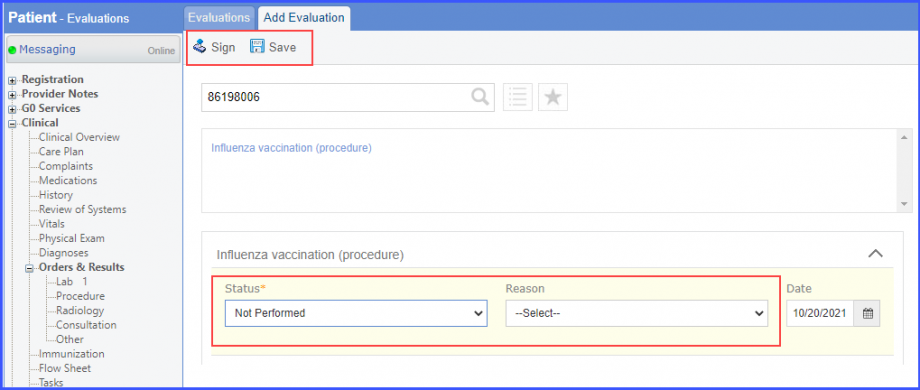
Medical, patient or system reason for not performing influenza vaccination. To record the reason, navigate to Patient > Clinical > Evaluations. Click ‘+ Add’ and search for the procedure. Select ‘Not Performed’ from the ‘Status’ dropdown and a reason from the ‘Reason’ dropdown. Then click ‘Sign’ or ‘Save’.
Evaluation
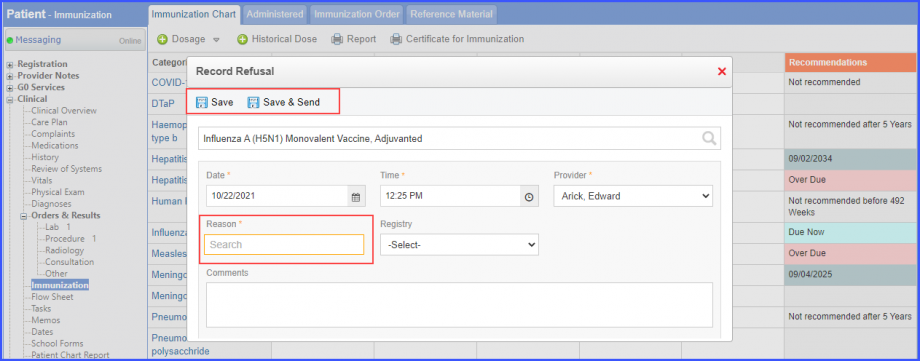
Medical, patient or system reason for not administering influenza vaccine. To record the reason, navigate to Patient > Clinical > Immunization. Click ‘+Dosage’ and select ‘Record Refusal’ and the ‘Influenza’ category. In the vaccine search window, search for the influenza vaccine. Complete the vaccine details and click ‘Save’ or ‘Save & Send’.
Record Refusal
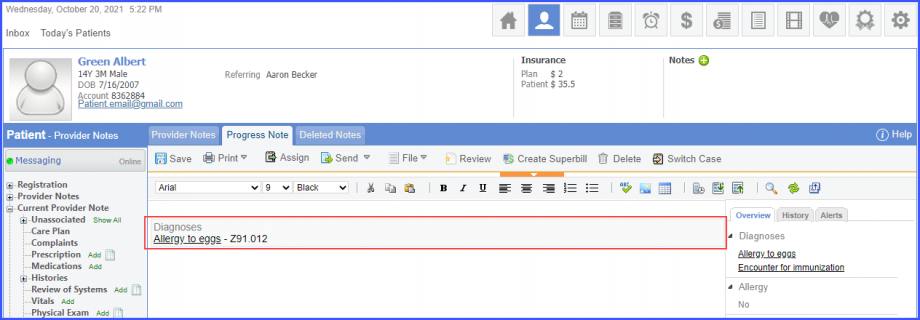
Diagnosis of allergy to egg where the diagnosis overlaps after influenza season. To record the diagnosis, use the workflow Patient > Provider Note > Diagnoses, and click ‘Add’. Search for the diabetes diagnosis and add the diagnosis details. Then click ‘Save’. The diagnosis is added to the provider note.
Diagnosis
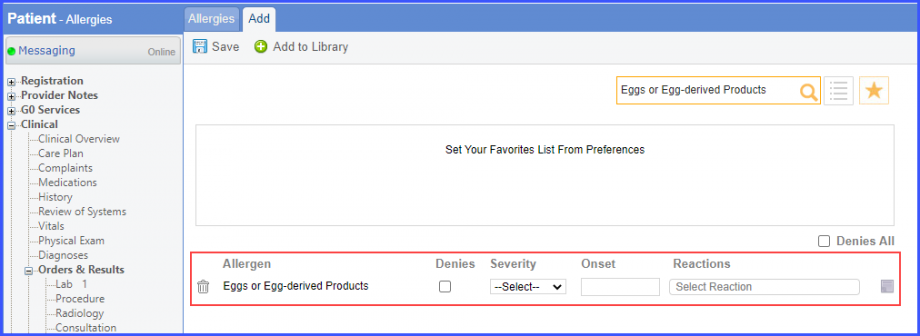
Egg substance allergy where the allergy overlaps after influenza season. To document the allergy, use the workflow Patient > Clinical > Allergies. Click ‘+ Allergen’ and search for an allergen. Add the allergen details and click ‘Save’.
Allergy
Diagnosis of allergy to influenza vaccine where the diagnosis overlaps after influenza season. To record the diagnosis, use the workflow Patient > Provider Note > Diagnoses.
Diagnosis of intolerance to influenza vaccine where the diagnosis overlaps after influenza season. To record the diagnosis, use the workflow Patient > Provider Note > Diagnoses.
Intolerance of influenza vaccination procedure where the intolerance overlaps after influenza season. To record the intolerance, use the workflow Patient > Clinical > Allergies.
Allergy or intolerance to influenza vaccine where the allergy/intolerance overlaps after influenza season. To record the allergy/intolerance, use the workflow Patient > Clinical > Allergies.