How to Record Vitals in Avalon?
Follow the above mentioned workflow to land on the clinical overview screen.
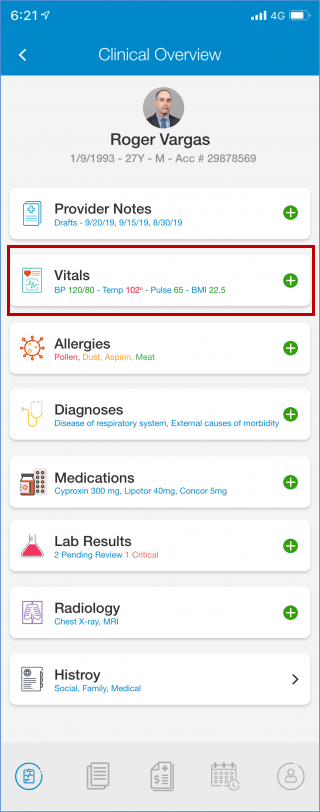
User can record vitals, provider notes, allergies etc. on this page. User taps on the “+” icon against vitals to add vitals.
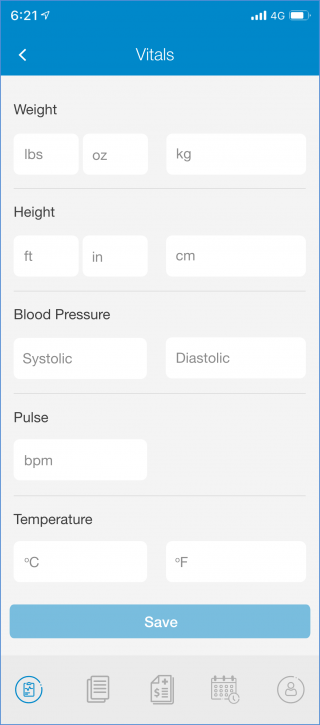
In the ‘Vitals’ tab, weight can be recorded with the following two units:
- Lbs/Oz
- KG
Similarly, height can also be recorded withn the following two units:
- Ft/in
- CM
Also, two different are available to record temperature as following:
- Celsius
- Fahrenheit
Recording a specific vital in one of the units, prompts the system to automatically calculate and populate relevant information in the other unit.
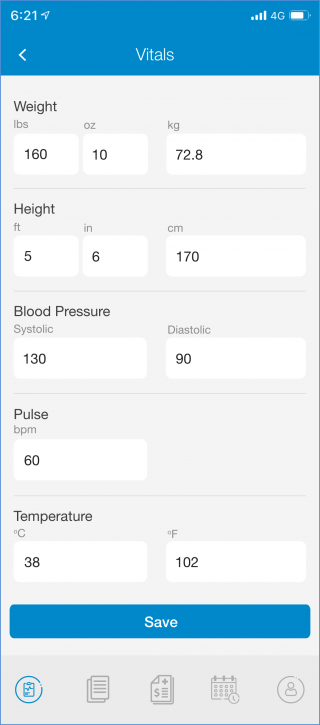
Tap ‘Save’ button at the bottom to save details.
