How to Add a Vaccine Manufacturer?
Follow the workflow mentioned above to land on the ‘Vaccine Manufacturer’ screen.
Click ‘+Add’ button.
To search for a specific ‘Vaccine Manufacturer’, enter the ‘Manufacturer’ name and click ‘Search’.
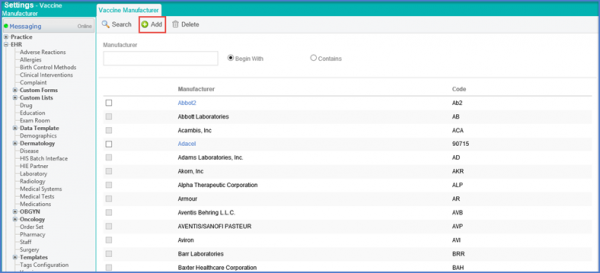
Search results will be displayed according to search criteria.
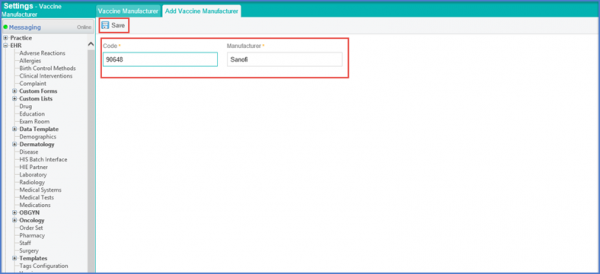
Under the Add Vaccine Manufacturer tab, enter the Code and Manufacturer details. Click ‘Save’ once done.