How to Add a Payment Reason?
Following the workflow, the user lands on the ‘Payment Reason’ page.
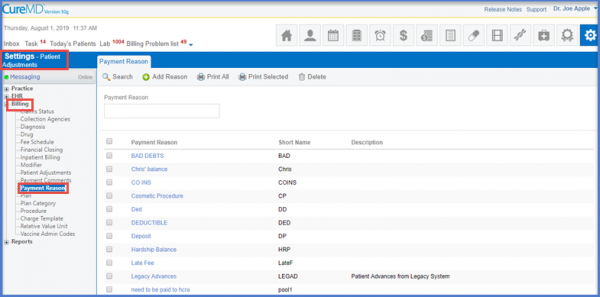
Click the ‘Add Reason’ button which displays a form. Enter the Short Name, Payment Reason and Description respectively.
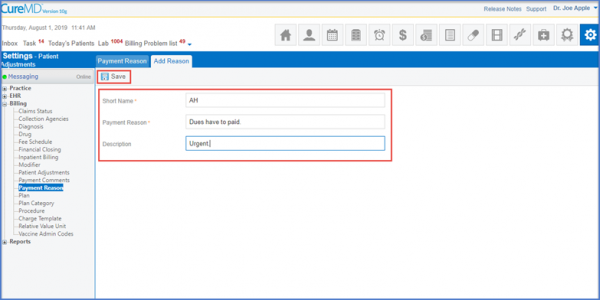
Once done, click the ‘Save’ button to ensure the Payment Reason is recorded.
