How to Change Patient Statement Report Options?
Follow the workflow mentioned above to land on the ‘Patient Statement’ screen.
‘Patient Statements Reports Options’ allows users to manage the content to be displayed on the report.
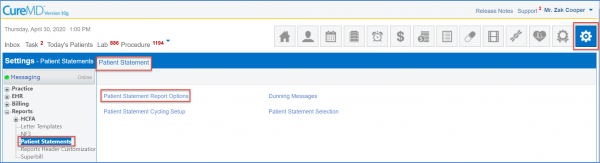
Click ‘Patient Statements Reports Options’ to display the ‘Report Options’ screen.
The previous saved report options will be displayed here.
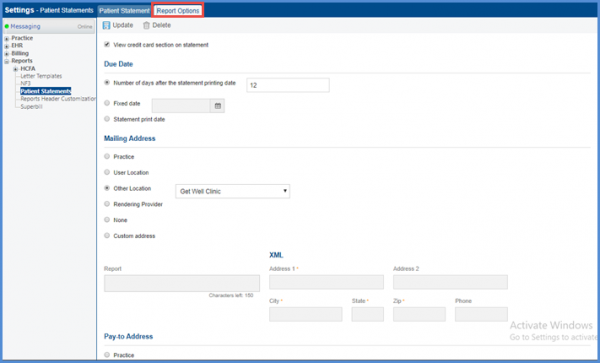
To facilitate patients who are registered in another county or district, users have the option to select appointment location as their ‘Mailing Address’ or ‘Pay-to Address’.
Select the appropriate option by clicking the radio buttons.
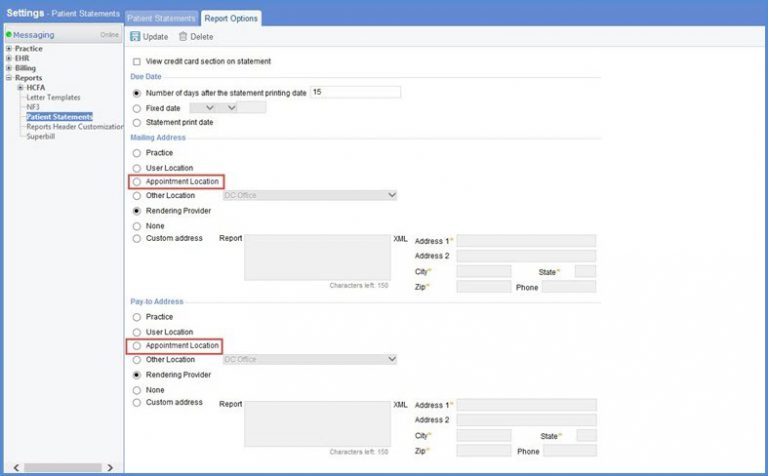
When the patient statement report is generated, users can view the appointment location as the mailing address to mail the patient’s details.
Also, appointment location as a pay-to address displays the billing address i.e. the location where the patient received the services. The address is based on the option selected by the user. To know how to generate a patient statement report, click here.
