What is the difference between Basic Search and Advanced Search?
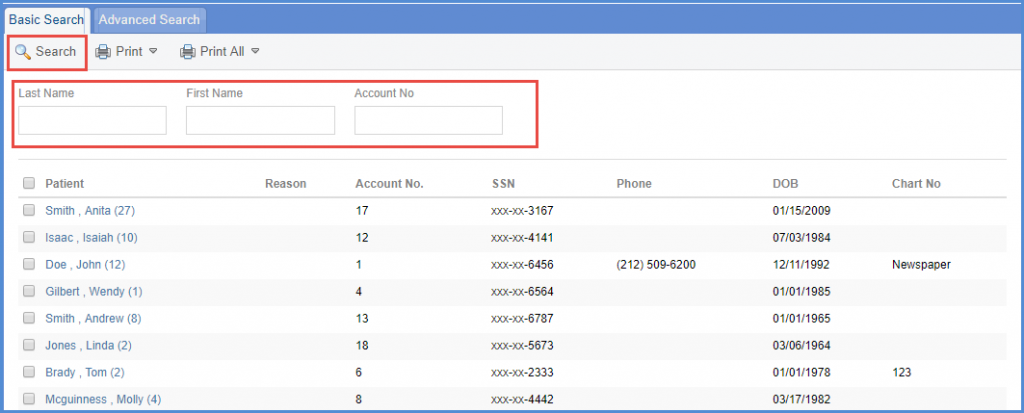
Follow the workflow above to land on the ‘Basic Search’ screen.
Users can search based on the patient’s first name, last name or account number.
Enter the required search criteria and click ‘Search’ button.
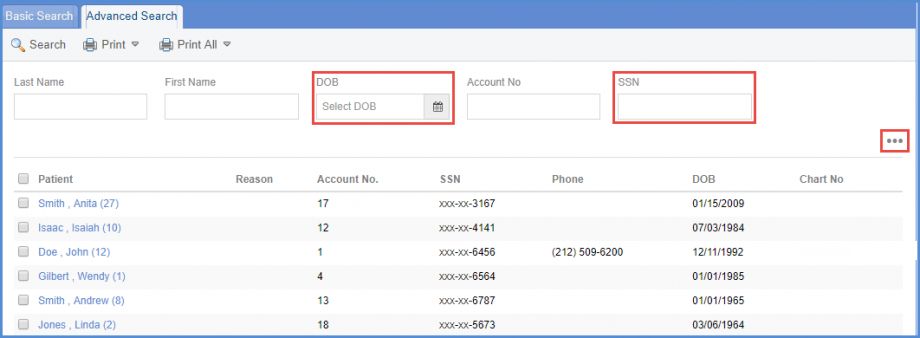
The ‘Advanced Search’ tab has the additional search fields of ‘DOB’ and ‘SSN’.
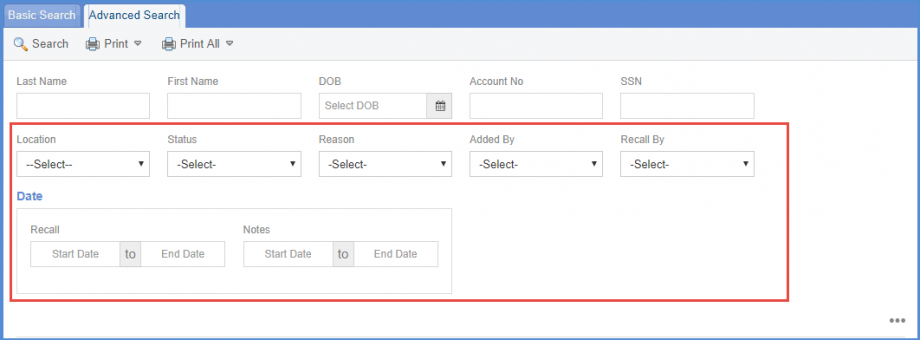
However, clicking on the ellipses displays the following filters for users to enhance search criteria:
- ‘Location’
- ‘Status’
- ‘Reason’
- ‘Added By’
- ‘Recall By’
- ‘Date’”