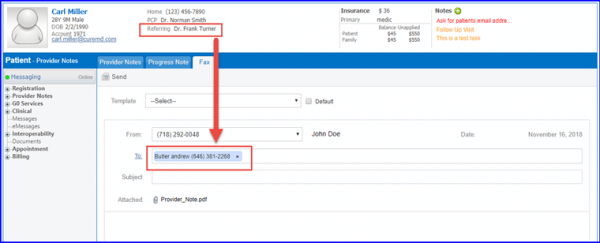
How a Referring Provider’s Fax Number Auto-Populates while Sending a Provider Note?
Fax number of a referring provider auto-populates, enabling the user to send a provider note conveniently.
After opening a provider note, the user can hover over the ‘Send’ dropdown to select ‘Fax to Ref. Provider’ from the list.
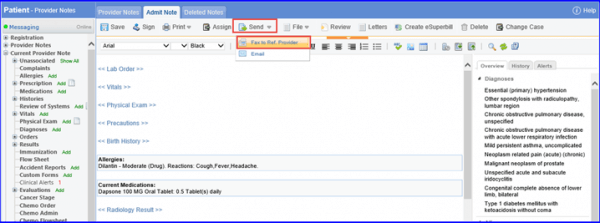
This takes the user to ‘Print Options’ tab. The user can enter the required information and click ‘OK’.
Here, referring provider’s fax number auto-populates in the ‘To’ field. The fax number is fetched from the ‘Office Fax’ field in Settings > Provider > Reference Provider.