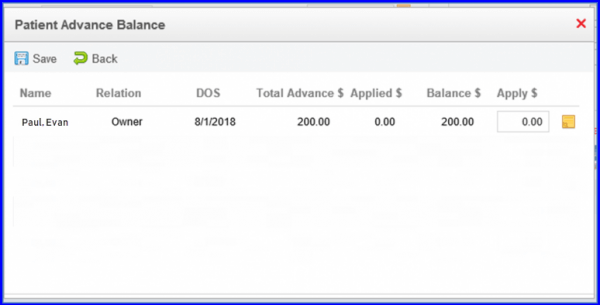
How to View Comments Against Advance Payments?
Users can view comments that are auto-populated against advance payment in the ‘Allocate Unapplied’ pop-up. 
Navigate to Payment screen following the workflow.
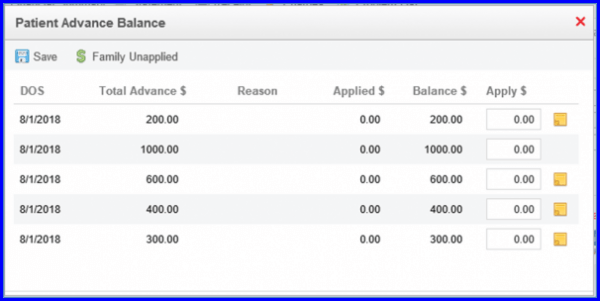
Select a payment to open an Allocate Unapplied pop-up. The column heading is renamed to ‘DOS’ in “Patient Advance Balance” screen
An Icon (  ) present at the end of an entry is added. This indicates that comment is present for the respective payment.
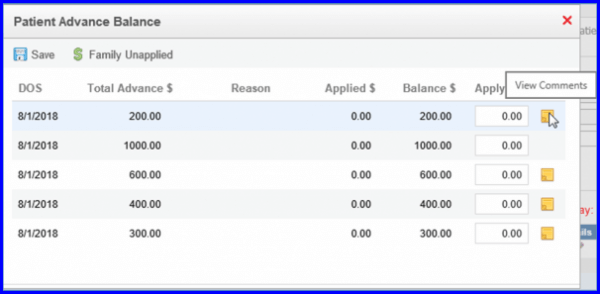
When user hover upon the icon ( ) to get “View Comments” message in a tooltip.
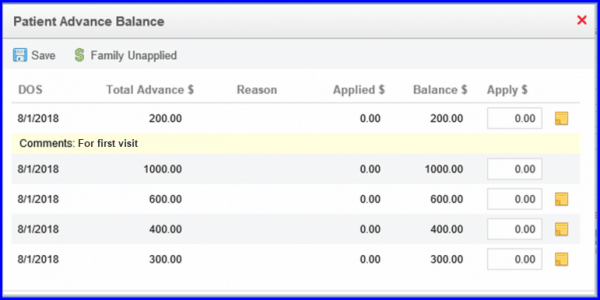
Click on this icon, to expand the payment and display the comments entered by the user at the time of registering the advance payment.
Click “Family Unapplied” button on Patient Advance Balance screen.
Here, ‘Family Unapplied’ action button is replaced by ‘Back’ action button. Also, user can click on icon to view the comments here as well.