How Default Patient Instructions Auto-populate for Older Rx Pad Pages?
Follow the workflow mentioned above to land on the ‘Prescription Templates’ screen.
Select a template to edit from the ‘Templates’ list.
Doing so will display the ‘Edit’ tab.
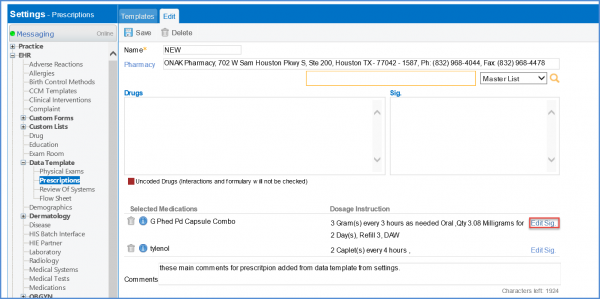
Click ‘Edit Sig’ to get directions for the medication.
Default patient instructions for the medication auto-populate in the ‘Patient Instructions’ field.
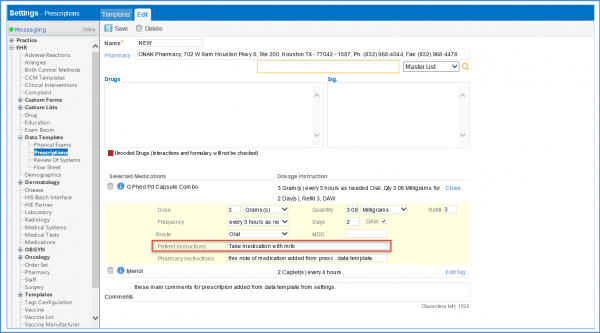
Make the required changes, and click ‘Save’ when done.
