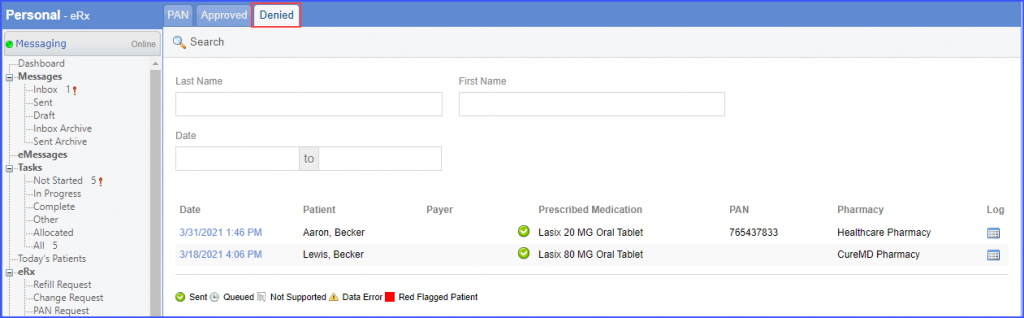
What is a PAN Request?
Some prescriptions require a prior authorization before the pharmacy can dispense them. The pharmacy sends the prescription back to the prescriber and requests them to provide a ‘PAN’. Such change requests land in the Prior Authorization bucket.
Follow the workflow mentioned above, land on the PAN screen.
‘PAN’ requests are displayed here.
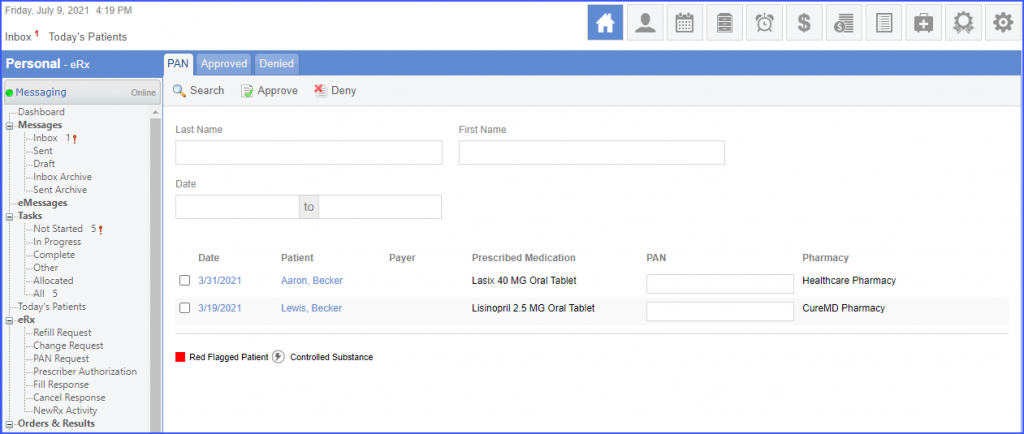
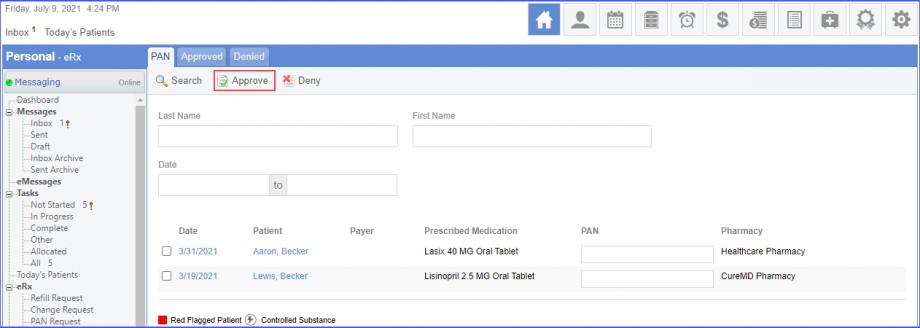
Payer column contains the relevant Coordination of Care Benefits (COO) that the prescriber needs to contact to get the PAN information. To contact the payer and obtain the PAN, enter it in the PAN field. Mark the checkbox next to the date of the PAN request and click on the ‘Approve’ button.
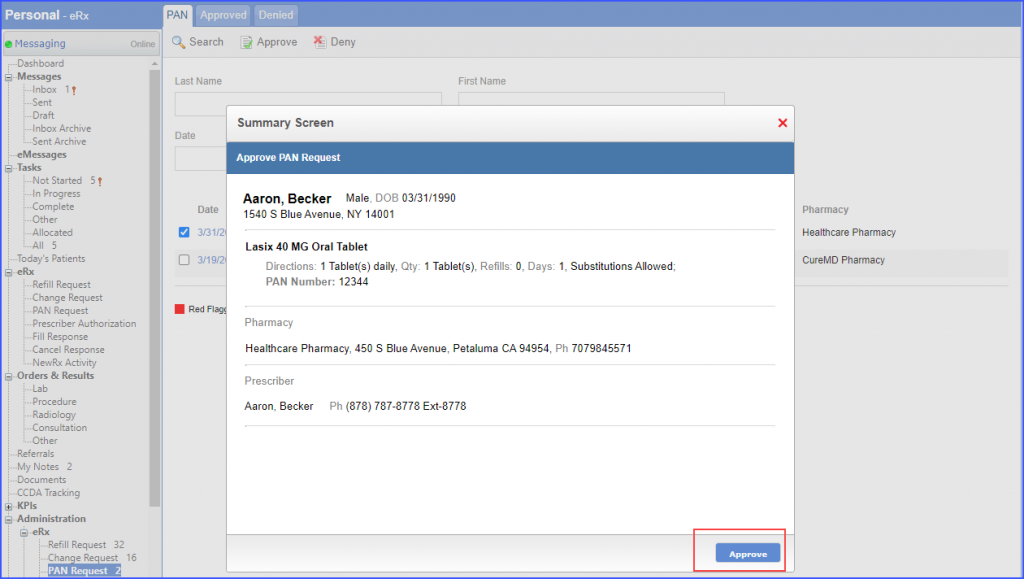
The system displays a ‘Summary Screen’ for the PAN request. Click ‘Approve’ to approve the request.
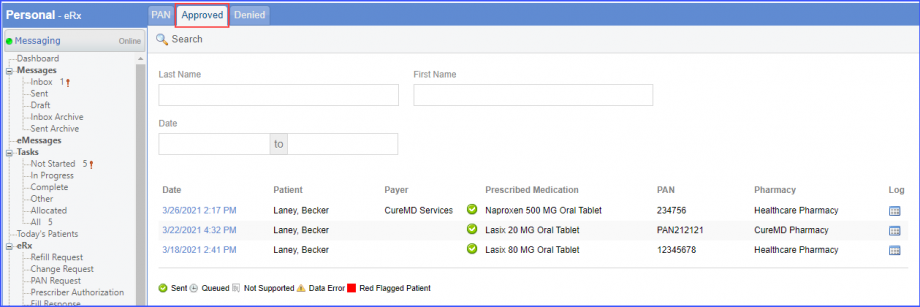
The PAN is sent back to the pharmacy and the request is moved to the ‘Approved’ tab as well.
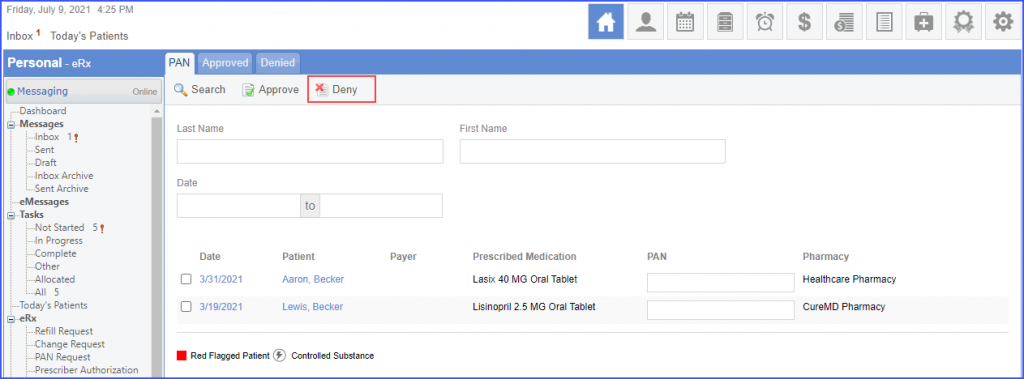
To reject a record, Mark the checkbox next to the date of the PAN request and click on the ‘Deny’ button.
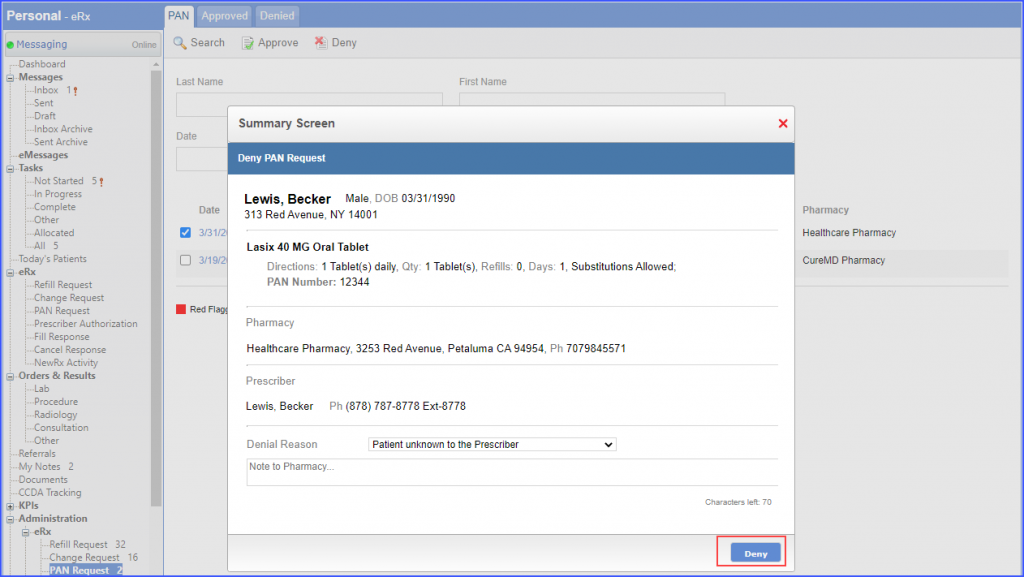
The system displays a ‘Summary Screen’ for the selected PAN request and the user can add a reason for denying the request. Click ‘Deny’ to deny the request.
The request is moved to the ‘Denied’ tab.