What is a Change Request?
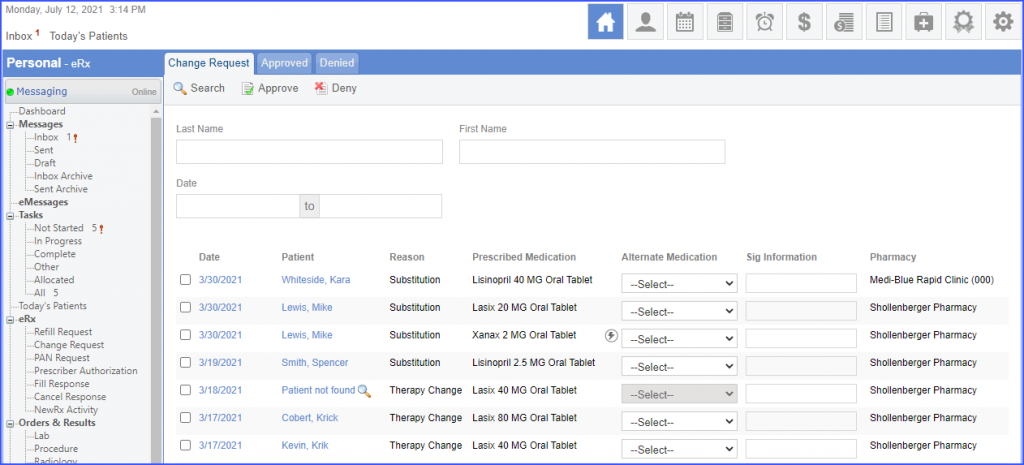
Follow the workflow mentioned above to land on the ‘Change Request’ screen.
CureMD has the facility to receive change requests electronically via Surescripts in the form of ‘Generic Substitution’ or ‘Drug Utilization Review’ (DUR) from the pharmacies. Users then process these change request messages and approve or reject them electronically.
A log is also maintained against these actions so that the record of every change request is documented. eRx change requests received from the pharmacy against prescribed medications via Surescripts are displayed on the ‘Change Request’ screen.
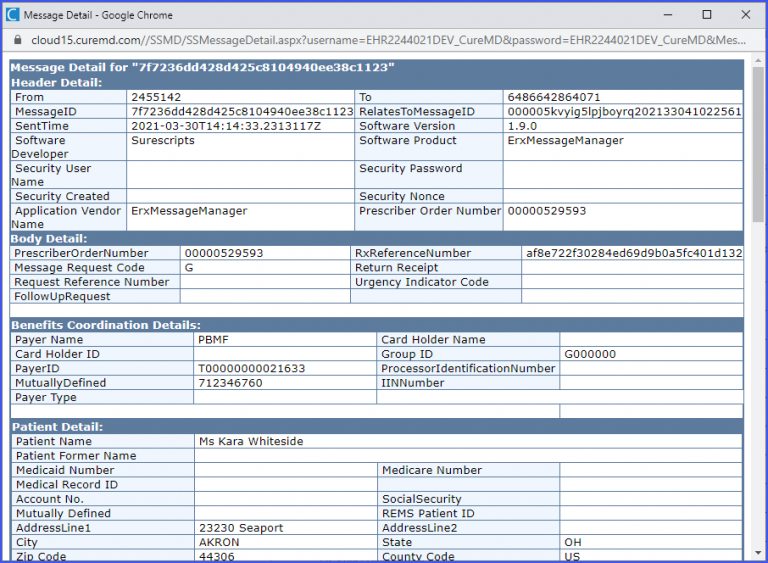
Click on the required date to display the Surescripts ‘Message Details’ window.
Hovering over the date displays the provider name in a tooltip.
