How to Use OPPS Modifiers on Drug Administration Strip?
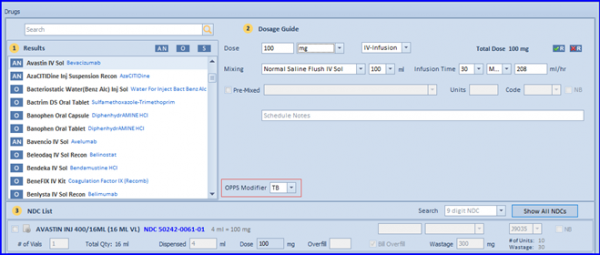
Based on user defined configuration, the OPPS modifiers ‘TB’ or ‘JG’ populate on Drug Administration strip for OPPS applicable drugs. Although users can select anyone of them manually
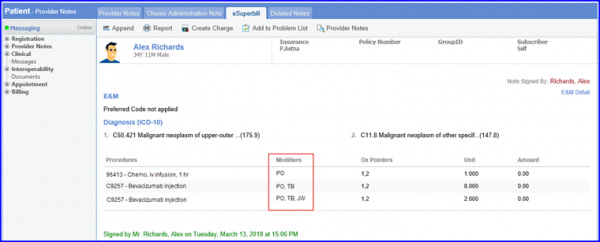
The OPPS modifiers can also be seen on the patient’s superbill in the Chemotherapy Manager.
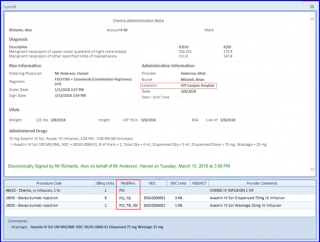
Lastly, once a chemo administration has been signed in Chemotherapy Manager featuring OPPS drugs, the patient’s eSuperbill will show location based and OPPS drug modifiers on their eSuperbill in the CureMD application.